


Merge Rush Z
เล่นบน PC ผ่าน BlueStacks - Android Gaming Platform ที่ได้รับความไว้วางใจจากเกมเมอร์ 500 ล้านคนทั่วโลก

Page Modified on: Dec 2, 2025
เล่น Merge Rush Z on PC
แน่นอนว่าให้รวมปืนและส่งทีมสาวสุดอันตรายของคุณเข้าไป!
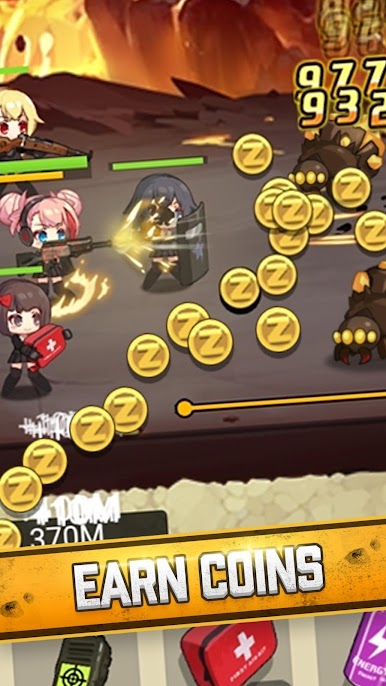
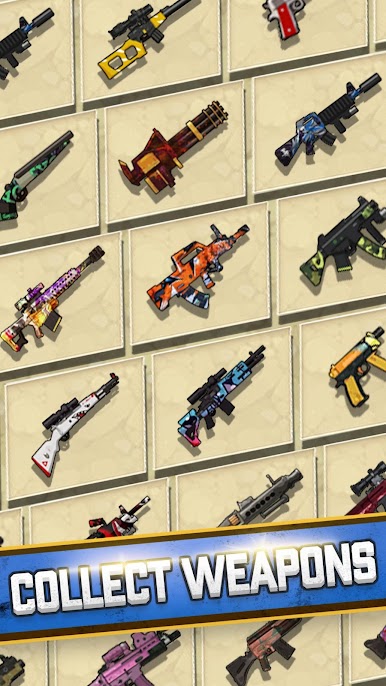
Merge Rush Z เป็นเกมยิงซอมบี้ฟรีที่เล่นแล้วติดใจ โดยคุณต้องรวมปืนทรงพลังเพื่อต่อสู้กับซอมบี้ร่วมกับฮีโร่สาวและทีมของเธอ ซอมบี้มีความท้าทายมากมายด้วยขนาด ความเร็ว ความสามารถ และบอสที่ทรงพลัง! เข้าร่วมในแอคชั่นการยิงที่น่าตื่นเต้นโดยใช้ปืน ไอเท็มสุดอันตราย และไหวพริบของคุณเพื่อกำจัดฝูงซอมบี้ แตะ ตี และระเบิดทางของคุณเพื่อเอาชีวิตรอดจากการระบาดของซอมบี้!
คุณสมบัติของเกม:
1. เกมเพลย์ที่เรียบง่ายและน่าติดตาม
สัมผัสความน่าพึงพอใจจากการรวมปืนอันทรงพลัง! แตะเพื่อควบคุมไฟของคุณในการต่อสู้ คุณจะไม่มีวันหมดกระสุน ดังนั้นยิงเลย!
2. ตัวละครที่น่ารักและน่าเอ็นดู
พลังอันยิ่งใหญ่มาในแพ็คเกจขนาดเล็ก และพวกมันมีพลังโจมตีด้วยอาวุธและไอเท็มสุดอันตราย อย่าปล่อยให้ซอมบี้สุดน่ารักหลอกคุณเช่นกัน พวกมันอันตราย แต่คุณสามารถบอกได้อย่างง่ายดายว่าพวกมันมีความสามารถอะไร
3. รับรายได้ต่อแม้ว่าคุณจะออฟไลน์อยู่ก็ตาม
คุณไม่คิดเหรอว่าซอมบี้จะโจมตีในขณะที่คุณไม่อยู่? ไม่ต้องกังวล ทีมได้จัดการทุกอย่างไว้แล้วและยังได้รับเหรียญเพิ่มอีกด้วย
4. รับรางวัลรายวัน
ทำส่วนของคุณและฆ่าซอมบี้ทุกวันเพื่อรับรางวัลจากภารกิจ การจับฉลาก และกล่องรางวัลฟรี!
ไม่ว่าคุณต้องการสะสมปืนที่ทรงพลังยิ่งขึ้นหรือเพียงแค่เข้าร่วมในแอ็กชั่นการยิงที่น่าตื่นเต้น เกมนี้ให้คุณเริ่มเล่นได้ทันที เมื่อคุณเริ่มแล้ว คุณจะไม่อยากหยุดยิงเลย



เล่น Merge Rush Z บน PC ได้ง่ายกว่า
-
ดาวน์โหลดและติดตั้ง BlueStacks บน PC ของคุณ
-
ลงชื่อเข้าใช้แอคเคาท์ Google เพื่อเข้าสู่ Play Store หรือทำในภายหลัง
-
ค้นหา Merge Rush Z ในช่องค้นหาด้านขวาบนของโปรแกรม
-
คลิกเพื่อติดตั้ง Merge Rush Z จากผลการค้นหา
-
ลงชื่อเข้าใช้บัญชี Google Account (หากยังไม่ได้ทำในขั้นที่ 2) เพื่อติดตั้ง Merge Rush Z
-
คลิกที่ไอคอน Merge Rush Z ในหน้าจอเพื่อเริ่มเล่น

