


Easy Call Forwarding
Jouez sur PC avec BlueStacks - la plate-forme de jeu Android, approuvée par + 500M de joueurs.

Page Modifiée le: Aug 24, 2025
Play Easy Call Forwarding on PC
Simple. Smart. Effortless Call Control.
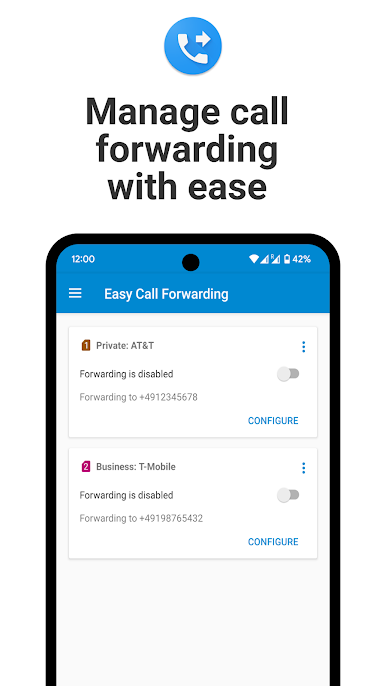
Tired of digging through endless menus or typing confusing codes just to forward a call? Easy Call Forwarding is your solution — a sleek, ad-free Android app that lets you configure call forwarding in just a few taps.
✅ Effortless Setup
No more hassle. Set up call forwarding with ease — no special codes, no tech knowledge required.
📲 One-Tap Access
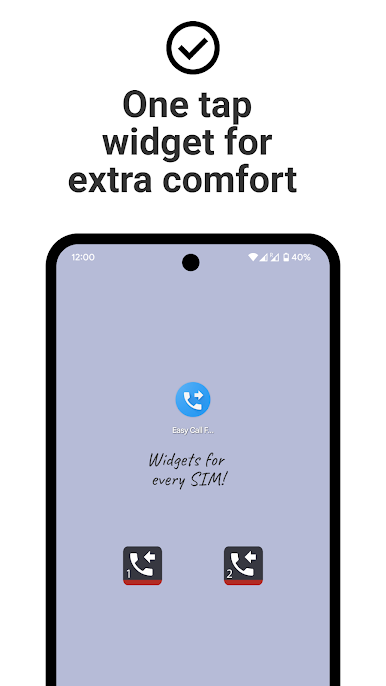
Use the included widget to enable or disable call forwarding right from your home screen. Fast, convenient, and always at your fingertips.
📶 Dual SIM? No Problem.
Unique Dual-SIM support lets you manage call forwarding settings separately for each SIM card.
✨ Modern Design
Crafted with the latest Material Design, the app looks and feels right at home on any modern Android device.
🎯 Try Free for 30 Days
Experience the full power of Easy Call Forwarding with no ads, no limitations, and no interruptions for 30 days. Love it? Keep it going with a low annual fee via in-app purchase.
🛠️ How It Works
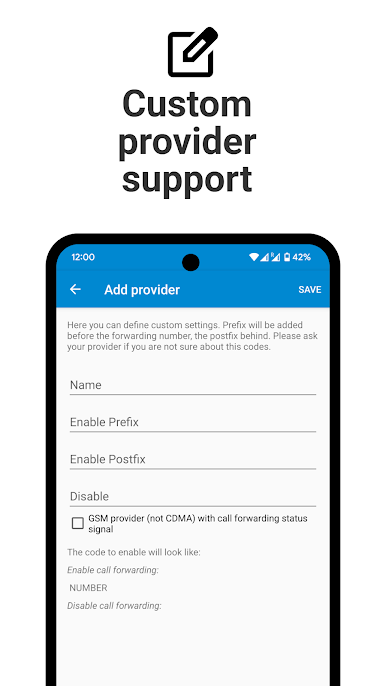
Easy Call Forwarding uses industry-standard USSD codes to communicate directly with your mobile provider. Once activated, calls are forwarded before they ever reach your phone — even if your battery dies or you’re out of signal.
Note: Some providers may charge for call forwarding. Please confirm with yours.
⚠️ Important Notes
• Unconditional forwarding only: The app currently supports only this mode.
• Android 14: Some users (e.g., on Verizon, Boost, Sprint) might need to manually confirm forwarding actions.
• Uninstalling the app will NOT stop call forwarding. Use the app or contact your provider to disable it.
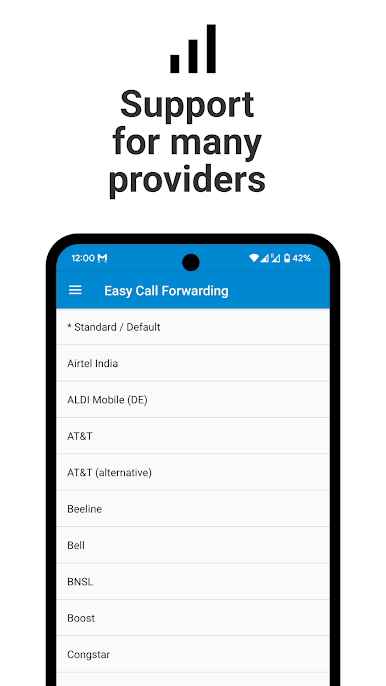
✅ Supported Providers (examples):
• AT&T
• Verizon
• T-Mobile (Contract)
• Vodafone
• Orange
• Jio
• Airtel
• Telstra
• Singtel
• O2
• Most European providers
Not supported by: T-Mobile Prepaid US, Republic Wireless, MetroPCS (w/o Value Bundle), ALDI/Medion Mobile (Germany)
💡 Need Help?
Help & Tutorial: www.simple-elements.com/apps/android/easy-call-forwarding/help
Still stuck? Email us at android-support@simple-elements.com or use the in-app feedback button.
Take control of your calls — the easy way.
🎉 Download Easy Call Forwarding today and enjoy hassle-free call management!

Jouez à Easy Call Forwarding sur PC. C'est facile de commencer.
-
Téléchargez et installez BlueStacks sur votre PC
-
Connectez-vous à Google pour accéder au Play Store ou faites-le plus tard
-
Recherchez Easy Call Forwarding dans la barre de recherche dans le coin supérieur droit
-
Cliquez pour installer Easy Call Forwarding à partir des résultats de la recherche
-
Connectez-vous à Google (si vous avez ignoré l'étape 2) pour installer Easy Call Forwarding
-
Cliquez sur l'icône Easy Call Forwarding sur l'écran d'accueil pour commencer à jouer

