


GAROU: MotW ACA NEOGEO
Jouez sur PC avec BlueStacks - la plate-forme de jeu Android, approuvée par + 500M de joueurs.

Page Modifiée le: Oct 28, 2025
Jouez GAROU: MotW ACA NEOGEO sur PC
Ces dernières années, SNK s'est associé à Hamster Corporation pour adapter de nombreux jeux classiques de NEOGEO aux environnements de jeu modernes grâce à la série ACA NEOGEO. Désormais sur smartphone, la difficulté et l'apparence des jeux NEOGEO d'antan peuvent être reproduites via les paramètres et options de l'écran. Les joueurs bénéficient également de fonctionnalités en ligne telles que les modes de classement en ligne. De plus, l'application propose des fonctions de sauvegarde/chargement rapides et de personnalisation de la manette virtuelle pour un confort de jeu optimal. Profitez de ces chefs-d'œuvre toujours pris en charge aujourd'hui.
[Présentation du jeu]
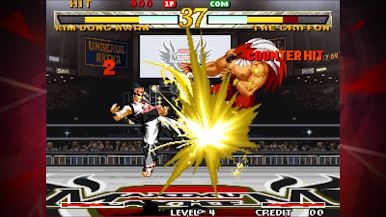
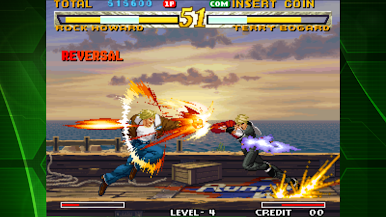
GAROU: MARK OF THE WOLVES est un jeu de combat sorti par SNK en 1999.
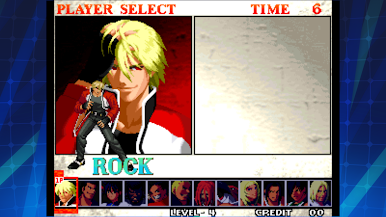
Fils de Geese Howard, Rock Howard, élevé par Terry Bogard, est le personnage principal de ce premier épisode d'une nouvelle génération de la série « FATAL FURY ». De nombreuses nouvelles mécaniques de jeu, comme la fonction « Breaking », ont été introduites dans ce chef-d'œuvre de combat acclamé, offrant ainsi aux joueurs une variété de stratégies complexes.
[Système d'exploitation recommandé]
Android 14.0 et versions ultérieures
© SNK CORPORATION TOUS DROITS RÉSERVÉS.
Série Arcade Archives produite par HAMSTER Co.
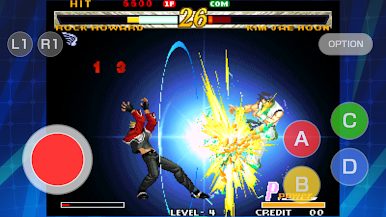
Jouez à GAROU: MotW ACA NEOGEO sur PC. C'est facile de commencer.
-
Téléchargez et installez BlueStacks sur votre PC
-
Connectez-vous à Google pour accéder au Play Store ou faites-le plus tard
-
Recherchez GAROU: MotW ACA NEOGEO dans la barre de recherche dans le coin supérieur droit
-
Cliquez pour installer GAROU: MotW ACA NEOGEO à partir des résultats de la recherche
-
Connectez-vous à Google (si vous avez ignoré l'étape 2) pour installer GAROU: MotW ACA NEOGEO
-
Cliquez sur l'icône GAROU: MotW ACA NEOGEO sur l'écran d'accueil pour commencer à jouer

