


Security & Antivirus Guard
Jouez sur PC avec BlueStacks - la plate-forme de jeu Android, approuvée par + 500M de joueurs.

Page Modifiée le: Aug 10, 2020
Run Security & Antivirus Guard on PC or Mac
Multitask effortlessly on your PC or Mac as you try out Security & Antivirus Guard, a Tools app by Sophos Limited on BlueStacks.
About the App
Ever worry about your security apps turning off when you least expect it? Security & Antivirus Guard from Sophos Limited steps in to make sure your important protection tools keep running in the background, just like they should. With this app, you can expect a little extra peace of mind knowing your device stays safeguarded — no more surprises from silent shutdowns.
App Features
-
Automatic Monitoring
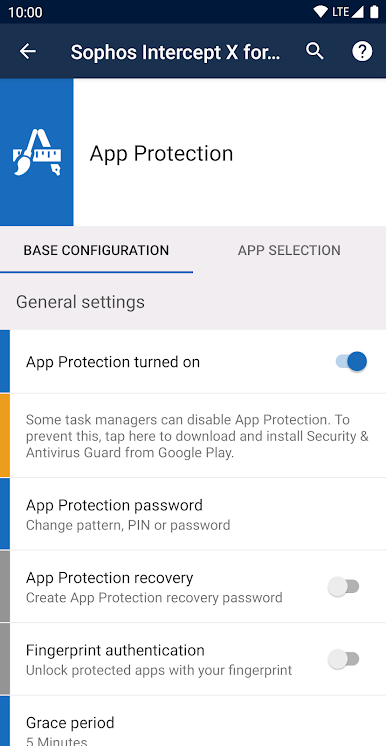
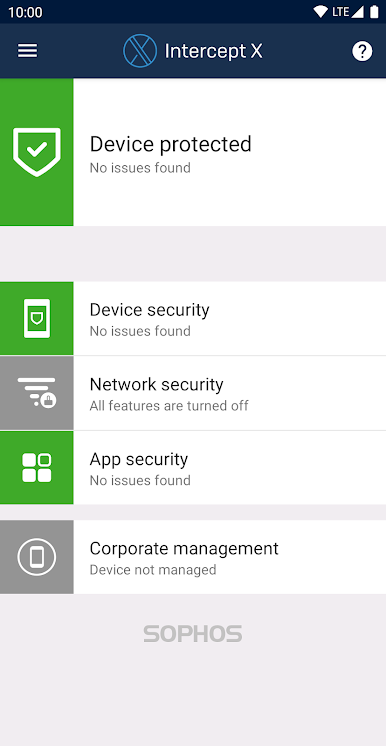
Keeps an eye on Sophos Intercept X for Mobile and Sophos Mobile Control, making sure they don’t get closed by accident or system quirks. If something happens, Security & Antivirus Guard restarts them for you—zero hassle. -
Simple Integration
Pairs up with your existing Sophos apps without getting in your way. Just set it up once, and it quietly does its job so you can focus on what matters. -
No Intrusive Actions
Runs in the background without eating up resources or getting in your face, so you’ll hardly even notice it’s there. -
Permission Transparency
Needs minimal permissions — it just checks which apps are currently open so it can make sure your Sophos protections stay active. -
Works Hand-in-Hand with BlueStacks
If you’re using BlueStacks to run your favorite Tools apps, Security & Antivirus Guard fits right in, helping to keep everything running smooth and secure.
Ready to experience Security & Antivirus Guard on a bigger screen, in all its glory? Download BlueStacks now.
Jouez à Security & Antivirus Guard sur PC. C'est facile de commencer.
-
Téléchargez et installez BlueStacks sur votre PC
-
Connectez-vous à Google pour accéder au Play Store ou faites-le plus tard
-
Recherchez Security & Antivirus Guard dans la barre de recherche dans le coin supérieur droit
-
Cliquez pour installer Security & Antivirus Guard à partir des résultats de la recherche
-
Connectez-vous à Google (si vous avez ignoré l'étape 2) pour installer Security & Antivirus Guard
-
Cliquez sur l'icône Security & Antivirus Guard sur l'écran d'accueil pour commencer à jouer

