


การตั้งค่าด่วน Pro
เล่นบน PC ผ่าน BlueStacks - Android Gaming Platform ที่ได้รับความไว้วางใจจากเกมเมอร์ 500 ล้านคนทั่วโลก

Page Modified on: Aug 4, 2025
Run Super Quick Settings Pro - Toggles & AD Free on PC or Mac
What’s better than using Super Quick Settings Pro – Toggles & AD Free by Super Android? Well, try it on a big screen, on your PC or Mac, with BlueStacks to see the difference.
About the App
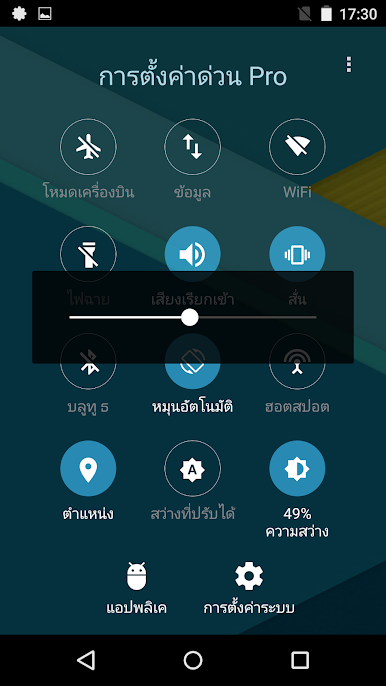
Ever find yourself fumbling through your phone’s menus just to tweak something simple, like turning on Wi-Fi or switching your ringtone? Super Quick Settings Pro – Toggles & AD Free is here to make all that a breeze. Brought to you by Super Android, this handy Tools app lets you manage your phone’s most-used settings way faster than before—no endless tapping, no digging around. Everything you need is at your fingertips, ready to flip on or off in a heartbeat.
App Features
-
Instant Toggles for Essentials
Change up your Wi-Fi, Bluetooth, or mobile data without hunting through separate screens. Just tap from the handy control panel and move on with your day. -
Streamlined Notification Toolbar
There’s a quick-access toolbar right in your notifications—grab your phone, swipe down, and flip settings hassle-free, even from your home screen or while using other apps. -
Personalized Brightness Control
Adjust your screen brightness manually or let adaptive brightness do its thing—all from the same place. -
One-Tap Flashlight
Need some light fast? Switch your flashlight on or off with a single tap instead of opening your camera or swiping through settings. -
Easy Sound Modes
Whether you want to stay silent, go full vibrate, or blast your ringtone, these options are right there. Switch modes in seconds depending on your environment. -
Quick Location & Hotspot Access
Enable or disable location tracking and personal hotspot with a tap—a must when you’re heading out or sharing your internet connection. -
No Ads, No Distractions
This Pro version keeps things uncluttered and sleek. You won’t see any ads in your way, so everything stays smooth and distraction-free.
If you’re using BlueStacks, flipping through your device’s settings with Super Quick Settings Pro – Toggles & AD Free feels just as smooth and straightforward as on your phone or tablet.
BlueStacks brings your apps to life on a bigger screen—seamless and straightforward.
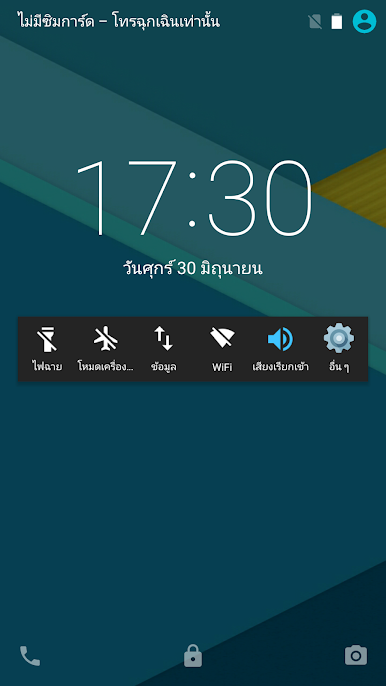
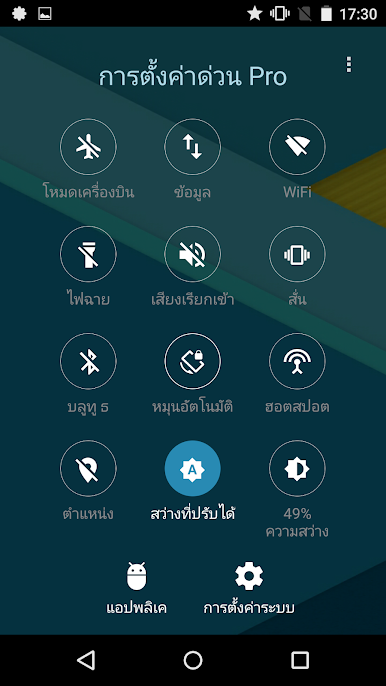
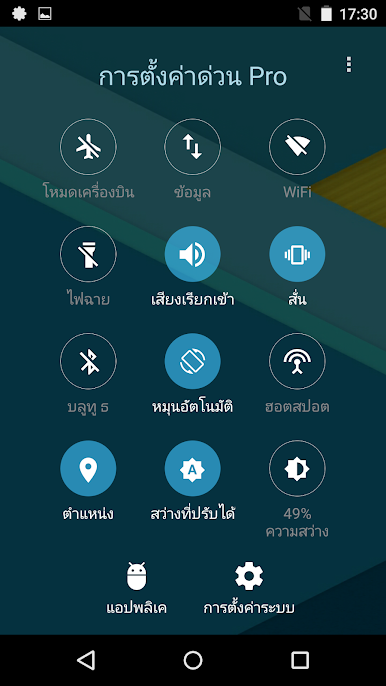
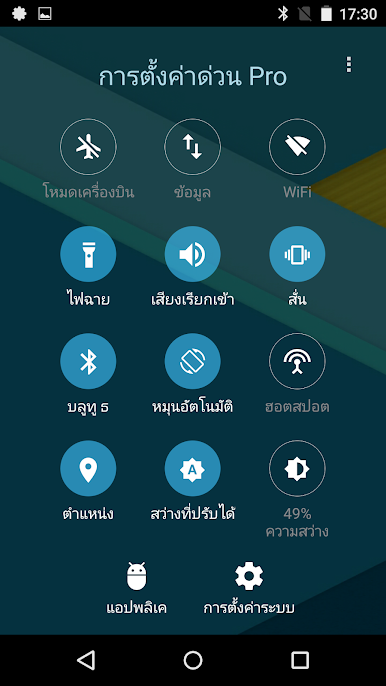
เล่น การตั้งค่าด่วน Pro บน PC ได้ง่ายกว่า
-
ดาวน์โหลดและติดตั้ง BlueStacks บน PC ของคุณ
-
ลงชื่อเข้าใช้แอคเคาท์ Google เพื่อเข้าสู่ Play Store หรือทำในภายหลัง
-
ค้นหา การตั้งค่าด่วน Pro ในช่องค้นหาด้านขวาบนของโปรแกรม
-
คลิกเพื่อติดตั้ง การตั้งค่าด่วน Pro จากผลการค้นหา
-
ลงชื่อเข้าใช้บัญชี Google Account (หากยังไม่ได้ทำในขั้นที่ 2) เพื่อติดตั้ง การตั้งค่าด่วน Pro
-
คลิกที่ไอคอน การตั้งค่าด่วน Pro ในหน้าจอเพื่อเริ่มเล่น

