


Pair 3D: Match 3D puzzle
Jouez sur PC avec BlueStacks - la plate-forme de jeu Android, approuvée par + 500M de joueurs.

Page Modifiée le: Oct 15, 2023
Play Pair 3D: Match 3D puzzle on PC
The game has tons of challenging well-designed levels to train your brain, exercise your logical thinking and memory. It is the best time killer for you!
HOW TO PLAY?
● Aim is to REMOVE ALL 3D OBJECTS.
● Find two IDENTICAL 3D OBJECTS and move to the Hexagon to matching them.
● The number of wrong connections are limited. Game will over if you have many failed matching!
● Use HINT button to auto find a pair.
● Match the 3D objects in the wish list to finish game quickly.
GAME FEATURES
● Well-designed challenging levels
● Easy to play
● Hint boosters
● Revive after fail
● Auto-save, continue playing where you left off.
● Various object collections
● Improves memory, focus, attention and concentration.
● NO ADS - package purchase removes the banner and interstitial ads.
● POLISHED - with satisfying and stimulating visual effects.
Everyone can solve Pair Matching Puzzle game.
Let's play Pair 3D: Match 3D game - PAIR MATCHING GAME with challenging levels.



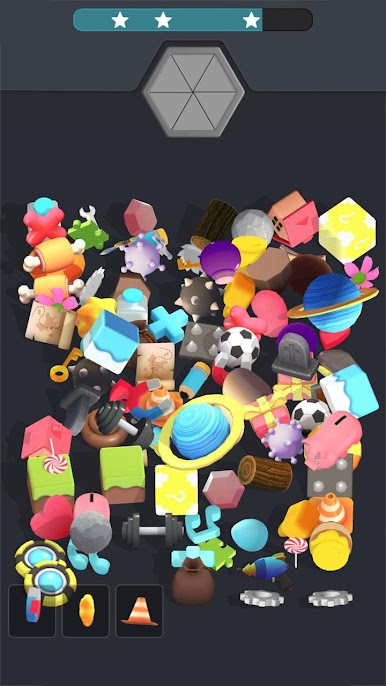

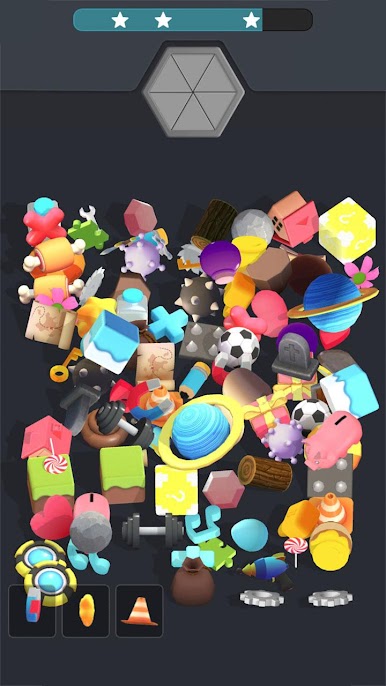


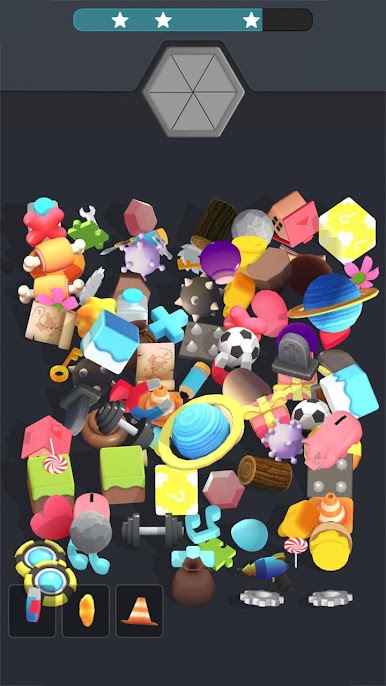

Jouez à Pair 3D: Match 3D puzzle sur PC. C'est facile de commencer.
-
Téléchargez et installez BlueStacks sur votre PC
-
Connectez-vous à Google pour accéder au Play Store ou faites-le plus tard
-
Recherchez Pair 3D: Match 3D puzzle dans la barre de recherche dans le coin supérieur droit
-
Cliquez pour installer Pair 3D: Match 3D puzzle à partir des résultats de la recherche
-
Connectez-vous à Google (si vous avez ignoré l'étape 2) pour installer Pair 3D: Match 3D puzzle
-
Cliquez sur l'icône Pair 3D: Match 3D puzzle sur l'écran d'accueil pour commencer à jouer

