


Word Across
เล่นบน PC ผ่าน BlueStacks - Android Gaming Platform ที่ได้รับความไว้วางใจจากเกมเมอร์ 500 ล้านคนทั่วโลก

Page Modified on: Oct 17, 2025
Play Word Across on PC or Mac
Step into the World of Word Across, a thrilling Word game from the house of Wordfun Games. Play this Android game on BlueStacks App Player and experience immersive gaming on PC or Mac.
About the Game
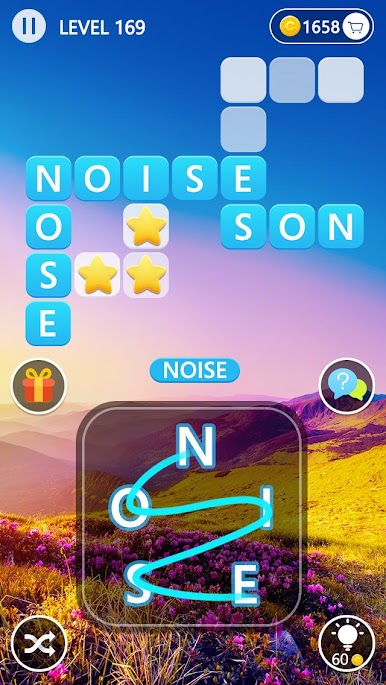
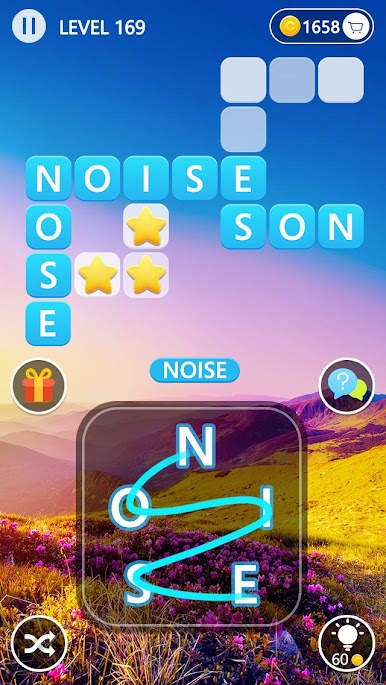
If you love word games and pretty scenery, Word Across might be exactly your kind of relaxing challenge. This is a word puzzle that brings the best of both worlds—think of a mix between a classic crossword and a word search, but with a fresh, visual twist. Match words, enjoy stunning landscapes, and see just how sharp your brain really is, whether you’re on the go or at your desk using BlueStacks.
Game Features
-
Challenging Word Puzzles
With thousands of creative puzzles, you’ll start off breezy but don’t be surprised when things heat up. It’s easy to get hooked once you find your rhythm swiping through letters and spotting that next word. -
Gorgeous Backdrops
Every puzzle comes with its own vibe—picture lush forests, calm lakes, flower fields, mountaintops, and dreamy clouds. There are over a hundred beautiful scenes to unlock, so you’ll never get tired of the view. -
Simple, Relaxing Gameplay
Just swipe your finger (or your mouse on BlueStacks) to connect letters and fill up the crossword spaces. Whenever you get stuck, you’ve got hints at your fingertips to nudge you in the right direction. -
Keeps Your Brain Moving
Perfect for anyone who wants to sneak in a quick mental workout. It starts simple, but the difficulty ramps up and keeps you thinking. -
Free to Play With Extras
Try every level without paying a dime. If you want a few perks (or hate ads), there are some optional purchases available, but the core game’s all yours.
Word Across by Wordfun Games is a great way to relax, challenge yourself, and indulge your love of words—all with some beautiful scenery in the background.
Slay your opponents with your epic moves. Play it your way on BlueStacks and dominate the battlefield.













เล่น Word Across บน PC ได้ง่ายกว่า
-
ดาวน์โหลดและติดตั้ง BlueStacks บน PC ของคุณ
-
ลงชื่อเข้าใช้แอคเคาท์ Google เพื่อเข้าสู่ Play Store หรือทำในภายหลัง
-
ค้นหา Word Across ในช่องค้นหาด้านขวาบนของโปรแกรม
-
คลิกเพื่อติดตั้ง Word Across จากผลการค้นหา
-
ลงชื่อเข้าใช้บัญชี Google Account (หากยังไม่ได้ทำในขั้นที่ 2) เพื่อติดตั้ง Word Across
-
คลิกที่ไอคอน Word Across ในหน้าจอเพื่อเริ่มเล่น

