


eFootball™
Jouez sur PC avec BlueStacks - la plate-forme de jeu Android, approuvée par + 500M de joueurs.

Page Modifiée le: Aug 19, 2026
Joue à eFootball™ sur PC ou Mac
Donne le meilleur de vous-même dans eFootball™, la sensation des jeux de Sport développé par KONAMI. Offre un boost tant attendu à votre expérience de jeu grâce aux commandes précises, aux graphismes en IPS élevées, et aux fonctionnalités avancées que confère BlueStacks sur PC ou Mac.
À propos du jeu
eFootball™ met le foot au premier plan avec une approche simple: choisis ton équipe, construis ton effectif de rêve et enchaîne les matches, que tu joues cinq minutes ou tout un après-midi. C’est un jeu Sports pensé pour le jeu connecté, avec des contrôles accessibles et des mises à jour régulières qui gardent la saison vivante semaine après semaine. Tu veux jouer tranquille contre l’IA ou viser la compétition en ligne ? Les deux options sont là, sans chichis.
Caractéristiques du jeu
- Prise en main guidée: un tuto interactif t’explique pas à pas les bases, histoire d’être à l’aise avant tes premiers coups d’éclat.
- Commandes intelligentes: dribbles, passes instinctives et frappes nettes sans combinaisons compliquées. Tu te concentres sur le jeu, pas sur la manette virtuelle.
- Ton club ou ta sélection: commence avec l’équipe que tu soutiens, qu’elle vienne d’Europe, d’Amérique, d’Asie ou d’ailleurs. À toi de porter ses couleurs.
- Recrutement de stars: compose un effectif mêlant superstars actuelles et grands noms du passé pour créer une équipe vraiment à ton image.
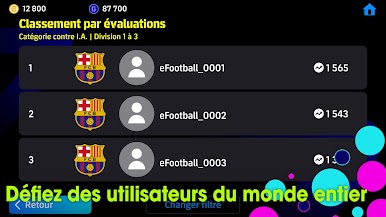
- Matchs solo et compétitifs: teste des schémas contre l’IA ou grimpe en classement face à d’autres joueurs en ligne. Rythme rapide, sensations immédiates.
- Développement sur mesure: fais progresser tes joueurs via les matches ou des objets, puis attribue leurs points comme tu l’entends. Pas sûr de la meilleure voie ? Des recommandations t’aident à trancher.
- Mises à jour hebdo: les performances réelles et les transferts influencent le jeu chaque semaine. Ajuste ton onze et profite du momentum.
- Stade personnalisable: choisis tifos et accessoires géants, et vois ton enceinte s’animer le jour de match. Ambiance maison garantie.
- Conçu pour le jeu en ligne: tout se joue avec une connexion stable. Et si tu préfères jouer sur PC, eFootball™ fonctionne très bien via BlueStacks, pratique pour un grand écran et des contrôles confortables.
Prêt à conquérir le sommet du classement ? On n’en doute pas. Laisse les commandes précises et les graphismes détaillés optimisés par BlueStacks te conduire à la victoire.














Jouez à eFootball™ sur PC. C'est facile de commencer.
-
Téléchargez et installez BlueStacks sur votre PC
-
Connectez-vous à Google pour accéder au Play Store ou faites-le plus tard
-
Recherchez eFootball™ dans la barre de recherche dans le coin supérieur droit
-
Cliquez pour installer eFootball™ à partir des résultats de la recherche
-
Connectez-vous à Google (si vous avez ignoré l'étape 2) pour installer eFootball™
-
Cliquez sur l'icône eFootball™ sur l'écran d'accueil pour commencer à jouer

