


Alles-in-Einem Mahjong Pro
Spiele auf dem PC mit BlueStacks - der Android-Gaming-Plattform, der über 500 Millionen Spieler vertrauen.

Seite geändert am: Sep 3, 2025
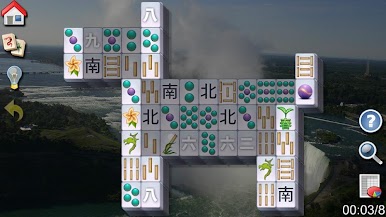
Play All-in-One Mahjong Pro on PC
• Two game modes: Time mode (with shuffle ability, match all pairs as soon as possible). Score mode (no shuffle, play until you win or lose).
• 234 different mahjong layouts!
• Global leaderboard with people playing all over the world.
• Keep track of your own records.
• Big selection of backgrounds.
• Nice music.
Developed by Pozirk Games















Spiele Alles-in-Einem Mahjong Pro auf dem PC. Der Einstieg ist einfach.
-
Lade BlueStacks herunter und installiere es auf deinem PC
-
Schließe die Google-Anmeldung ab, um auf den Play Store zuzugreifen, oder mache es später
-
Suche in der Suchleiste oben rechts nach Alles-in-Einem Mahjong Pro
-
Klicke hier, um Alles-in-Einem Mahjong Pro aus den Suchergebnissen zu installieren
-
Schließe die Google-Anmeldung ab (wenn du Schritt 2 übersprungen hast), um Alles-in-Einem Mahjong Pro zu installieren.
-
Klicke auf dem Startbildschirm auf das Alles-in-Einem Mahjong Pro Symbol, um mit dem Spielen zu beginnen

