


Hidden Room: Collaborator
Играйте на ПК с BlueStacks – игровой платформе для приложений на Android. Нас выбирают более 500 млн. игроков.

Страница изменена: Nov 1, 2025
Play Hidden Room: Collaborator on PC or Mac
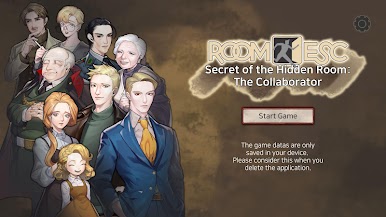
From the innovators and creators at PuzzleSpace, Hidden Room: Collaborator is another fun addition to the World of Adventure games. Go beyond your mobile screen and play it bigger and better on your PC or Mac. An immersive experience awaits you.
About the Game
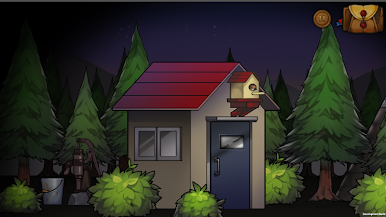
Hidden Room: Collaborator puts you in the middle of a messy, personal mystery: was Dan a traitor… or the one person who tried to do the right thing? This is a story-first room escape from PuzzleSpace where you search an old church basement, jump across timelines, and piece together a life that’s been judged all wrong. Expect thoughtful puzzles, moody spaces, and an ending that lingers.
Game Features
- Genre: Adventure: A narrative-driven escape experience built around discovery and suspense.
- Story-First Puzzles: Every riddle, lock, and clue pushes the plot forward as you retrace Dan’s past and challenge the “collaborator” label he carried.
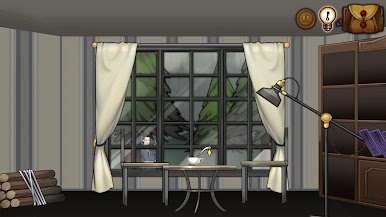
- 360° Rooms: Rotate scenes freely to scan ceilings, floors, and hidden corners—great for spotting small but crucial details.
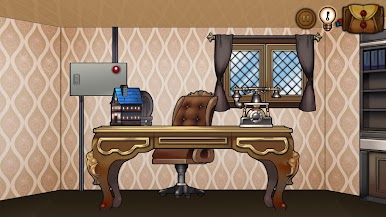
- Cinematic 3D Look: Clean, three-dimensional visuals give each location—from the church basement to later timelines—its own tone and texture.
- 20+ Mini-Games: Crack codes, align mechanisms, solve logic chains, and tackle a variety of bite-size challenges that keep the pace changing.
- Play as Dan: You’re not just observing—you’re stepping into his shoes, following records and memories to untangle what really happened.
- Time-Spanning Journey: Move through different periods and places, stitching together a single truth from scattered moments.
- Novel-Like Emotions: The storytelling aims for that “just finished a good book” feeling, with reveals that stay with you after the credits.
- Smooth Saving: The game uses external storage for saving and loading. It requests access to files but doesn’t touch your photos or media.
- Nice on a Bigger Screen: Works well on mobile and also feels great on PC via BlueStacks if you prefer a roomier view.
Get ready for a buttery smooth, high-performance gaming action only on BlueStacks.





Играйте в игру Hidden Room: Collaborator на ПК. Это легко и просто.
-
Скачайте и установите BlueStacks на ПК.
-
Войдите в аккаунт Google, чтобы получить доступ к Google Play, или сделайте это позже.
-
В поле поиска, которое находится в правой части экрана, введите название игры – Hidden Room: Collaborator.
-
Среди результатов поиска найдите игру Hidden Room: Collaborator и нажмите на кнопку "Установить".
-
Завершите авторизацию в Google (если вы пропустили этот шаг в начале) и установите игру Hidden Room: Collaborator.
-
Нажмите на ярлык игры Hidden Room: Collaborator на главном экране, чтобы начать играть.

