

Partner MobileTech
500M + oyuncunun güvendiği Android Oyun Platformu, BlueStacks ile PC'de oynayın.

Sayfa Değiştirilme tarihi: Nov 26, 2025
Run Partner MobileTech on PC or Mac
Get freedom from your phone’s obvious limitations. Use Partner MobileTech, made by Onabridge Technologies LLC, a Tools app on your PC or Mac with BlueStacks, and level up your experience.
About the App
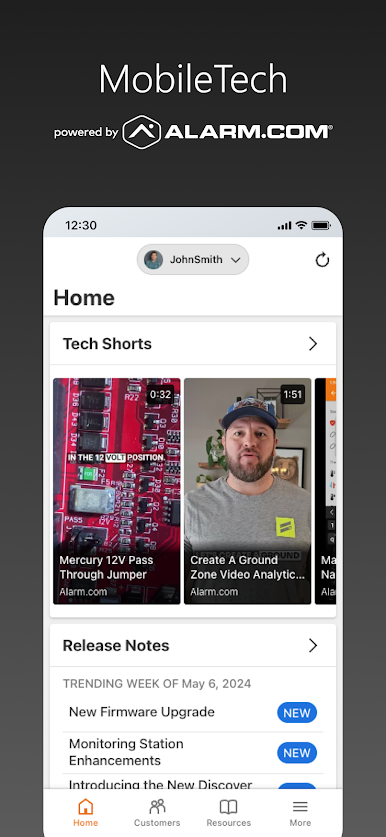
Partner MobileTech is a pro-grade companion for installers working with Alarm.com systems. Built with field work in mind, it keeps your setup and service visits organized, fast, and accurate—without the guesswork. If you’re an Alarm.com Authorized Dealer, this Tools app from Onabridge Technologies LLC helps you get in, get it done, and move on to the next job with confidence.
App Features
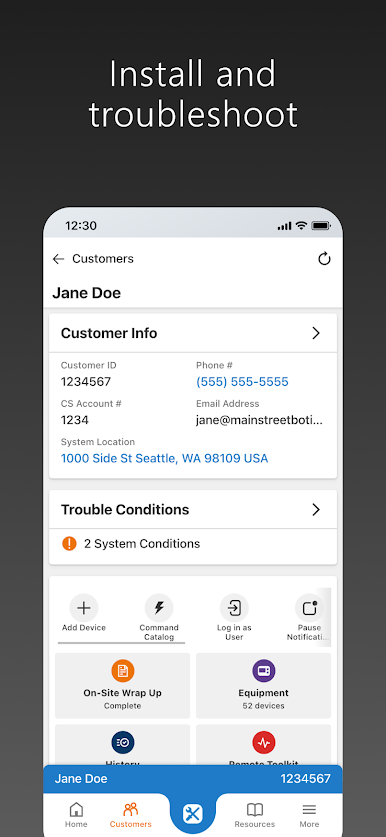
- On-site setup tools: Streamlined workflows guide you through installation steps so you can configure devices and finish cleanly while you’re at the property.
- Smarter troubleshooting: Run quick checks and diagnostics to pinpoint issues fast, cutting down on back-and-forth and unnecessary calls to tech support.
- Accuracy checks: Built-in safeguards help catch common misconfigurations early, improving quality before you leave the job.
- Role-based access: The app uses your Alarm.com Dealer Website permissions, showing only the features your login is authorized to use.
- Privacy protections: Certain capabilities unlock only when you’re physically on-site, helping protect customer information and system security.
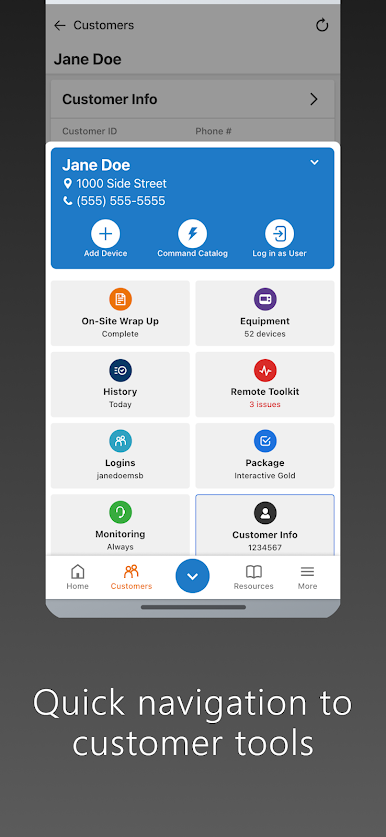
- Faster field work: Handy shortcuts and focused tools reduce installation time and make repeat tasks less tedious.
- Dealer sign-in: Use your existing dealer credentials to access the tools you need without extra account setup.
- Works the way you work: Designed for real-world job sites and quick visits, with a clean layout that keeps essentials within reach.
- Optional desktop use: Prefer a larger screen during planning or training? You can also run Partner MobileTech with BlueStacks when it fits your workflow.
BlueStacks gives you the much-needed freedom to experience your favorite apps on a bigger screen. Get it now.
Partner MobileTech oyununu PC'de oyna. Başlamak çok kolay.
-
BlueStacks'i PC'nize İndirin ve Yükleyin
-
Play Store'a erişmek için Google girişi yapın ya da daha sonraya bırakın.
-
Sağ üst köşeye Partner MobileTech yazarak arayın.
-
Partner MobileTech uygulamasını arama sonuçlarından indirmek için tıklayın.
-
(iEğer Adım 2'yi atladıysanız) Partner MobileTech uygulamasını yüklemek için Google'a giriş yapın.
-
Oynatmaya başlatmak için ekrandaki Partner MobileTech ikonuna tıklayın.

