


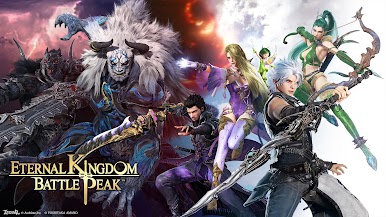
Eternal Kingdom Battle Peak
Spiele auf dem PC mit BlueStacks - der Android-Gaming-Plattform, der über 500 Millionen Spieler vertrauen.

Seite geändert am: Feb 2, 2026
Spiele Eternal Kingdom Battle Peak für PC
Theme Song:LUNA SEA
In-game Sound:MONACA
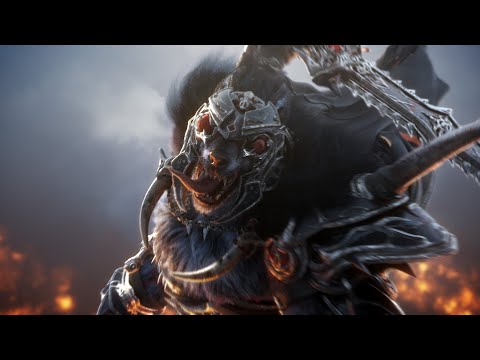
Introducing our huge "Japanese" MMORPG, featuring a team of renowned Japanese creators!
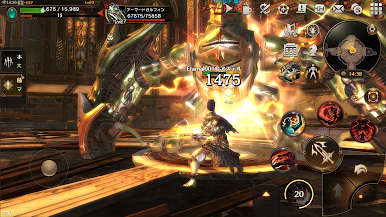
Unlimited strategies with "Jobs" x "Attributes"!
Multiple "Attributes" within a single job! Discover your skills and find your own unique battle style!
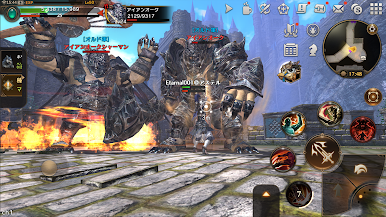
Take on the "dungeon" with your trusted allies!
The role of each job is important! Work with your party to defeat the mighty enemy!
Up to 200 players can play against each other at the same time⁉ Let's win the "Siege"!
Create your own "Legion" with your allies, and aim for the top with your own hands!
Explore a world of beautiful graphics!
Day and night and weather change with time! Travel freely through a changing world!
Create your own equipment with "Expertise"!
Create various items and equipment with "Expertise"! Enjoy your own original equipment!




Spiele Eternal Kingdom Battle Peak auf dem PC. Der Einstieg ist einfach.
-
Lade BlueStacks herunter und installiere es auf deinem PC
-
Schließe die Google-Anmeldung ab, um auf den Play Store zuzugreifen, oder mache es später
-
Suche in der Suchleiste oben rechts nach Eternal Kingdom Battle Peak
-
Klicke hier, um Eternal Kingdom Battle Peak aus den Suchergebnissen zu installieren
-
Schließe die Google-Anmeldung ab (wenn du Schritt 2 übersprungen hast), um Eternal Kingdom Battle Peak zu installieren.
-
Klicke auf dem Startbildschirm auf das Eternal Kingdom Battle Peak Symbol, um mit dem Spielen zu beginnen

