


Polyrhythmen - Metronom
Spiele auf dem PC mit BlueStacks - der Android-Gaming-Plattform, der über 500 Millionen Spieler vertrauen.

Seite geändert am: Sep 11, 2025
Run Polyrhythm Metronome - Rhythm Trainer on PC or Mac
Why limit yourself to your small screen on the phone? Run Polyrhythm Metronome – Rhythm Trainer, an app by Autumn Rock Software Development, best experienced on your PC or Mac with BlueStacks, the world’s #1 Android emulator.
About the App
Ever wanted to get the hang of those tricky overlapping rhythms you hear in world music—or just challenge your timing for fun? With Polyrhythm Metronome – Rhythm Trainer, you’ve got a handy practice tool right on your device! This app, from Autumn Rock Software Development, puts rhythm training in your hands, whether you’re into the technical side of Music & Audio, or you’d rather just tap along and see what happens. It’s set up for all skill levels, so you can jump in, tweak settings, and start exploring different polyrhythms with no fuss.
App Features
-
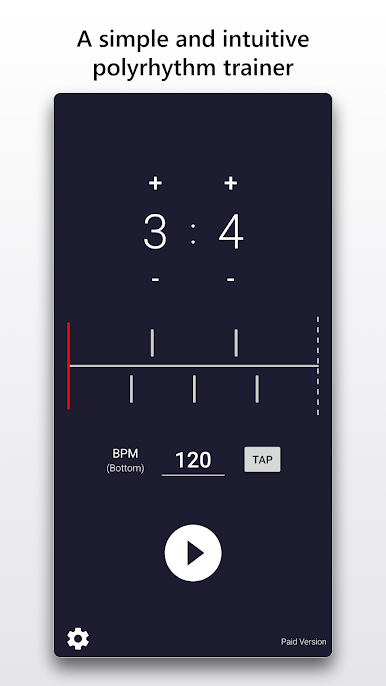
Straightforward Polyrhythm Metronome
No complicated menus—just launch the app, pick your polyrhythm, and start practicing. Super painless to use, even if you’re just starting to get into rhythm training. -
Variety of Polyrhythm Options
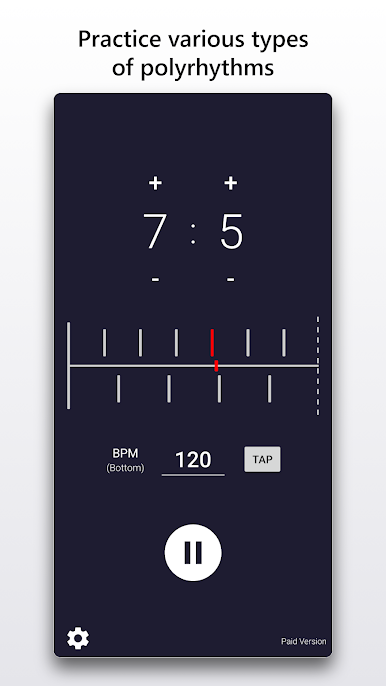
Try out all sorts of rhythms, from basic to pretty wild. You can switch between different polyrhythms and hear how each one feels, which is great for experimenting or warming up before playing. -
Visual Rhythm Playback
Watching the rhythm helps lock it into your brain. The app shows a clear visual guide as it plays, so you can literally see what you’re hearing. -
Customizable Beat Selection
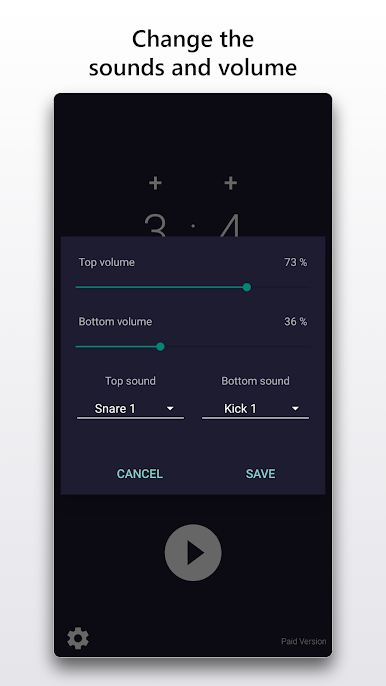
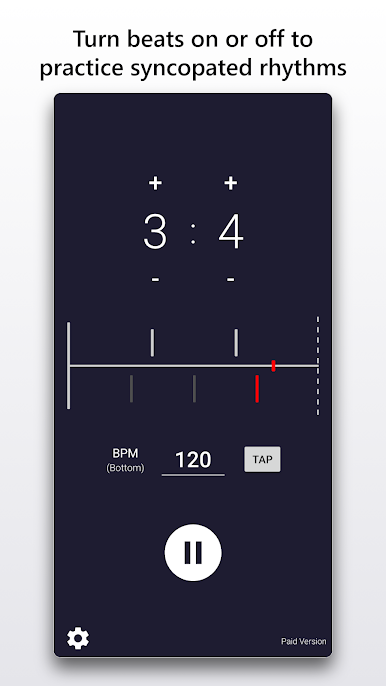
Need to work on syncopation or just want fewer beats to listen to? You can mute or solo particular beats, helping you focus in on exactly what you want to master. -
Quick Tempo Changes
If you want to speed things up or slow them way down, just tap the “TAP” button and you can fine-tune the tempo in a flash.
This app feels right at home on a phone or tablet, but if you’d rather have that big screen view (maybe while using BlueStacks), everything looks crisp and runs just as smoothly.
BlueStacks gives you the much-needed freedom to experience your favorite apps on a bigger screen. Get it now.
Spiele Polyrhythmen - Metronom auf dem PC. Der Einstieg ist einfach.
-
Lade BlueStacks herunter und installiere es auf deinem PC
-
Schließe die Google-Anmeldung ab, um auf den Play Store zuzugreifen, oder mache es später
-
Suche in der Suchleiste oben rechts nach Polyrhythmen - Metronom
-
Klicke hier, um Polyrhythmen - Metronom aus den Suchergebnissen zu installieren
-
Schließe die Google-Anmeldung ab (wenn du Schritt 2 übersprungen hast), um Polyrhythmen - Metronom zu installieren.
-
Klicke auf dem Startbildschirm auf das Polyrhythmen - Metronom Symbol, um mit dem Spielen zu beginnen

