


HMI Controller for Arduino L
500M + oyuncunun güvendiği Android Oyun Platformu, BlueStacks ile PC'de oynayın.

Sayfa Değiştirilme tarihi: Jan 1, 2018
Play HMI Controller for Arduino L on PC
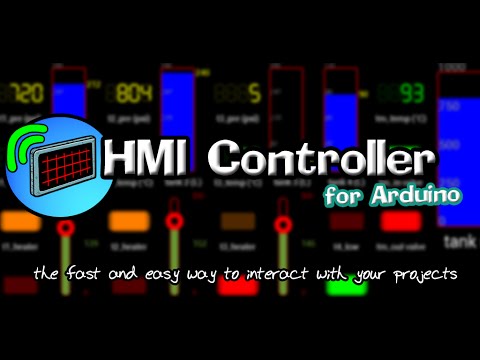
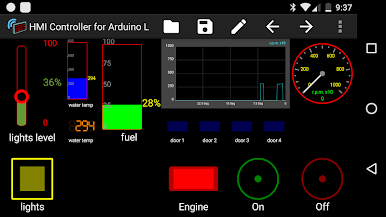
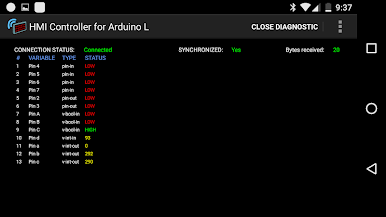
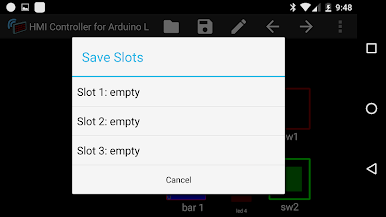
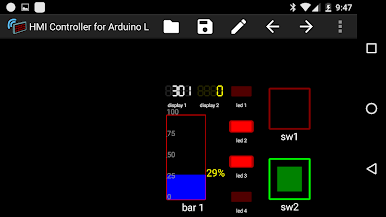
Make your own customizable hmi in the app without the need of a computer, you can select from seven different objects (widgets) button, switch, LED display 7 segments, numeric display, indicator bar, gauge and slider.
In This Lite version, the app is free but not all the features With from the full version, you can only use four of the seven widgets: switch, LED indicator bar and Display 7 segments.
Full version: https://play.google.com/store/apps/details?id=com.casdata.hmicontrollerforarduino
HMI Controller website: http://hmicontroller.weebly.com/
If You have any question or problem, you can contact me at: hmicontrollerapp@gmail.com

HMI Controller for Arduino L oyununu PC'de oyna. Başlamak çok kolay.
-
BlueStacks'i PC'nize İndirin ve Yükleyin
-
Play Store'a erişmek için Google girişi yapın ya da daha sonraya bırakın.
-
Sağ üst köşeye HMI Controller for Arduino L yazarak arayın.
-
HMI Controller for Arduino L uygulamasını arama sonuçlarından indirmek için tıklayın.
-
(iEğer Adım 2'yi atladıysanız) HMI Controller for Arduino L uygulamasını yüklemek için Google'a giriş yapın.
-
Oynatmaya başlatmak için ekrandaki HMI Controller for Arduino L ikonuna tıklayın.

