


Sound Analyzer App
Spiele auf dem PC mit BlueStacks - der Android-Gaming-Plattform, der über 500 Millionen Spieler vertrauen.

Seite geändert am: Jun 11, 2023
Run Sound Analyzer App on PC or Mac
Multitask effortlessly on your PC or Mac as you try out Sound Analyzer App, a Tools app by Dominique Rodrigues on BlueStacks.
About the App
Ever wondered just how loud your surroundings really are, or curious about the finer details of the noise around you? Sound Analyzer App, from Dominique Rodrigues, gives you a way to peek behind the curtain of everyday sound. Whether you’re checking out decibel levels at work or exploring the audio waves during your favorite song, this handy tool turns your phone into a personal sound lab. You’ll find it feels intuitive right from the start—straightforward, ad-free, and full of features you’d expect from a serious sound meter.
App Features
-
Real-Time Sound Meter
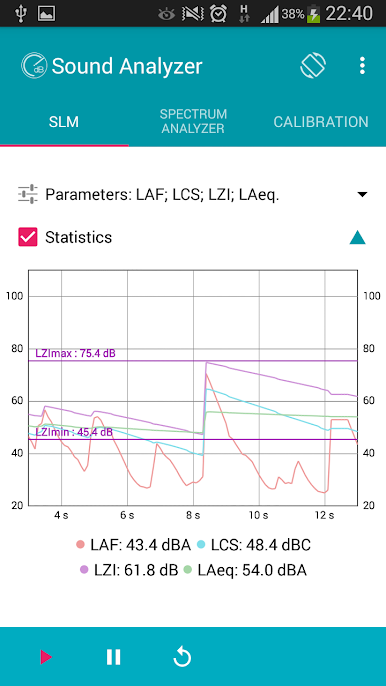
Want to know exactly how noisy that café is? Get instant readings in decibels with a live audio analyzer. The app helps you monitor environmental noise on the spot, so you always know what your ears are dealing with. -
Customizable Microphone Sensitivity
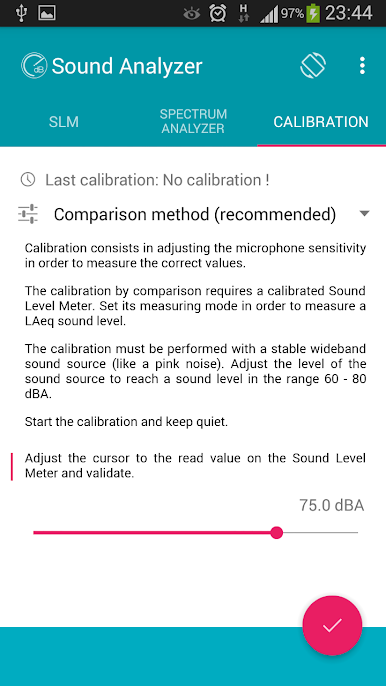
Tap into the calibration menu and fine-tune mic sensitivity, so your readings line up with your preferences or your device’s quirks. -
Frequency Weighting Options
Switch between A, C, and Z (flat) weightings to capture sounds the way you need—whether you want it more like the human ear hears, or as raw as possible. -
Time Weighting Modes
Choose from Fast, Slow, or even Impulse settings for different situations. Gauging a quick spike in sound? Go Fast. Looking for an average over time? Try Slow. -
Octave Spectrum Analyzer
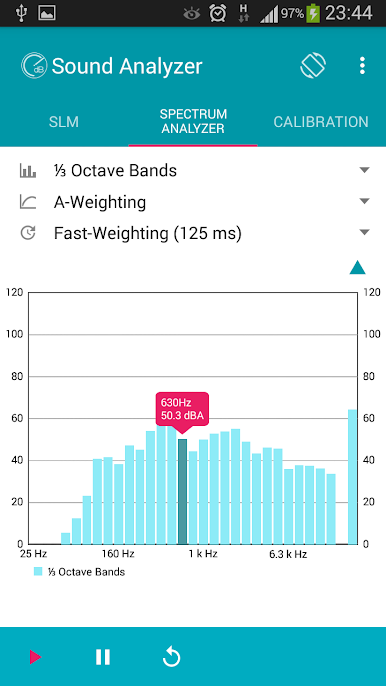
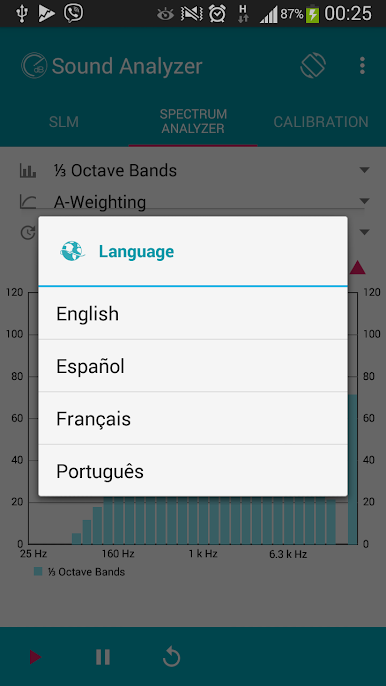
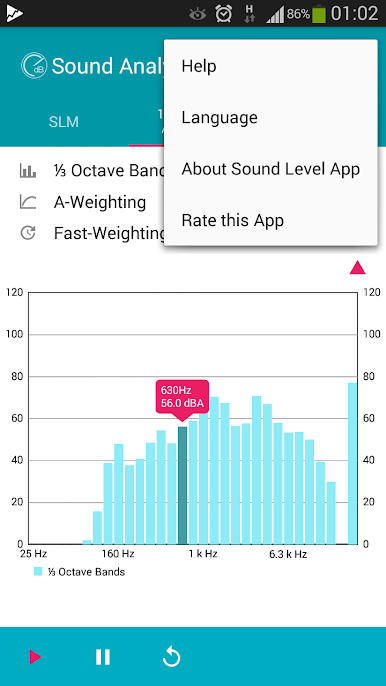
Curious about the details in your audio? Explore band spectra from low bass (25 Hz) up to the higher range (16 kHz), whether you want 1/3 or 1/1 octave bands. It’s pretty fun to see how different noises shape up on the graph. -
Noise Dosimeter & Exposure Analytics
Keep tabs on sound exposure over a workday with detailed measurements like LAeq, LAE, and 8-hour averages—great for anyone curious about hearing safety. -
Ad-Free Experience
No annoying pop-ups or banners—just the info you want, when you want it.
Sound Analyzer App works on your phone, but if you’re the type who loves an even bigger view, running it through BlueStacks can give you a spacious display to dig into those real-time graphs and charts.
Eager to take your app experience to the next level? Start right away by downloading BlueStacks on your PC or Mac.
Spiele Sound Analyzer App auf dem PC. Der Einstieg ist einfach.
-
Lade BlueStacks herunter und installiere es auf deinem PC
-
Schließe die Google-Anmeldung ab, um auf den Play Store zuzugreifen, oder mache es später
-
Suche in der Suchleiste oben rechts nach Sound Analyzer App
-
Klicke hier, um Sound Analyzer App aus den Suchergebnissen zu installieren
-
Schließe die Google-Anmeldung ab (wenn du Schritt 2 übersprungen hast), um Sound Analyzer App zu installieren.
-
Klicke auf dem Startbildschirm auf das Sound Analyzer App Symbol, um mit dem Spielen zu beginnen

