


Пьяница
Играйте на ПК с BlueStacks – игровой платформе для приложений на Android. Нас выбирают более 500 млн. игроков.

Страница изменена: Nov 17, 2023
Play War Card Game on PC or Mac
Bring your A-game to War Card Game, the Card game sensation from Frigate Studios. Give your gameplay the much-needed boost with precise game controls, high FPS graphics, and top-tier features on your PC or Mac with BlueStacks.
About the Game
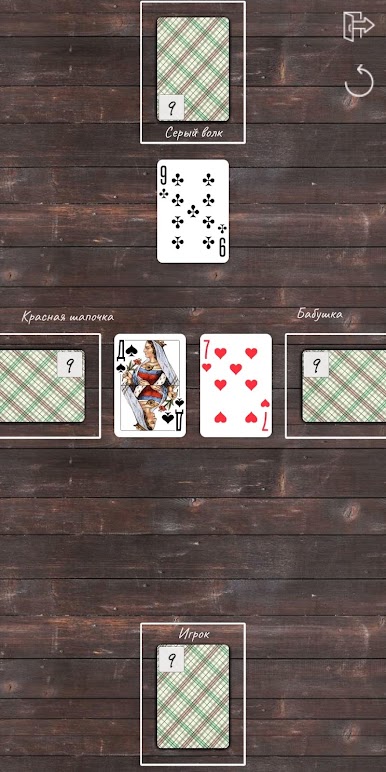
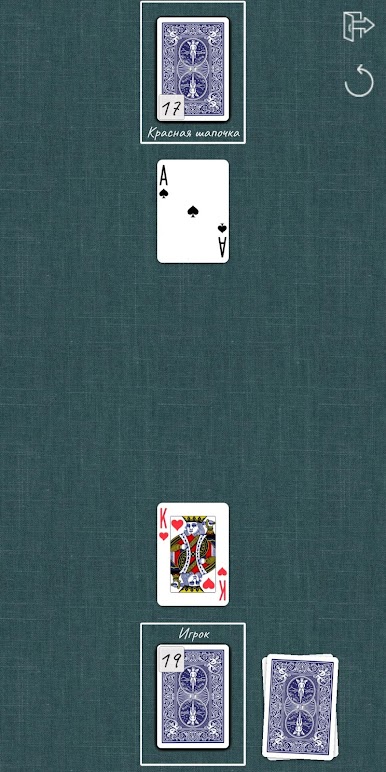
Looking for a quick, classic card duel? War Card Game by Frigate Studios is the old-school favorite you remember, ready to play whenever you want. It’s you and your opponent, card-for-card, in a speedy contest of luck and bold moves. Whether you’re up for a solo challenge or want to pass your device back and forth, this game brings that timeless face-off to your screen, no fuss needed.
Game Features
-
Play Your Way
Go head-to-head with another player, or gather a group for 2 or 4-player options. It’s super simple to switch between playing solo or bringing a friend into the mix. -
Configurable Rules
Tweak the game settings to match your house rules. Want a quick match or a longer, drawn-out war? You’re in control—change things up as often as you like. -
Minimal Distractions
The design’s clean and easy on the eyes, so you can focus on the cards and not get lost in clutter. Plus, ads hardly ever pop up, so matches flow smoothly. -
Easy Controls
Ready for your next turn? Just swipe or double tap—it’s that easy. No confusing menus; just classic card slapping, straight up. -
True to Classic Rules
Each battle is simple: higher card wins, suits don’t matter, and aces always come out on top. When you hit a tie, the real drama starts—with face-down and face-up cards deciding the winner in those tense “war” showdowns. -
Smooth Play on BlueStacks
If you want a bigger screen or an even smoother game, give it a shot on BlueStacks. It’s a slick way to keep your card streak going on your PC.
Get ready for a buttery smooth, high-performance gaming action only on BlueStacks.
Играйте в игру Пьяница на ПК. Это легко и просто.
-
Скачайте и установите BlueStacks на ПК.
-
Войдите в аккаунт Google, чтобы получить доступ к Google Play, или сделайте это позже.
-
В поле поиска, которое находится в правой части экрана, введите название игры – Пьяница.
-
Среди результатов поиска найдите игру Пьяница и нажмите на кнопку "Установить".
-
Завершите авторизацию в Google (если вы пропустили этот шаг в начале) и установите игру Пьяница.
-
Нажмите на ярлык игры Пьяница на главном экране, чтобы начать играть.

