


TotalDrip-Plugin für Totalcmd
Spiele auf dem PC mit BlueStacks - der Android-Gaming-Plattform, der über 500 Millionen Spieler vertrauen.

Seite geändert am: Oct 24, 2024
Run TotalDrip - Plugin for Total Commander on PC or Mac
What’s better than using TotalDrip – Plugin for Total Commander by C. Ghisler? Well, try it on a big screen, on your PC or Mac, with BlueStacks to see the difference.
About the App
Ever wanted a seamless way to manage all your Dropbox accounts right inside Total Commander? TotalDrip – Plugin for Total Commander brings just that to the table. Built by C. Ghisler for those who like their files extra organized, this handy plugin gives you super-easy Dropbox access and lets you juggle multiple accounts without any fuss. With just a bit of setup, you’ll have everything at your fingertips—no more switching apps or getting stuck with annoying workarounds.
App Features
-
Multiple Dropbox Accounts
No more logging in and out each time you need a different Dropbox. TotalDrip – Plugin for Total Commander lets you connect several Dropbox accounts and switch between them with zero hassle. -
Direct Integration with Total Commander
The plugin snaps right into your Total Commander setup (yep, you’ll need that app already installed), so everything feels familiar and stays tidy within one workspace. -
User-Friendly Access
Navigate your Dropbox files and folders just like your local files—copy, move, rename, whatever you need—without leaving Total Commander. -
Handles Recent API Changes
The plugin steps up where older plugins can’t, thanks to support for recent Dropbox updates. That means it works today, not just last year. -
Works Smoothly with BlueStacks
If you’re running Total Commander through BlueStacks, you can still use this plugin, making it easy to manage cloud files on your laptop or desktop.
TotalDrip – Plugin for Total Commander is all about keeping your Dropbox life neat, accessible, and way less complicated.
Switch to BlueStacks and make the most of your apps on your PC or Mac.
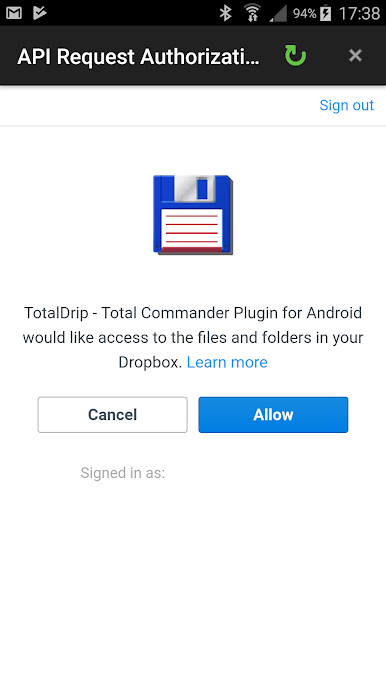
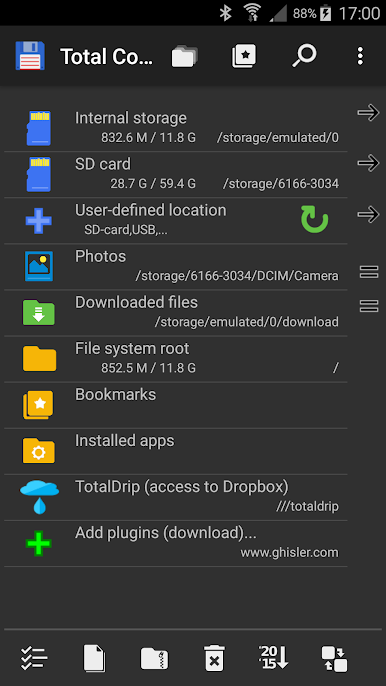
Spiele TotalDrip-Plugin für Totalcmd auf dem PC. Der Einstieg ist einfach.
-
Lade BlueStacks herunter und installiere es auf deinem PC
-
Schließe die Google-Anmeldung ab, um auf den Play Store zuzugreifen, oder mache es später
-
Suche in der Suchleiste oben rechts nach TotalDrip-Plugin für Totalcmd
-
Klicke hier, um TotalDrip-Plugin für Totalcmd aus den Suchergebnissen zu installieren
-
Schließe die Google-Anmeldung ab (wenn du Schritt 2 übersprungen hast), um TotalDrip-Plugin für Totalcmd zu installieren.
-
Klicke auf dem Startbildschirm auf das TotalDrip-Plugin für Totalcmd Symbol, um mit dem Spielen zu beginnen

