

Adventure Escape: Starstruck
Spiele auf dem PC mit BlueStacks - der Android-Gaming-Plattform, der über 500 Millionen Spieler vertrauen.

Seite geändert am: Nov 13, 2017
Play Adventure Escape: Starstruck on PC or Mac
Join millions to experience Adventure Escape: Starstruck, an exciting Adventure game from Haiku Games. With BlueStacks App Player, you are always a step ahead of your opponent, ready to outplay them with faster gameplay and better control with the mouse and keyboard on your PC or Mac.
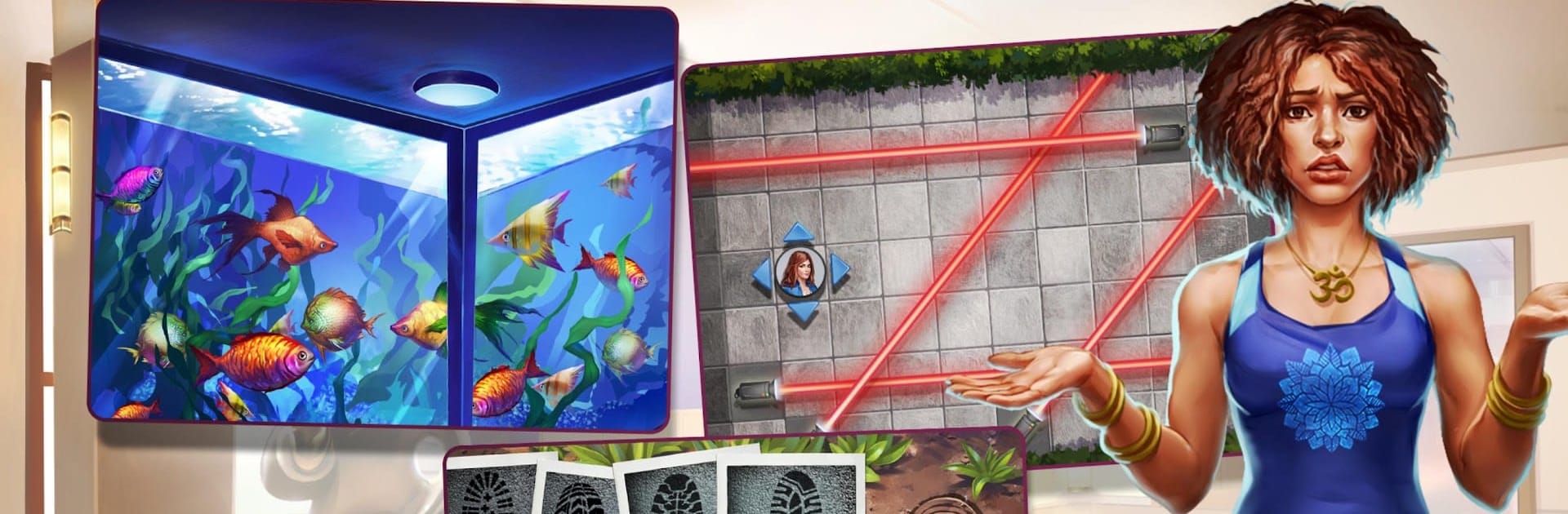
Adventure Escape: Starstruck is basically one of those point-and-click mystery games where you follow a detective – in this case, Kate Gray – trying to solve a weird case about a missing movie star. It starts out simple, like someone just goes to get a new pet, but then her assistant ends up dead and things go sideways fast. Playing on PC with BlueStacks, you get more relaxed controls than on a phone, and it’s easy to click around and check out every little corner for clues.
The game really stands out with the people you meet – there’s this hip hop guy with a pet tiger, a really intense yoga instructor, a wildlife smuggler, and so on. The places you search are all over the place – a Hollywood mansion, a sketchy warehouse, parks, even film sets. Each spot has different puzzles or hidden objects, so it keeps you guessing and paying attention. There’s no pressure to pay for anything, no weird timers or constant ads getting in the way, just puzzles and a pretty entertaining story. The art’s nice, colorful but not distracting, and the whole mystery slowly starts coming together as you find random items, solve riddles, unlock rooms, and piece things together. If you like searching for hints, exploring stories, or just poking around in odd locations, this one keeps things interesting without being stressful.
Slay your opponents with your epic moves. Play it your way on BlueStacks and dominate the battlefield.












Spiele Adventure Escape: Starstruck auf dem PC. Der Einstieg ist einfach.
-
Lade BlueStacks herunter und installiere es auf deinem PC
-
Schließe die Google-Anmeldung ab, um auf den Play Store zuzugreifen, oder mache es später
-
Suche in der Suchleiste oben rechts nach Adventure Escape: Starstruck
-
Klicke hier, um Adventure Escape: Starstruck aus den Suchergebnissen zu installieren
-
Schließe die Google-Anmeldung ab (wenn du Schritt 2 übersprungen hast), um Adventure Escape: Starstruck zu installieren.
-
Klicke auf dem Startbildschirm auf das Adventure Escape: Starstruck Symbol, um mit dem Spielen zu beginnen

