


Fotoğraf Kolajı
500M + oyuncunun güvendiği Android Oyun Platformu, BlueStacks ile PC'de oynayın.

Sayfa Değiştirilme tarihi: Oct 16, 2025
Run photo collage - flower frame on PC or Mac
Let BlueStacks turn your PC, Mac, or laptop into the perfect home for photo collage – flower frame, a fun Photography app from highsecure.
About the App
Ever wished your favorite photos had just the right touch to make them pop—or maybe even shimmer with a hint of romance? photo collage – flower frame, created by highsecure, is all about taking those everyday snapshots and turning them into something beautiful, playful, or downright sweet. Whether you’re looking to tell someone you love them with a flowery frame or want to give your pics a dose of color and fun, this photography app has you covered.
App Features
-
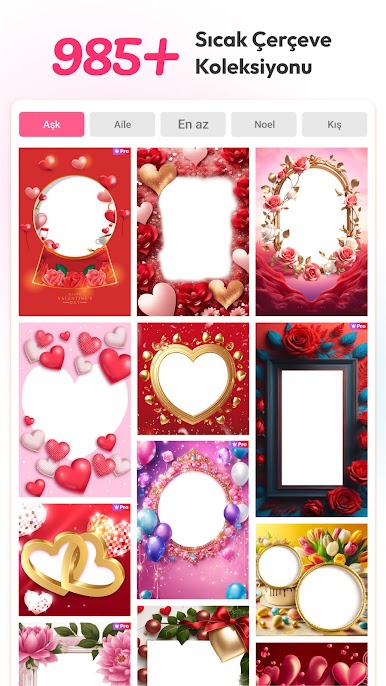
Flower Frames Galore
Flowers everywhere! Find frames loaded with petals and blooms—perfect for those lovey-dovey moments or just to add a little spring to your snapshots. -
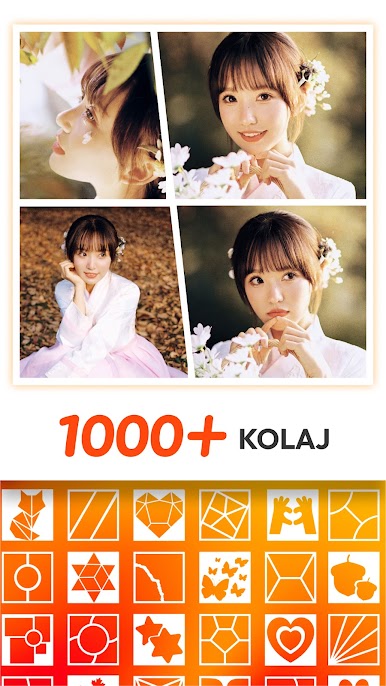
Multi-Photo Collages
Why settle for one photo? Easily combine several pics into a single collage using a mix of frame patterns and photo grids. Arrange memories from trips, parties, or just daily life in all kinds of combos. -
Custom Text & Fonts
Put your own stamp on things with text: there’s a selection of quirky fonts to play around with, whether you’re writing names, quotes, or a playful caption. -
Stickers, Emojis & Clip Arts
Spice up your photos by sprinkling on stickers, emojis, or cute clip arts. Got a goofy pic? Add a smiley face. Feeling romantic? There’s a sticker for that, too. -
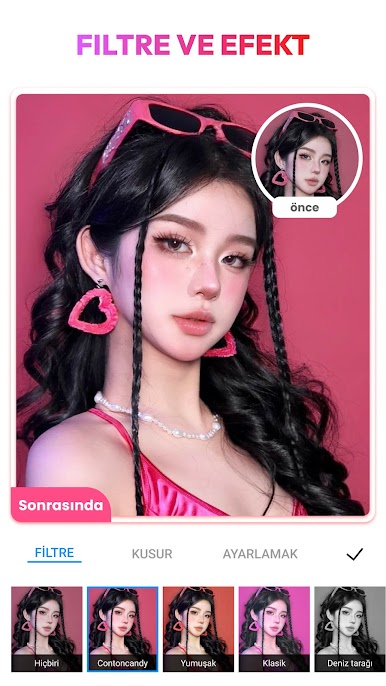
Easy Editing Tools
Crop, rotate, and adjust your photos right in the app. Effects and color filters let you tweak things to your heart’s content—no technical skills needed. -
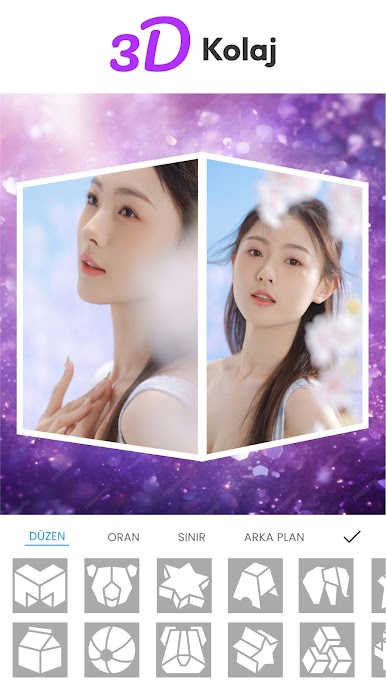
Flexible Layouts & Backgrounds
Whichever style you’re after—classic grids, funky magazine looks, shape cutouts—it’s all here. Swap backgrounds and set your photos up against patterns or colorful designs. -
One-Tap Sharing
When you’re done, it’s a snap to share your creations on Instagram, Facebook, WhatsApp, or wherever you like. You can even use BlueStacks to explore more ways to create and share from your PC.
Big screen. Bigger performance. Use BlueStacks on your PC or Mac to run your favorite apps.




Fotoğraf Kolajı oyununu PC'de oyna. Başlamak çok kolay.
-
BlueStacks'i PC'nize İndirin ve Yükleyin
-
Play Store'a erişmek için Google girişi yapın ya da daha sonraya bırakın.
-
Sağ üst köşeye Fotoğraf Kolajı yazarak arayın.
-
Fotoğraf Kolajı uygulamasını arama sonuçlarından indirmek için tıklayın.
-
(iEğer Adım 2'yi atladıysanız) Fotoğraf Kolajı uygulamasını yüklemek için Google'a giriş yapın.
-
Oynatmaya başlatmak için ekrandaki Fotoğraf Kolajı ikonuna tıklayın.

