



Live Kids Puzzles - Cars
Spiele auf dem PC mit BlueStacks - der Android-Gaming-Plattform, der über 500 Millionen Spieler vertrauen.

Seite geändert am: 3. November 2019
Play Live Kids Puzzles - Cars on PC
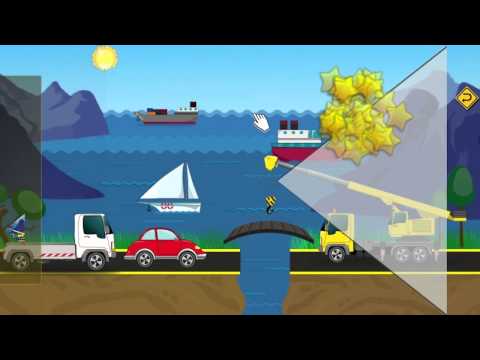
Live Kids Puzzles: Interesting and useful game about transport that includes colorful cars and interactive puzzles for preschool kids ages 1 to 6.
While playing child will develop and improve logical thinking, fine motor skills, reaction and accuracy.
Slowly progressing difficulty levels will improve child`s attention and perseverance.
After successful puzzle completion each scene comes alive opening an opportunity to play it and solve the situations that are illustrated there.
Features:
✔ Interactive scenes that come alive after every puzzle completion
✔ Game process is natural and was designed for toddlers
✔ All most popular vehicles are represented in the game
✔ 11 different game scenes
✔ Two different puzzle styles with increasing difficulty levels
✔ Lots of hidden interaction elements are fun to discover and trigger
This game was tested by small children, they liked the game very much, hope your toddlers will also enjoy it.
If you like the game please rate and review it!
We plan to add more scenes and levels of difficulty, support us to help those plans come true.
Don`t hesitate to contact us hogsmithgames@gmail.com if you have any problems or propositions.


Spiele Live Kids Puzzles - Cars auf dem PC. Der Einstieg ist einfach.
-
Lade BlueStacks herunter und installiere es auf deinem PC
-
Schließe die Google-Anmeldung ab, um auf den Play Store zuzugreifen, oder mache es später
-
Suche in der Suchleiste oben rechts nach Live Kids Puzzles - Cars
-
Klicke hier, um Live Kids Puzzles - Cars aus den Suchergebnissen zu installieren
-
Schließe die Google-Anmeldung ab (wenn du Schritt 2 übersprungen hast), um Live Kids Puzzles - Cars zu installieren.
-
Klicke auf dem Startbildschirm auf das Live Kids Puzzles - Cars Symbol, um mit dem Spielen zu beginnen

