


Myanmar eRadio+
Играйте на ПК с BlueStacks – игровой платформе для приложений на Android. Нас выбирают более 500 млн. игроков.

Страница изменена: Oct 14, 2024
Run Myanmar eRadio on PC or Mac
What’s better than using Myanmar eRadio by Vithyu Media Co., Ltd? Well, try it on a big screen, on your PC or Mac, with BlueStacks to see the difference.
About the App
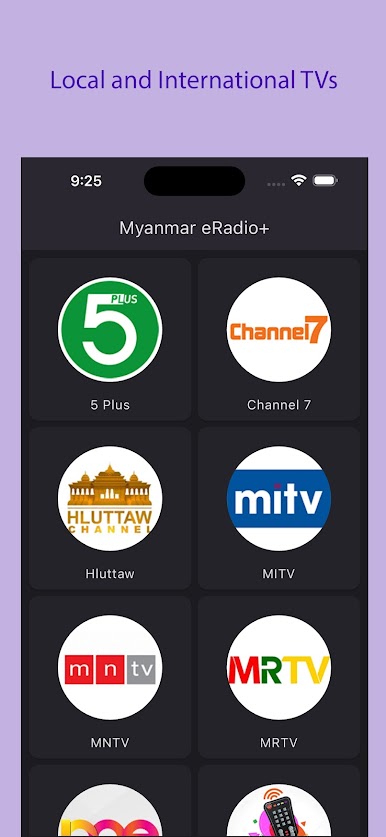
Looking for a way to tune in to your favorite Burmese radio stations anytime, anywhere? Myanmar eRadio is here to make it easy—no matter where you are. Whether you want to catch up on music, news, or talk, this Music & Audio app by Vithyu Media Co., Ltd brings Myanmar’s airwaves straight to your device or through BlueStacks if you prefer a bigger screen. The lineup’s pretty impressive, and the streams are always fresh.
App Features
-
Wide Selection of Channels
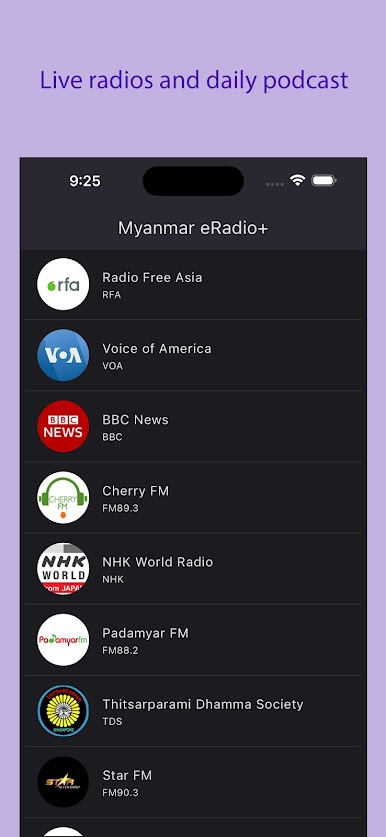
Pick from popular Burmese stations like Mandalay FM, Shwe FM, Just Music Radio, and a bunch more. It’s not just music—there’s also news, talk, and international programming right at your fingertips. -
Live International Broadcasts
Want to catch up with the latest from around the world? Listen to global stations like BBC, ABC Australia, VOA, Radio Free Asia, and NHK World—all seamlessly included. -
Simple User Interface
No need for a user manual. Just scroll, tap, and you’re connected to what you love to hear. Switching between stations is seriously effortless. -
Instant Access Anywhere
Whether you’re on your Android phone or kicking back using BlueStacks on your laptop, Myanmar eRadio makes sure your favorite sounds follow you anywhere you go. -
Regular Station Updates
The app keeps things lively by updating its list so you never miss out on new music, trending shows, or the latest news from Myanmar and beyond.
BlueStacks brings your apps to life on a bigger screen—seamless and straightforward.


Играйте в игру Myanmar eRadio+ на ПК. Это легко и просто.
-
Скачайте и установите BlueStacks на ПК.
-
Войдите в аккаунт Google, чтобы получить доступ к Google Play, или сделайте это позже.
-
В поле поиска, которое находится в правой части экрана, введите название игры – Myanmar eRadio+.
-
Среди результатов поиска найдите игру Myanmar eRadio+ и нажмите на кнопку "Установить".
-
Завершите авторизацию в Google (если вы пропустили этот шаг в начале) и установите игру Myanmar eRadio+.
-
Нажмите на ярлык игры Myanmar eRadio+ на главном экране, чтобы начать играть.

