


Girl Games: Unicorn Cooking
Spiele auf dem PC mit BlueStacks - der Android-Gaming-Plattform, der über 500 Millionen Spieler vertrauen.

Seite geändert am: Nov 13, 2025
Spiele Girl Games: Unicorn Cooking für PC
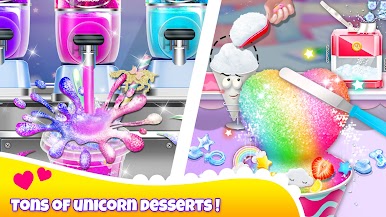
One of the fantastic features of this game is the diverse selection of unicorn-themed foods, which are updated with new recipes every month. You'll have the chance to create some incredible unicorn rainbow desserts and experiment with a variety of realistic cooking tools, food materials, and decorations. This game is ideal for anyone who loves to cook and wants to explore new recipes and foods.
Playing Unicorn Chef couldn't be easier or more intuitive. Simply use the interactive controls to play the game and try out different tools to make your dishes. Mix up different ingredients to create unique flavors and colors, and adorn your foods with gorgeous sprinkles, candies, fruits, straws, and glitter. And if you're a fan of all things rainbow, be sure to eat your desserts to experience the ultimate unicorn magic.
When you've finished preparing your meal, don't forget to tidy up and clean the table to wrap up the game. Unicorn Chef is perfect for anyone who loves to cook, try out new recipes, and enjoy some fun and excitement. So why wait? Download Unicorn Chef now and start creating your very own delicious unicorn-themed foods!



Spiele Girl Games: Unicorn Cooking auf dem PC. Der Einstieg ist einfach.
-
Lade BlueStacks herunter und installiere es auf deinem PC
-
Schließe die Google-Anmeldung ab, um auf den Play Store zuzugreifen, oder mache es später
-
Suche in der Suchleiste oben rechts nach Girl Games: Unicorn Cooking
-
Klicke hier, um Girl Games: Unicorn Cooking aus den Suchergebnissen zu installieren
-
Schließe die Google-Anmeldung ab (wenn du Schritt 2 übersprungen hast), um Girl Games: Unicorn Cooking zu installieren.
-
Klicke auf dem Startbildschirm auf das Girl Games: Unicorn Cooking Symbol, um mit dem Spielen zu beginnen

