


Box Simulator for BS
Spiele auf dem PC mit BlueStacks - der Android-Gaming-Plattform, der über 500 Millionen Spieler vertrauen.

Seite geändert am: Oct 28, 2025
Play Box Simulator for BS on PC or Mac
Explore a whole new adventure with Box Simulator for BS, a Simulation game created by DEHA. Experience great gameplay with BlueStacks, the most popular gaming platform to play Android games on your PC or Mac.
About the Game
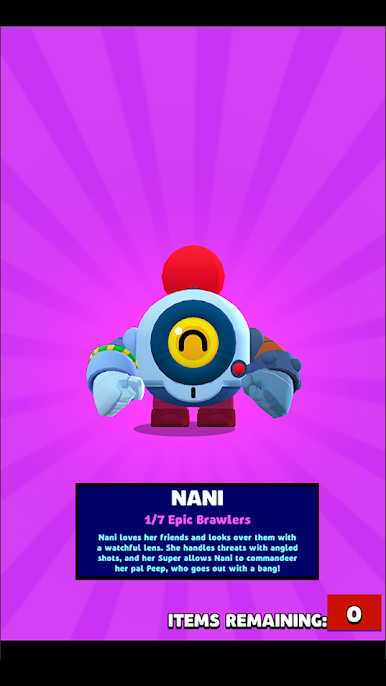
Box Simulator for BS by DEHA is where fans can scratch that box-opening itch—without any real stakes or pressure. Dive into a playful simulation that lets you unlock boxes, collect cool characters, and see what prizes you’d score, all just for fun. With plenty of surprises and no real-world consequences, it’s the kind of pick-up-and-play experience you might find yourself returning to anytime you need a quick burst of excitement.
Game Features
-
Endless Box Openings
Try your luck opening all sorts of boxes, just to see what kind of rare items or quirky characters you could collect. No need to worry about running out—this is all about the thrill of the reveal. -
Character Collection
Build up your collection as you go. Each simulated pull gives you a shot at different character variations, from fan favorites to those you’ve always wanted. -
Multiple Modes to Explore
It’s not just about boxes—you’ll find different play modes to mess around with, including the path to glory and pass features. Each mode offers fresh challenges and new types of rewards in the simulation. -
Upgrade and Simulate Progress
Earn rewards that let you boost your characters and simulate what it’s like to win big, pushing your simulated brawlers to higher achievements. -
Achievements Stay in the App
Everything you unlock or achieve stays safely tucked inside the game. So go wild—your victories are yours to enjoy within the simulation. -
Just for Fun, No Real Stakes
Since it’s all for entertainment, there’s no impact on outside apps or accounts. It’s perfect if you’re just curious to see how lucky you can get, without any pressure. -
Easy Play on PC with BlueStacks
Want a bigger view? You can enjoy Box Simulator for BS comfortably on your computer with BlueStacks, so your box-opening adventure isn’t limited to your phone.
Start your journey now. Download the game on BlueStacks, invite your friends, and march on a new adventure.



Spiele Box Simulator for BS auf dem PC. Der Einstieg ist einfach.
-
Lade BlueStacks herunter und installiere es auf deinem PC
-
Schließe die Google-Anmeldung ab, um auf den Play Store zuzugreifen, oder mache es später
-
Suche in der Suchleiste oben rechts nach Box Simulator for BS
-
Klicke hier, um Box Simulator for BS aus den Suchergebnissen zu installieren
-
Schließe die Google-Anmeldung ab (wenn du Schritt 2 übersprungen hast), um Box Simulator for BS zu installieren.
-
Klicke auf dem Startbildschirm auf das Box Simulator for BS Symbol, um mit dem Spielen zu beginnen

