


Jurassic World™: Das Spiel
Spiele auf dem PC mit BlueStacks - der Android-Gaming-Plattform, der über 500 Millionen Spieler vertrauen.

Seite geändert am: Aug 12, 2026
Spiel Jurassic World: Das Spiel auf deinem PC oder Mac
Jurassic World: Das Spiel ist ein Simulationsspiel, das von Jam City, Inc. entwickelt wurde. Der BlueStacks App-Player ist die beste Plattform, um dieses Android-Spiel auf deinem PC oder Mac zu spielen und ein intensives Spielerlebnis zu erleben.
Errichte dein eigenes Dino-Paradies
Willkommen auf Isla Nublar, wo das Abenteuer von Jurassic World Spiel beginnt. In diesem offiziellen Spiel kannst du über 300 Dinosaurierarten aus dem Film sammeln, brüten und weiterentwickeln. Um der ultimative Parkmanager zu werden, musst du strategisch planen und dafür sorgen, dass deine Dinosaurier gedeihen.
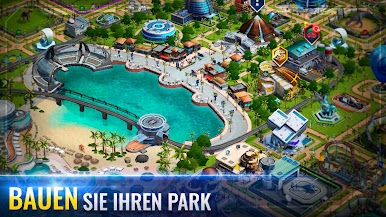
Errichte den Park deiner Träume
- Gebäude und Landschaften: Baue und verbessere Strukturen, um deinen Park zu errichten und ständig weiterzuentwickeln.
- Tägliche Belohnungen: Erhalte jeden Tag Münzen und andere wichtige Ressourcen, um dein Abenteuer voranzutreiben.
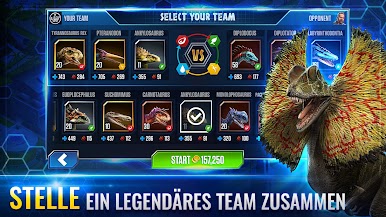
- Epische Kämpfe: Fordere Rivalen in actiongeladenen Arena-Kämpfen heraus, in denen nur der Stärkste gewinnen kann.
- Interaktive Missionen: Erlebe spannende Geschichten und Missionen mit den Charakteren aus dem Film.
Sammle und brüte Dinosaurier
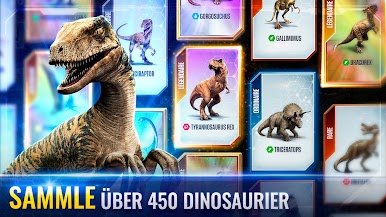
- Dinosaurier sammeln: Finde und erwecke eine Vielzahl von Dinosauriern und erschaffe deine eigene Tierwelt.
- Einzigartiges Kartensystem: Wähle aus verschiedenen Sammelkarten, die besondere Dinosaurier enthalten.
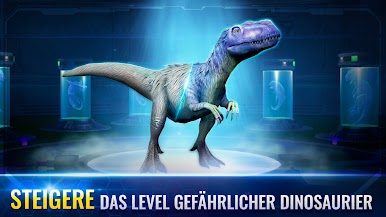
- Genetische Weiterentwicklung: Verbessere deine Kreaturen durch genetische Manipulation.
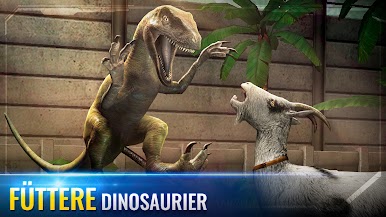
- Fütterung und Pflege: Kümmere dich täglich um die Bedürfnisse deiner urzeitlichen Bewohner.
Erschaffe das Dino-Paradies deiner Träume
Bist du bereit, den ultimativen Dinosaurier-Vergnügungspark zu bauen und gegen mächtige Gegner anzutreten? Dann lade Jurassic World: Das Spiel jetzt mit BlueStacks für deinen PC oder Mac herunter und erschaffe dein eigenes Dino-Paradies!
Du kannst Jurassic World: The Game auch in deinem Browser auf deinem PC oder Smartphone spielen, ohne es herunterzuladen. Klicke und spiele sofort!




Spiele Jurassic World™: Das Spiel auf dem PC. Der Einstieg ist einfach.
-
Lade BlueStacks herunter und installiere es auf deinem PC
-
Schließe die Google-Anmeldung ab, um auf den Play Store zuzugreifen, oder mache es später
-
Suche in der Suchleiste oben rechts nach Jurassic World™: Das Spiel
-
Klicke hier, um Jurassic World™: Das Spiel aus den Suchergebnissen zu installieren
-
Schließe die Google-Anmeldung ab (wenn du Schritt 2 übersprungen hast), um Jurassic World™: Das Spiel zu installieren.
-
Klicke auf dem Startbildschirm auf das Jurassic World™: Das Spiel Symbol, um mit dem Spielen zu beginnen

