

UNO!™
Spiele auf dem PC mit BlueStacks - der Android-Gaming-Plattform, der über 500 Millionen Spieler vertrauen.

Seite geändert am: Oct 14, 2026
Spiel UNO!™ auf deinem PC oder Mac
UNO!™ ist ein Kartenspiel entwickelt von Mattel163 Limited. Der BlueStacks App-Player ist die beste Plattform (Emulator), um dieses Android-Spiel auf deinem PC oder Mac zu spielen und in ein fesselndes Spielerlebnis einzutauchen.
Stürz dich in den weltbekannten Kartenspielklassiker! Schnelle Online-Partien, individuelle Regeln und abwechslungsreiche Events warten auf dich. Spiel spontan, fordere deine Freunde heraus oder kämpf im Team um den Sieg!
Der Klassiker nach deinen Regeln
Genieß einfach die vertrauten Regeln und probiere neue, turbulente Varianten aus!
- Steig ohne Verzögerung in eine klassische UNO!™-Partie ein.
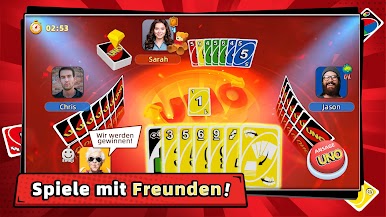
- Spiel in Echtzeit gegen andere Spieler aus aller Welt.
- Erstell private Runden nur für Freunde.
- Pass Matches mit eigenen Hausregeln nach Laune an.
- Spiel im kompromisslosen Modus mit zwei Kartendecks.
- Riskiere geschickt deine Münzen und vervielfache sie.
Pfleg deine Kontakte
Durch die sozialen Funktionen wird jede Runde zum Gemeinschaftserlebnis!
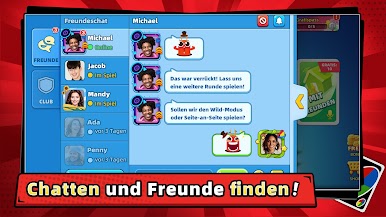
- Tritt Clubs bei und finde neue Mitspieler.
- Kämpf im 2-gegen-2-Modus um den Teamsieg und plant gemeinsam eure Züge.
- Nutz den Chat und schickt deinen Freunden Geschenke.
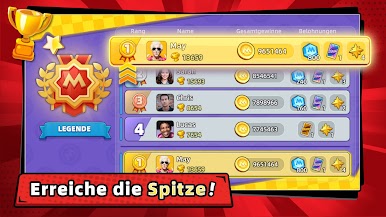
- Erklimm die Bestenlisten und zeig deine Erfolge.
- Dreh täglich das Glücksrad für noch mehr Preise.
- Regelmäßig neue Turniere, Events und Belohnungen.
Lade UNO!™ kostenlos auf dem PC über den BlueStacks Store im App Player herunter. Du kannst auch die mobile BlueStacks-App herunterladen, um Belohnungen und Rabatte für unterstützte Spiele freizuschalten.

Spiele UNO!™ auf dem PC. Der Einstieg ist einfach.
-
Lade BlueStacks herunter und installiere es auf deinem PC
-
Schließe die Google-Anmeldung ab, um auf den Play Store zuzugreifen, oder mache es später
-
Suche in der Suchleiste oben rechts nach UNO!™
-
Klicke hier, um UNO!™ aus den Suchergebnissen zu installieren
-
Schließe die Google-Anmeldung ab (wenn du Schritt 2 übersprungen hast), um UNO!™ zu installieren.
-
Klicke auf dem Startbildschirm auf das UNO!™ Symbol, um mit dem Spielen zu beginnen

