


MikroTik Home
Spiele auf dem PC mit BlueStacks - der Android-Gaming-Plattform, der über 500 Millionen Spieler vertrauen.

Seite geändert am: Apr 23, 2025
Run MikroTik Home on PC or Mac
Multitask effortlessly on your PC or Mac as you try out MikroTik Home, a Tools app by MikroTik on BlueStacks.
About the App
MikroTik Home makes setting up and keeping an eye on your MikroTik router way less of a headache. Whether you’re just taking your router out of the box or want more control over your WiFi and home devices, this app gives you the tools you need without getting too technical. If managing internet access (and maybe even keeping an eye on the kids’ online activity) is on your to-do list, MikroTik Home’s got your back.
App Features
-
Easy WiFi Setup
Get your WiFi running the way you want. Set passwords, change your network name, and tweak settings, all in a few taps—no digging through pages of menus. -
Internet Access in One Place
Connect your router to the internet or update how your home gets online. No confusing steps—just clear options to help you stay connected, whether you’re setting things up for the first time or making a change later. -
Device Management & Usage Monitoring
Ever wonder who’s on your WiFi or which gadgets are eating up your bandwidth? Check out all the devices on your network and see their internet usage right from the app. -
Parental Controls Made Simple
Want to shut down the kids’ late-night scrolling or set screen-time rules? The app helps you manage internet access for specific devices, so you get a little more peace of mind and control over your home network. -
Port Forwarding Setup
Need to open up ports for gaming, cameras, or special apps? Setting up port forwarding is straightforward—no need to be a tech expert.
MikroTik Home is built for new MikroTik routers running RouterOS v6 or above. And if you prefer bigger screens, you can always use it with BlueStacks to manage everything comfortably without squinting at your phone.
BlueStacks gives you the much-needed freedom to experience your favorite apps on a bigger screen. Get it now.
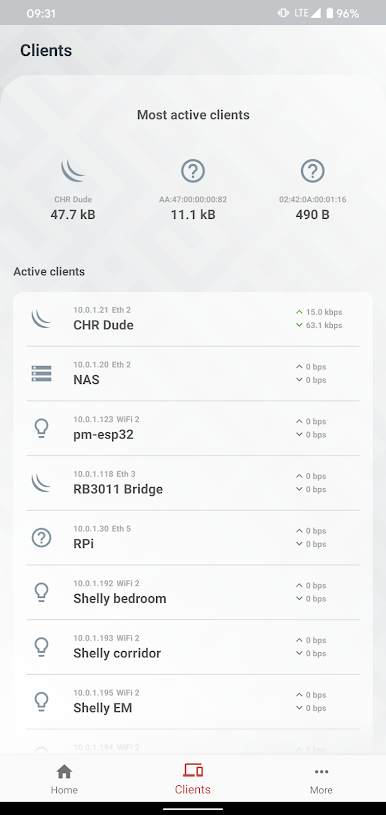
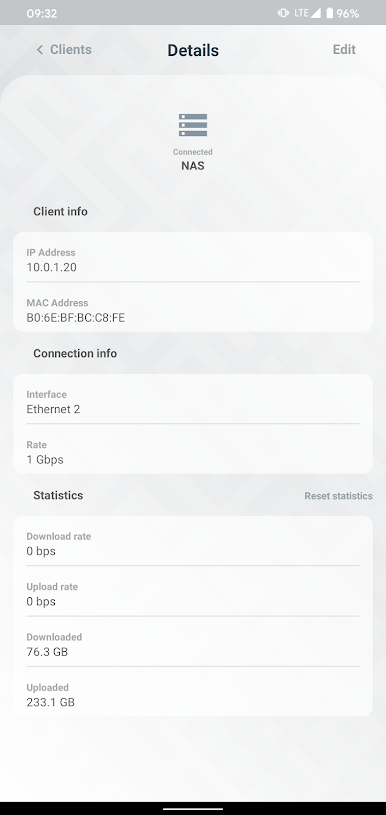
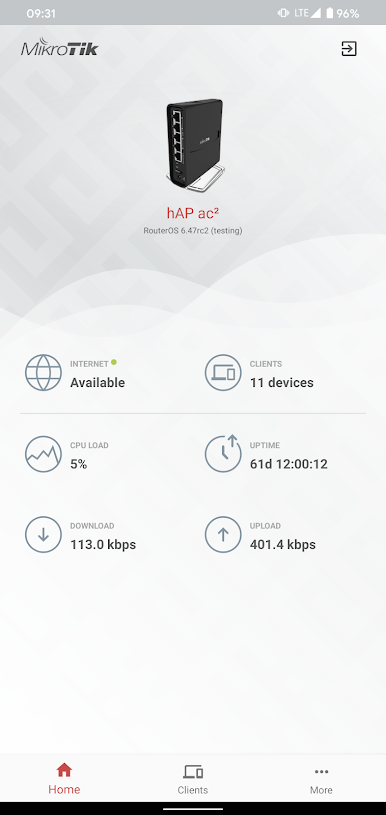
Spiele MikroTik Home auf dem PC. Der Einstieg ist einfach.
-
Lade BlueStacks herunter und installiere es auf deinem PC
-
Schließe die Google-Anmeldung ab, um auf den Play Store zuzugreifen, oder mache es später
-
Suche in der Suchleiste oben rechts nach MikroTik Home
-
Klicke hier, um MikroTik Home aus den Suchergebnissen zu installieren
-
Schließe die Google-Anmeldung ab (wenn du Schritt 2 übersprungen hast), um MikroTik Home zu installieren.
-
Klicke auf dem Startbildschirm auf das MikroTik Home Symbol, um mit dem Spielen zu beginnen

