


Match Fun 3D -Triple Tile Game
Spiele auf dem PC mit BlueStacks - der Android-Gaming-Plattform, der über 500 Millionen Spieler vertrauen.

Seite geändert am: Nov 10, 2025
Spiele Match Fun 3D -Triple Tile Game für PC
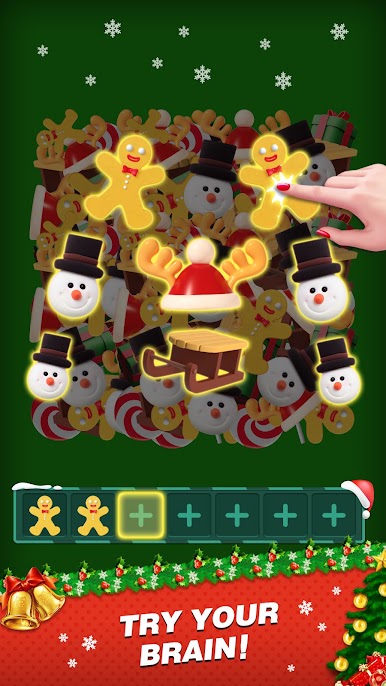
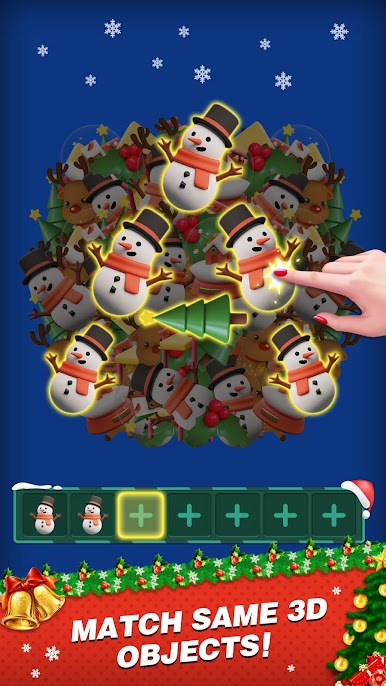
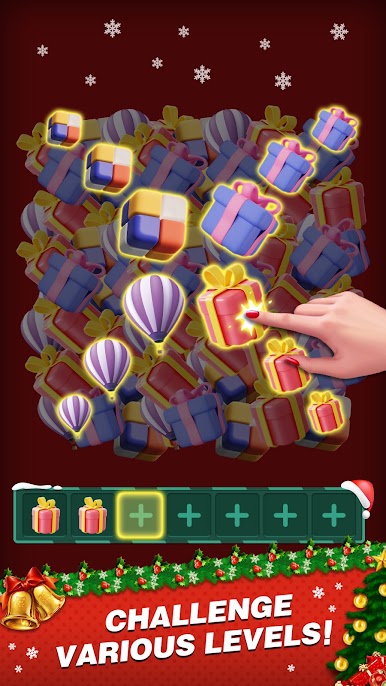
Finde drei identische 3D-Objekte und eliminiere sie!
Mach dich bereit für ein neues, originelles und anspruchsvolles Paarungsspiel.
Du musst 3D-Objekte auf dem Boden paaren und sie alle platzen lassen! Wenn du ein Level bestehst, wirst du neue Objekte zum Paaren finden.
Alles, was du tun musst, ist, dieses verbindungsbasierte Spiel mit verschiedenen 3D-Levels zu spielen, die es von allen anderen Spielen abheben. Es ist ein Paarungsspiel, das so einfach ist, dass jeder es spielen kann.
SUBSCRIPTION PRICING AND TERMS
In Match Fun 3D we offer you the following two subscription options:
1. A weekly subscription costing $3.99 (or equivalent in your currency) per week after a 3-day free trial period.
2. A monthly subscription costing $9.99 (or equivalent in your currency) per month.
After buying any of the subscriptions, you will remove the non-optional banner and interstitial adverts from the game.After purchasing any subscription, you will remove non-optional banner ads and interstitial ads from the game. In addition, you will get exclusive background wallpapers, free resurrection once per game, and double rewards every day.
This is an auto-renewable subscription. The payment is charged to your account after confirmation. The subscription is renewed unless you unsubscribe 24 hours before the period ends. Your account will also be charged for renewal. The above-mentioned prices are for customers in the United States. Pricing in other countries may change and actual charges may be converted to local currency.
End of trial/introductory periods and subscription renewal:
- The payment will be charged to your iTunes Account after a confirmation of purchase.
- The subscription will be renewed unless you unsubscribe 24 hours before the end of the current period.
- The account will be charged for renewal 24 hours before the end of the current period at the standard cost of the subscription.
- Subscriptions may be managed by the user and auto-renewal may be turned off by going to the user's Account Settings after purchase.
- No cancellation of the current subscription is permitted during the active subscription period.
- Any unused portion of the free trial period will be forfeited when the subscription is purchased.
Canceling a trial or subscription:
- In order to cancel a subscription during the free trial period, you need to cancel it through your account in the App Store. This must be done at least 24 hours before the end of the free trial period to avoid being charged.
Terms of Use: https://docs.google.com/document/d/1yPUU3nnGpZgSKEuduBRVVmF4fHuQOUhKpUCgPsUTfBk/
Privacy Policy:https://www.firedragongame.com/privacy.html
If you have any questions or concerns, please do not hesitate to contact us: mintgames@gmail.com


Spiele Match Fun 3D -Triple Tile Game auf dem PC. Der Einstieg ist einfach.
-
Lade BlueStacks herunter und installiere es auf deinem PC
-
Schließe die Google-Anmeldung ab, um auf den Play Store zuzugreifen, oder mache es später
-
Suche in der Suchleiste oben rechts nach Match Fun 3D -Triple Tile Game
-
Klicke hier, um Match Fun 3D -Triple Tile Game aus den Suchergebnissen zu installieren
-
Schließe die Google-Anmeldung ab (wenn du Schritt 2 übersprungen hast), um Match Fun 3D -Triple Tile Game zu installieren.
-
Klicke auf dem Startbildschirm auf das Match Fun 3D -Triple Tile Game Symbol, um mit dem Spielen zu beginnen

