


iUMS
Играйте на ПК с BlueStacks – игровой платформе для приложений на Android. Нас выбирают более 500 млн. игроков.

Страница изменена: Sep 13, 2021
Run iUMS on PC or Mac
Get freedom from your phone’s obvious limitations. Use iUMS, made by Network Team, a Tools app on your PC or Mac with BlueStacks, and level up your experience.
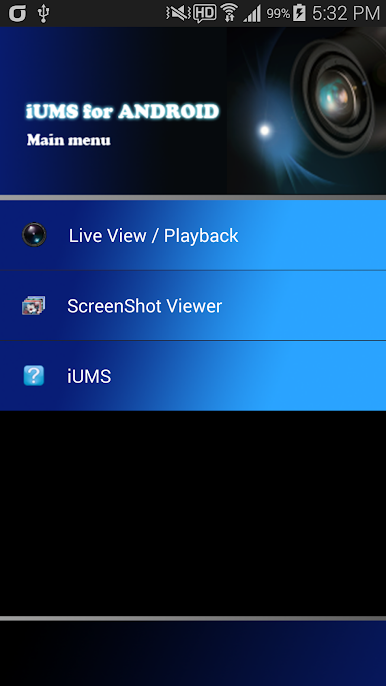
So, iUMS is basically this app that lets someone keep an eye on their security cameras from their phone, but it feels a lot easier to handle on a PC, especially with BlueStacks. It’s straightforward — just open it up, and suddenly there’s access to live or saved footage from wherever the cameras are set up. What stands out is how simple it is to jump between different cameras, even up to 16 at a time, which makes checking everything at once way less of a hassle. The push alarm feature sends notifications right away if something needs attention, but there’s also a way to tweak those so it doesn’t get annoying.
Adding favorite cameras is quick, too, so there’s no need to dig around every time. Plus, the app lets people scan QR codes if they’ve got new equipment, skipping extra setup steps. It handles the basics really well: viewing video clips, snapshots, or talking through the cameras if there’s a mic. Just remember, to get file downloads or use microphone and camera features, it might ask for some permissions; that’s pretty normal for this kind of thing. Running it on something bigger than a phone just gives way more breathing room — multitasking is a lot less cramped, and flipping through camera feeds feels less like work. If simple monitoring and quick controls are the main goal, this does the job efficiently.
BlueStacks brings your apps to life on a bigger screen—seamless and straightforward.

Играйте в игру iUMS на ПК. Это легко и просто.
-
Скачайте и установите BlueStacks на ПК.
-
Войдите в аккаунт Google, чтобы получить доступ к Google Play, или сделайте это позже.
-
В поле поиска, которое находится в правой части экрана, введите название игры – iUMS.
-
Среди результатов поиска найдите игру iUMS и нажмите на кнопку "Установить".
-
Завершите авторизацию в Google (если вы пропустили этот шаг в начале) и установите игру iUMS.
-
Нажмите на ярлык игры iUMS на главном экране, чтобы начать играть.

