


заметки - MemoCool Plus
Играйте на ПК с BlueStacks – игровой платформе для приложений на Android. Нас выбирают более 500 млн. игроков.

Страница изменена: Nov 13, 2023
Run Notes - MemoCool Plus on PC or Mac
What’s better than using Notes – MemoCool Plus by Naladex? Well, try it on a big screen, on your PC or Mac, with BlueStacks to see the difference.
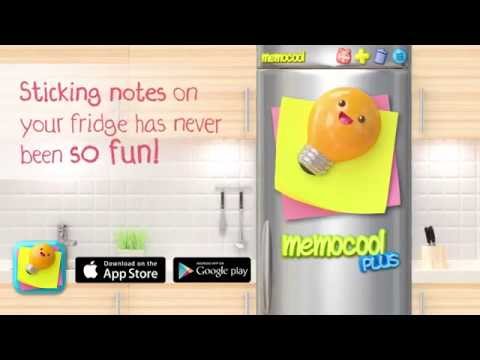
MemoCool Plus feels like turning the phone or PC into a little kitchen fridge where notes live. It is a visual notepad with personality. Someone picks a paper style, chooses a font and color, then pins it up with a magnet that actually looks like a magnet, not a boring icon. There are tons of magnets to choose from, plus seasonal and goofy fridge skins, so the board never looks the same twice. Photos can be stuck on a note, and the pixel art magnets are a fun extra for anyone who likes bead-style designs. It is oddly satisfying to arrange everything until the door looks just right.
It is not all looks, either. Notes can have reminders with a calendar and an alarm, so they ping at the right time. There is a widget on mobile to keep a sticky visible. On PC with BlueStacks, typing is faster with a keyboard and dragging magnets with a mouse feels clean, like arranging a scrapbook. Sharing a note as an image to other apps is quick, and if something gets deleted by accident, there is a trash recovery so it is not gone forever. Some cosmetic bits unlock with a coin system, but the core note taking is open. Anyone who prefers visual memory and likes to decorate will get the appeal, because it turns chores and lists into a little creative project.
Big screen. Bigger performance. Use BlueStacks on your PC or Mac to run your favorite apps.


Играйте в игру заметки - MemoCool Plus на ПК. Это легко и просто.
-
Скачайте и установите BlueStacks на ПК.
-
Войдите в аккаунт Google, чтобы получить доступ к Google Play, или сделайте это позже.
-
В поле поиска, которое находится в правой части экрана, введите название игры – заметки - MemoCool Plus.
-
Среди результатов поиска найдите игру заметки - MemoCool Plus и нажмите на кнопку "Установить".
-
Завершите авторизацию в Google (если вы пропустили этот шаг в начале) и установите игру заметки - MemoCool Plus.
-
Нажмите на ярлык игры заметки - MemoCool Plus на главном экране, чтобы начать играть.

