


Soundcore
Spiele auf dem PC mit BlueStacks - der Android-Gaming-Plattform, der über 500 Millionen Spieler vertrauen.

Seite geändert am: Oct 31, 2025
Run Soundcore on PC or Mac
Multitask effortlessly on your PC or Mac as you try out Soundcore, a Tools app by Anker on BlueStacks.
About the App
Soundcore by Anker is your go-to sidekick for managing and tweaking all your supported Soundcore devices, whether you’re jamming out with speakers or soaking in some quiet time with headphones. With this app, it’s super simple to personalize how your audio sounds and get the features that fit your style. Expect quick connections, effortless controls, and a little extra fun for your gear.
App Features
-
Device Management
Switch between your Soundcore speakers, earbuds, and headphones with just a couple of taps. The app makes it easy to spot your device, connect, and get right down to business. -
Easy Customization
Tweak your audio settings exactly the way you want. Play with EQ presets, create your own sound profile, and adjust for richer bass or sharper treble. Each device unlocks its own set of options. -
OTA Updates
Keep your Soundcore gear up to date—no more wondering if you’re missing out on new features. The app pushes updates straight to your supported devices. -
Smart Controls
Set up controls for your favorite functions, like skipping tracks or toggling noise cancelation. It’s all about getting your Soundcore device to work just how you like it. -
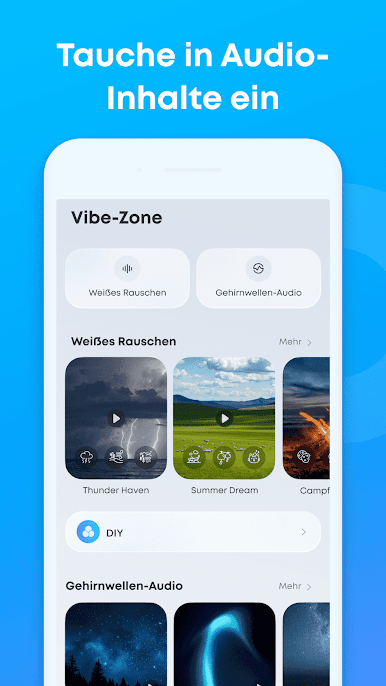
Ambient & Sleep Modes
For compatible models, you’ll find some neat extras: ambient sound control for tuning out or tuning in, and sleep modes that help you drift off without fuss. -
Product List & Compatibility
Got a bunch of Soundcore gear? The app supports a broad lineup, from Rave series speakers to Life and Liberty headphones. Check your device, and chances are it’s covered. -
Subtle BlueStacks Integration
If you’re managing your Soundcore experience on your PC using BlueStacks, the app keeps everything smooth so you won’t miss a beat.
Not every feature is available on all devices, so the options you see might vary depending on what you’re using.
Eager to take your app experience to the next level? Start right away by downloading BlueStacks on your PC or Mac.

Spiele Soundcore auf dem PC. Der Einstieg ist einfach.
-
Lade BlueStacks herunter und installiere es auf deinem PC
-
Schließe die Google-Anmeldung ab, um auf den Play Store zuzugreifen, oder mache es später
-
Suche in der Suchleiste oben rechts nach Soundcore
-
Klicke hier, um Soundcore aus den Suchergebnissen zu installieren
-
Schließe die Google-Anmeldung ab (wenn du Schritt 2 übersprungen hast), um Soundcore zu installieren.
-
Klicke auf dem Startbildschirm auf das Soundcore Symbol, um mit dem Spielen zu beginnen

