


Viso - Live Video Chat & Love
Играйте на ПК с BlueStacks – игровой платформе для приложений на Android. Нас выбирают более 500 млн. игроков.

Страница изменена: Nov 21, 2025
Run Viso - Meet Pretty Girls with Verified Profiles on PC or Mac
Let BlueStacks turn your PC, Mac, or laptop into the perfect home for Viso – Meet Pretty Girls with Verified Profiles, a fun Social app from Pegatech Ptd. Ltd..
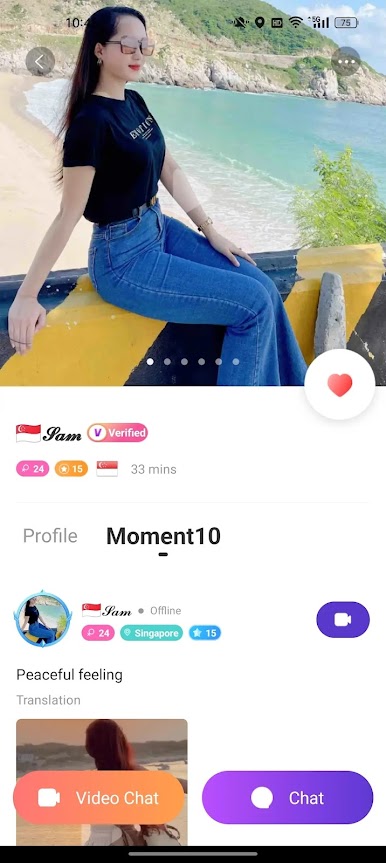
Viso is one of those apps that’s about making actual connections with people, and it’s a little different because it really puts verified profiles front and center. The whole idea is that you’re seeing and chatting with real people – not just random accounts with fake pictures – which makes things feel a lot more genuine. There’s a big focus on “verified” users; these are people who’ve gone through a system check, so you know who you’re talking to actually matches their profile photos. That does take off a layer of awkwardness or worry about weird catfish stuff.
The app gives you a few ways to connect. There’s text chat, audio chat, and even video chat, all one-on-one, depending on what you’re up for. Most people use it to make new friends, chat, and just hang out. What stands out is how international it feels – there’s a lot of users from Malaysia, Singapore, China, Taiwan, Thailand, Vietnam, the Philippines, and a bunch of other places. Running it on BlueStacks makes everything feel a bit more relaxed compared to using a phone, especially for video calls since you’re on a bigger screen. It’s pretty straightforward, and you get this sense of a global space where making friends feels a little easier because of that extra verification step.
BlueStacks gives you the much-needed freedom to experience your favorite apps on a bigger screen. Get it now.




Играйте в игру Viso - Live Video Chat & Love на ПК. Это легко и просто.
-
Скачайте и установите BlueStacks на ПК.
-
Войдите в аккаунт Google, чтобы получить доступ к Google Play, или сделайте это позже.
-
В поле поиска, которое находится в правой части экрана, введите название игры – Viso - Live Video Chat & Love.
-
Среди результатов поиска найдите игру Viso - Live Video Chat & Love и нажмите на кнопку "Установить".
-
Завершите авторизацию в Google (если вы пропустили этот шаг в начале) и установите игру Viso - Live Video Chat & Love.
-
Нажмите на ярлык игры Viso - Live Video Chat & Love на главном экране, чтобы начать играть.

