


Harpa Cristã Pro
Играйте на ПК с BlueStacks – игровой платформе для приложений на Android. Нас выбирают более 500 млн. игроков.

Страница изменена: Sep 3, 2025
Run Harpa Cristã Pro on PC or Mac
Get freedom from your phone’s obvious limitations. Use Harpa Cristã Pro, made by Rall Softwares, a Music & Audio app on your PC or Mac with BlueStacks, and level up your experience.
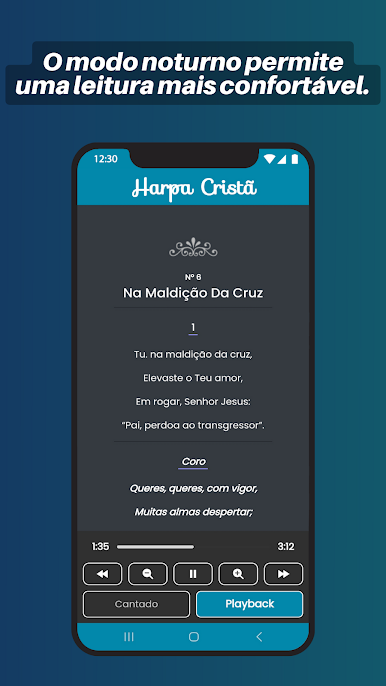
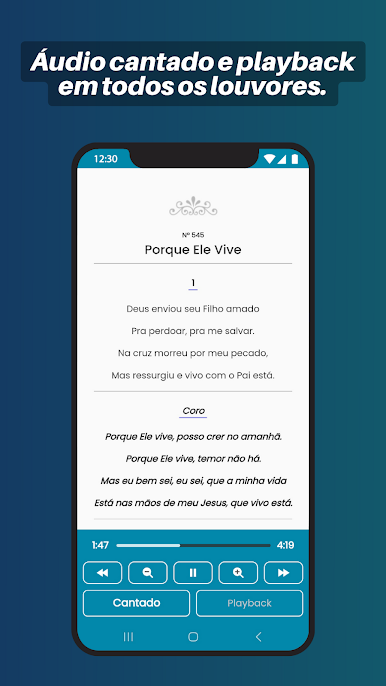
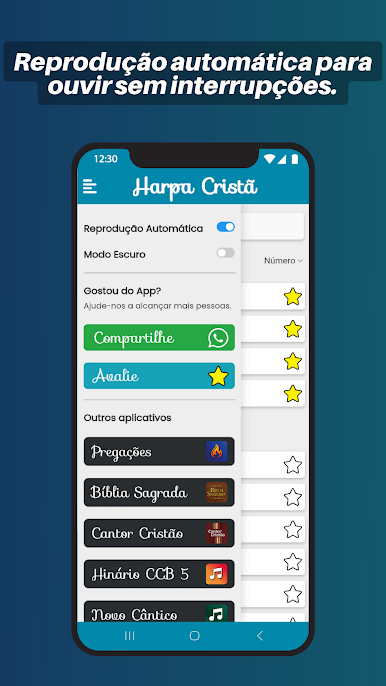
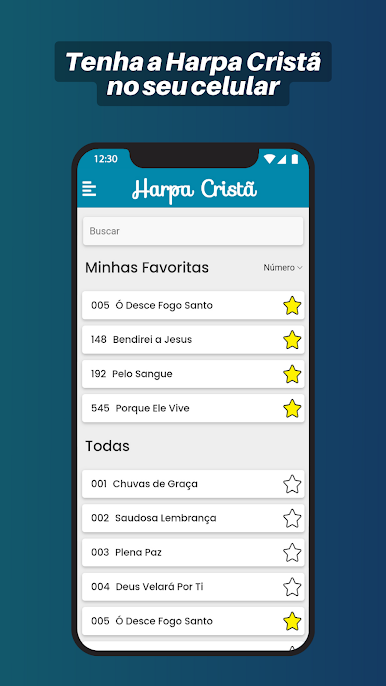
Harpa Cristã Pro feels like a neat digital hymnal that actually gets out of the way. It packs the full set of Harpa Cristã hymns, all with lyrics and audio, and the app keeps things simple so users can just read, listen, or both. No advertisements popping up, which makes it calm to use during prayer time or rehearsals. Search is quick, by name or by number, so finding a specific hymn takes seconds. There is autoplay if someone wants the hymns to keep going without tapping, and background playback keeps the audio rolling while doing other things. Playlists and favorites are handy for building a set list or saving go‑to songs for later.
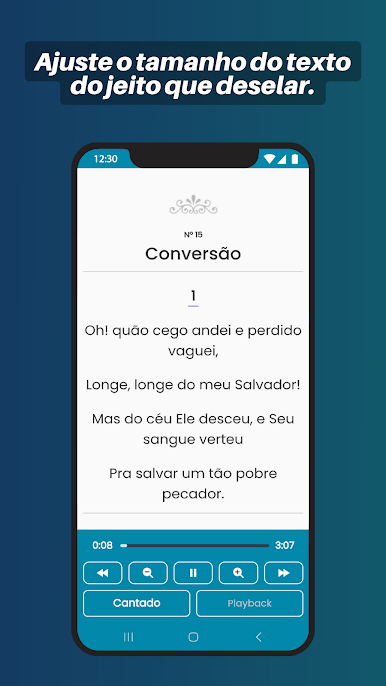
On PC with BlueStacks, it works fine in a window while working or studying, and the larger screen makes the lyric text easier to see. Text size can be adjusted anyway, and dark mode is great at night or in a low light room. It is focused on lyrics and audio rather than fancy visuals, which suits the purpose well. Everything loads fast, the app is light, and it does not feel cluttered. For anyone in the Assemblies of God tradition, or anyone who just wants the classic Harpa Cristã collection in one place, this is a straightforward way to listen and follow along, and typing searches on a keyboard makes it even quicker on a computer.
Big screen. Bigger performance. Use BlueStacks on your PC or Mac to run your favorite apps.


Играйте в игру Harpa Cristã Pro на ПК. Это легко и просто.
-
Скачайте и установите BlueStacks на ПК.
-
Войдите в аккаунт Google, чтобы получить доступ к Google Play, или сделайте это позже.
-
В поле поиска, которое находится в правой части экрана, введите название игры – Harpa Cristã Pro.
-
Среди результатов поиска найдите игру Harpa Cristã Pro и нажмите на кнопку "Установить".
-
Завершите авторизацию в Google (если вы пропустили этот шаг в начале) и установите игру Harpa Cristã Pro.
-
Нажмите на ярлык игры Harpa Cristã Pro на главном экране, чтобы начать играть.

