


SAMSUNG Smart Washer/Dryer
Spiele auf dem PC mit BlueStacks - der Android-Gaming-Plattform, der über 500 Millionen Spieler vertrauen.

Seite geändert am: Jul 2, 2024
Run SAMSUNG Smart Washer/Dryer on PC or Mac
Multitask effortlessly on your PC or Mac as you try out SAMSUNG Smart Washer/Dryer, a Tools app by Samsung Electronics Co., Ltd. on BlueStacks.
About the App
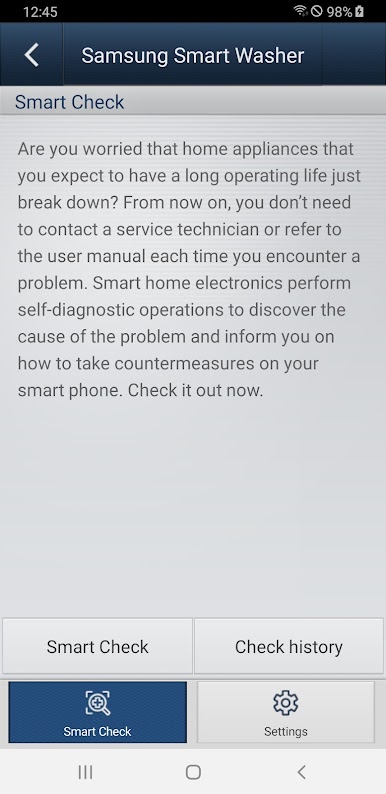
Ever had your washing machine flash an error just as you’re about to rush out the door? The SAMSUNG Smart Washer/Dryer app from Samsung Electronics Co., Ltd. is here to make life a little easier. This handy little Tools app connects with your compatible Samsung washer so you’re never left guessing what’s up, letting you handle hiccups fast—no more digging through the manual every time something pops up on the control panel.
App Features
-
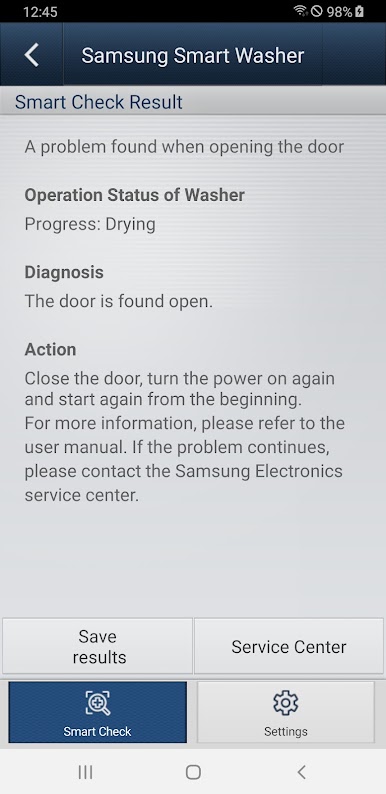
Error Help, Without the Hassle
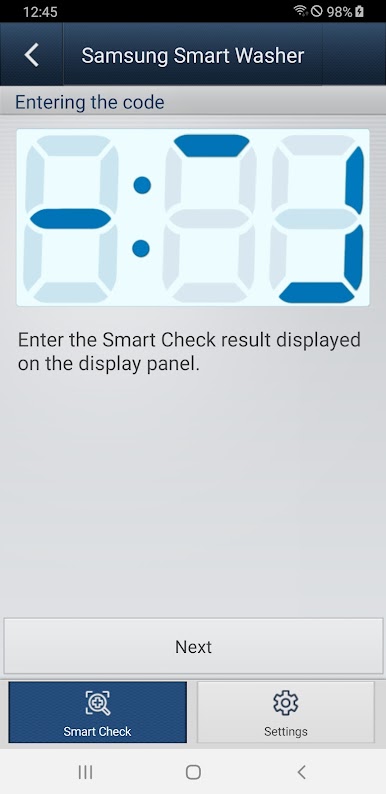
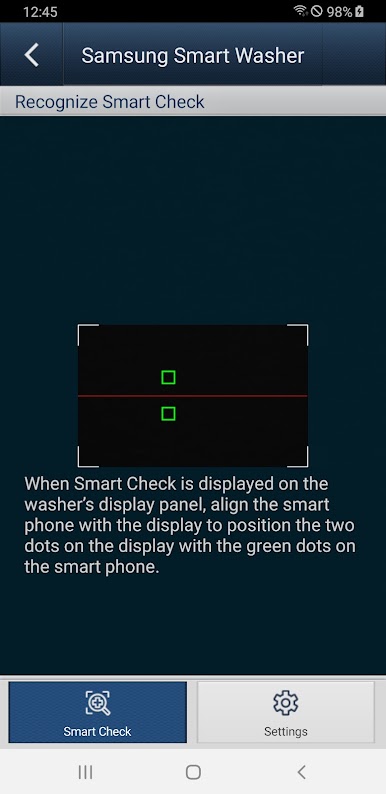
When an error pops up on your Samsung washer, just fire up the app. Use your phone’s camera to scan the code, and SAMSUNG Smart Washer/Dryer will break down what it means and guide you on the next steps. Forget trying to decode those blinking lights on your own. -
Smart Check Compatibility
Know if your washer’s on the list by spotting the Smart Check mark or Smart Care label on its control panel—just double-check your user manual to be sure your model is supported. -
Simple Camera Recognition
Point and scan—that’s it. The app uses your phone’s camera to automatically recognize and interpret codes on the washer display. For the best results, make sure the lighting and focus are just right. -
Designed for Your Samsung Device
The app works with select Samsung washers. (Heads up: using it with an unsupported washer or smartphone means you might not get the full experience.) -
Custom Look, Same Functionality
If you’ve got a custom font set on your phone, the app’s appearance might look a bit different. But don’t worry—the core features stick around. -
Optional Camera Access
The app may ask for permission to use your camera, since scanning error codes is its main thing. -
Seamless Experience on BlueStacks
Want to check things out from your computer? You can use SAMSUNG Smart Washer/Dryer with BlueStacks for a different perspective.
No more guesswork or panicked troubleshooting—just quick, clear help at your fingertips.
Switch to BlueStacks and make the most of your apps on your PC or Mac.
Spiele SAMSUNG Smart Washer/Dryer auf dem PC. Der Einstieg ist einfach.
-
Lade BlueStacks herunter und installiere es auf deinem PC
-
Schließe die Google-Anmeldung ab, um auf den Play Store zuzugreifen, oder mache es später
-
Suche in der Suchleiste oben rechts nach SAMSUNG Smart Washer/Dryer
-
Klicke hier, um SAMSUNG Smart Washer/Dryer aus den Suchergebnissen zu installieren
-
Schließe die Google-Anmeldung ab (wenn du Schritt 2 übersprungen hast), um SAMSUNG Smart Washer/Dryer zu installieren.
-
Klicke auf dem Startbildschirm auf das SAMSUNG Smart Washer/Dryer Symbol, um mit dem Spielen zu beginnen

