


Puzzingo Kinderpuzzles
Spiele auf dem PC mit BlueStacks - der Android-Gaming-Plattform, der über 500 Millionen Spieler vertrauen.

Seite geändert am: Nov 18, 2025
Run Toddler Kids Puzzles PUZZINGO on PC or Mac
Let BlueStacks turn your PC, Mac, or laptop into the perfect home for Toddler Kids Puzzles PUZZINGO, a fun Education app from 77SPARX Studio, Inc..
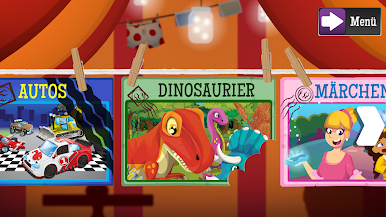
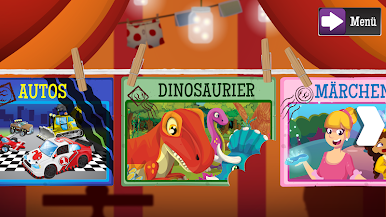
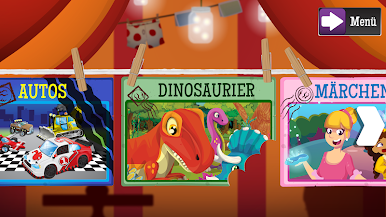
Puzzingo is one of those kids’ apps that actually manages to be both fun and educational without feeling bland. It’s packed with all sorts of colorful puzzles built specially for little ones — so there’s tons of bright pictures, lively animations, and plenty of silly sound effects to keep them interested. Each puzzle piece actually says its name out loud, which is neat because kids sort of pick up new words while playing, not just matching shapes or pictures. It’s not like the standard jigsaw game where you just get a picture at the end — here, every piece adds to their vocabulary a bit.
What’s cool is that it comes with a bunch of puzzles right away, plus a “free daily preview” puzzle pops up each day, which can make the app feel new for a long time. There are mini games as little rewards after finishing puzzles, which keeps kids motivated. The app also works in several languages, so families who want to switch between English, Spanish, or even Chinese can do that pretty easily. And it’s surprisingly thoughtful for different learning needs — the way it uses both visual and audio cues can help kids with speech delays or those who need a bit more support. If someone’s trying it out on PC using BlueStacks, everything just gets a bit bigger and far easier for tiny hands to control, which makes the whole thing less fiddly. There’s options for more puzzle packs about things like dinosaurs, cars, ABCs, and music, and those extras are behind a little parent lock, so no surprise spending from curious kids. Overall, it just feels like a friendly, low-stress way for kids to learn and have fun, with plenty of variety and stuff to keep them busy.
Eager to take your app experience to the next level? Start right away by downloading BlueStacks on your PC or Mac.













Spiele Puzzingo Kinderpuzzles auf dem PC. Der Einstieg ist einfach.
-
Lade BlueStacks herunter und installiere es auf deinem PC
-
Schließe die Google-Anmeldung ab, um auf den Play Store zuzugreifen, oder mache es später
-
Suche in der Suchleiste oben rechts nach Puzzingo Kinderpuzzles
-
Klicke hier, um Puzzingo Kinderpuzzles aus den Suchergebnissen zu installieren
-
Schließe die Google-Anmeldung ab (wenn du Schritt 2 übersprungen hast), um Puzzingo Kinderpuzzles zu installieren.
-
Klicke auf dem Startbildschirm auf das Puzzingo Kinderpuzzles Symbol, um mit dem Spielen zu beginnen

