


Dibujar y Colorear: La Vaca Lo
Spiele auf dem PC mit BlueStacks - der Android-Gaming-Plattform, der über 500 Millionen Spieler vertrauen.

Seite geändert am: May 23, 2024
Play Dibujar y Colorear: La Vaca Lo on PC
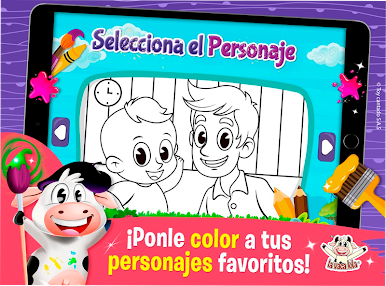
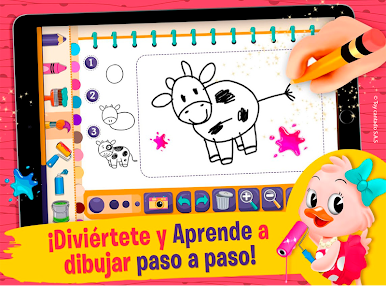
Your children will have hours of fun and entertainment, stimulating their imagination by creating drawings with authentic characters and by coloring the existing ones within the application, such as the fun Lola Cow, Pin pon and other children's characters. Additionally, they will illustrate from drawing tutorials that will help discover and stimulate the artist within your child, it is a perfect application to learn the illustrative skills of your little ones.
Live the experience for FREE!
Characteristics:
• Take screenshots of your drawings and artistic creations!
• All content is free.
• Simple and intuitive design for children.
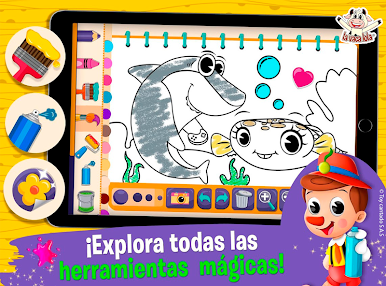
• Different tools for coloring.
• Sparkling and dynamic colors for beautiful effects.
• Stickers to decorate your designs.
• Undo and redo your last stroke or color action.
• Tap to paint and pinch to zoom in coloring pages.
Children will love this coloring game because while they entertain and learn they also relax.
More Applications
Toy Cantando has the best applications for children, with free games that can test their mental agility, achieving healthy and educational entertainment.
You can find the different applications in the Android store. La Vaca Lola, Children's Songs 2, Lola Cow to Run, Kids Rush Runner, Lola Crush, The Pin Pon® Doll, Pinocchio, To my Donkey, My Little Boat, My Little Round Face, The Cow Lady, Children's Songs 2, Tables of multiply, Lullabies, Baby Rock, sunny sun, farm animals, the Laughter of the Vowels, and many more ...
These cute children's apps are suitable for all children of all ages. Enjoy with your whole family and share this with your friends and invite them to learn and enjoy the best content of Toy Cantando.
Download them for free!
Collaborative work:
Producer: Toy Cantando S.A.S
Developers: Juan Carlos González
Designers: Alejandro Gonzalez Patarroyo, Adriana Acevedo and Jorge Varela
Spiele Dibujar y Colorear: La Vaca Lo auf dem PC. Der Einstieg ist einfach.
-
Lade BlueStacks herunter und installiere es auf deinem PC
-
Schließe die Google-Anmeldung ab, um auf den Play Store zuzugreifen, oder mache es später
-
Suche in der Suchleiste oben rechts nach Dibujar y Colorear: La Vaca Lo
-
Klicke hier, um Dibujar y Colorear: La Vaca Lo aus den Suchergebnissen zu installieren
-
Schließe die Google-Anmeldung ab (wenn du Schritt 2 übersprungen hast), um Dibujar y Colorear: La Vaca Lo zu installieren.
-
Klicke auf dem Startbildschirm auf das Dibujar y Colorear: La Vaca Lo Symbol, um mit dem Spielen zu beginnen

