


Звуковой сигнал батареи
Играйте на ПК с BlueStacks – игровой платформе для приложений на Android. Нас выбирают более 500 млн. игроков.

Страница изменена: Aug 9, 2025
Run Battery charge sound alert - Yellow on PC or Mac
Multitask effortlessly on your PC or Mac as you try out Battery charge sound alert – Yellow, a Tools app by 똘켓 on BlueStacks.
About the App
Ever wish your phone could let you know—loud and clear—when it’s fully juiced up? Battery charge sound alert – Yellow by 똘켓 makes those sneaky overcharging moments a thing of the past. Whenever your device hits 100%, you’ll hear your chosen tune, so you don’t have to keep checking your lock screen. Just set it, forget it, and relax knowing you’ll get a heads-up right when your battery’s good to go.
App Features
-
Custom Sound Alerts
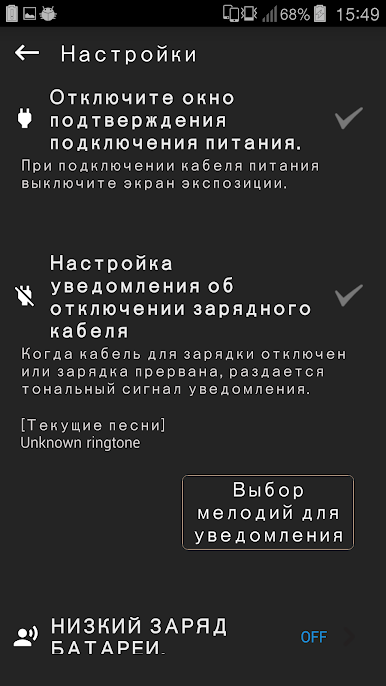
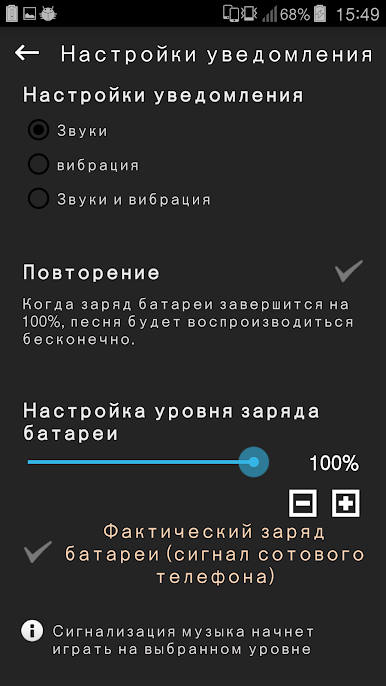
Pick your favorite music or ringtone for charging notifications. You can swap out sounds anytime to match your mood—no boring beeps required. -
Set Battery Alert Levels
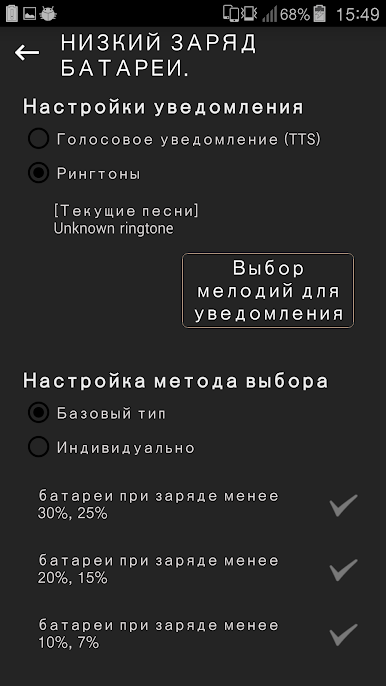
Want a reminder before reaching 100%? Set your own battery percentage, so the notification chimes in at the battery level you prefer. -
Volume & Vibration Controls
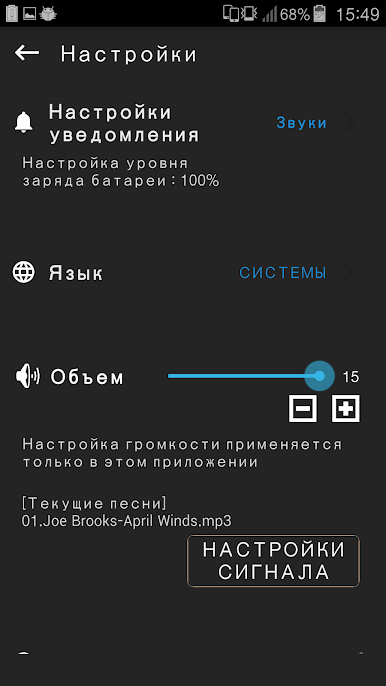
Get as subtle (or as loud) as you want—adjust alert volume or add vibration if you’d rather feel than hear your notifications. -
Do Not Disturb Timing
Schedule quiet hours where the app won’t interrupt you, so charge alerts won’t wake you up at midnight. -
On-Screen Battery Stats
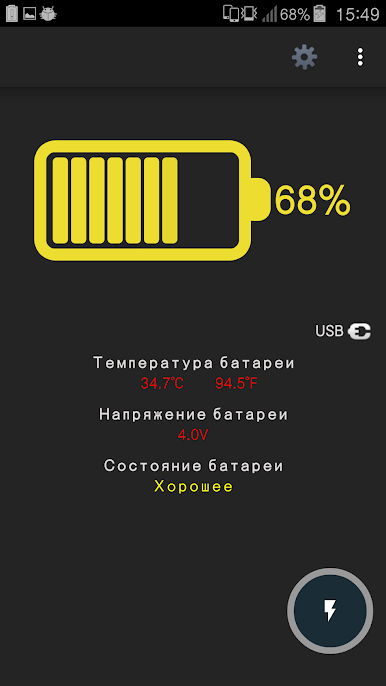
Keep an eye on battery status right at the top of your screen, with a widget you can check at a glance. -
Earphone Detection
No awkward surprises when you’re listening—if your headphones are connected, the sound alert switches to a gentle push notification. -
Low Battery & Warning Alerts
Besides full charge alerts, get notified if your battery’s running low or there’s a status you should check out. -
Healthy Charging Guidance
The app supports safe charging by guiding you through quick, full, and trickle charge steps without affecting your battery’s health. -
Charge History & Widget
See detailed charging logs and check your battery’s status right from a handy widget (4×1 size).
You won’t have to open the app every time—just plug in, set your preferences once, and let Battery charge sound alert – Yellow handle the rest. If you’re using BlueStacks, you’ll notice the app works just as smoothly, making battery management even easier on a bigger screen.
Big screen. Bigger performance. Use BlueStacks on your PC or Mac to run your favorite apps.
Играйте в игру Звуковой сигнал батареи на ПК. Это легко и просто.
-
Скачайте и установите BlueStacks на ПК.
-
Войдите в аккаунт Google, чтобы получить доступ к Google Play, или сделайте это позже.
-
В поле поиска, которое находится в правой части экрана, введите название игры – Звуковой сигнал батареи.
-
Среди результатов поиска найдите игру Звуковой сигнал батареи и нажмите на кнопку "Установить".
-
Завершите авторизацию в Google (если вы пропустили этот шаг в начале) и установите игру Звуковой сигнал батареи.
-
Нажмите на ярлык игры Звуковой сигнал батареи на главном экране, чтобы начать играть.

