


Phase Rummy: Family Card Game
Spiele auf dem PC mit BlueStacks - der Android-Gaming-Plattform, der über 500 Millionen Spieler vertrauen.

Seite geändert am: Feb 9, 2026
Spiele Phase Rummy: Family Card Game für PC
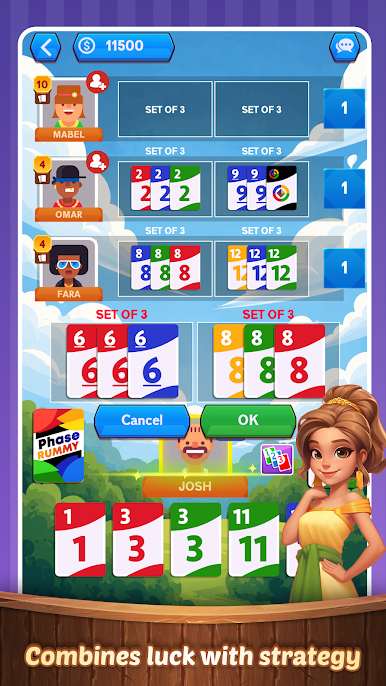
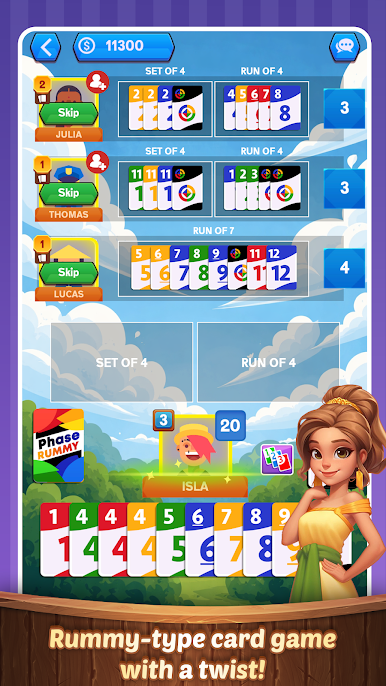
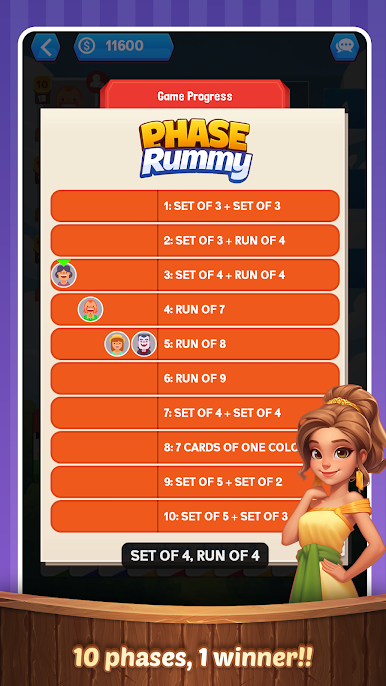
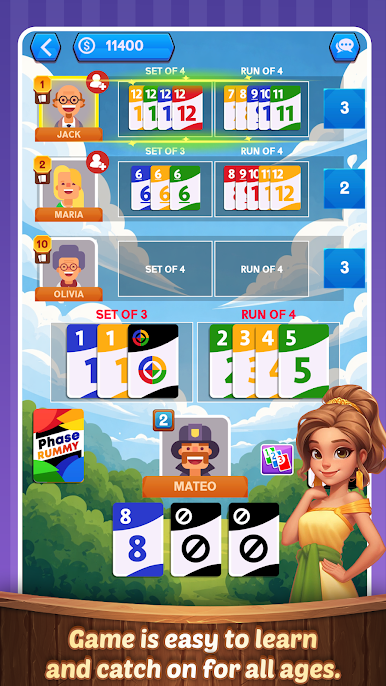
Ziel von Phase Rummy ist es, als Erster 10 verschiedene Phasen abzuschließen: zwei Sätze mit je drei Karten, eine Folge mit sieben Karten, sieben Karten einer Farbe und mehr.
Eine Phase ist eine Kombination von Karten und kann aus Sätzen (mehreren Karten desselben Werts), Folgen (mehreren Karten in aufsteigender Reihenfolge), Karten einer Farbe oder einer Kombination davon bestehen. Jede Phase ist spezifisch für die ausgeteilte Hand, d. h. du musst die aktuelle Phase abschließen, um zur nächsten zu gelangen. Schließe alle 10 Phasen ab und gewinne Phase Rummy!
Jedes Deck enthält Wild- und Aussetzerkarten, die für spielentscheidende Momente sorgen! Eine Wildkarte kann anstelle einer Zahlenkarte oder einer beliebigen Farbe verwendet werden, um eine Phase abzuschließen. Eine Überspringen-Karte hingegen bedeutet, dass der Gegner einen Zug verliert.
Phase Rummy ist ein anspruchsvolles Spiel, da man seine Gegner ständig ausbremsen muss, z. B. diejenigen, die bereits in den Phasen vor einem aufgestiegen sind. Man versucht ständig zu erraten, welche Karten der nächste braucht – und ihm diese Karten vorzuenthalten. Dabei ist eine gehörige Portion Glück gefragt; ein gutes Blatt garantiert einen schnellen Phasenabschluss.
Die verschiedenen Farben, die coole Nummerierung, die Wildkarte und die Überspringen-Karte machen das Spiel nicht nur attraktiv, sondern auch spannend. Viele junge Leute veranstalten Wettbewerbe, und der Druck zu gewinnen ist hoch.
10 Phasen, 1 Gewinner: Viel Spaß mit dem neuen Phase Rummy!
Das rasante Phase Rummy kombiniert Glück und Strategie, da die Spieler schnell Muster erkennen.
Die Komplexität des Phase Rummy-Kartenspiels steigt mit jedem Spiel.
Worauf warten Sie noch? Laden Sie das Phase Rummy-Kartenspiel noch heute herunter.
Suchen Sie nicht weiter! Holen Sie es sich jetzt und spielen Sie dieses klassische Rommé-Kartenspiel sofort kostenlos.
◆◆◆◆ Phase Rummy-Funktionen ◆◆◆◆
✔ Online-Multiplayer: Spielen Sie mit Spielern aus aller Welt.
✔ Erfolge und Bestenlisten.
✔ Spielen Sie online mit Freunden an privaten Tischen.
✔ Chatten Sie per Sprachchat in einem privaten Raum mit Freunden.
✔ Spielen Sie als Gast oder erstellen Sie ein Profil.
✔ Gewinnen Sie kostenlose Münzen durch Drehen des Rads.
✔ Sehen Sie sich ein Video an, um Münzen zu verdienen.
✔ Die Spielregeln werden in den Einstellungen ausführlich erklärt.
✔ Sehr intuitive Benutzeroberfläche und Spielweise.
Laden Sie das Phase Rummy-Kartenspiel noch heute für Ihr Smartphone und Tablet herunter und erleben Sie endlosen Spielspaß.
Bitte vergessen Sie nicht, das Kartenspiel Phase Rummy zu bewerten und zu rezensieren!
Viel Spaß beim Spielen von Phase Rummy!
Spiele Phase Rummy: Family Card Game auf dem PC. Der Einstieg ist einfach.
-
Lade BlueStacks herunter und installiere es auf deinem PC
-
Schließe die Google-Anmeldung ab, um auf den Play Store zuzugreifen, oder mache es später
-
Suche in der Suchleiste oben rechts nach Phase Rummy: Family Card Game
-
Klicke hier, um Phase Rummy: Family Card Game aus den Suchergebnissen zu installieren
-
Schließe die Google-Anmeldung ab (wenn du Schritt 2 übersprungen hast), um Phase Rummy: Family Card Game zu installieren.
-
Klicke auf dem Startbildschirm auf das Phase Rummy: Family Card Game Symbol, um mit dem Spielen zu beginnen

