


Rise of Kingdoms - The Companion (Donate)
Spiele auf dem PC mit BlueStacks - der Android-Gaming-Plattform, der über 500 Millionen Spieler vertrauen.

Seite geändert am: 26. April 2020
Play Rise of Kingdoms - The Companion (Donate) on PC
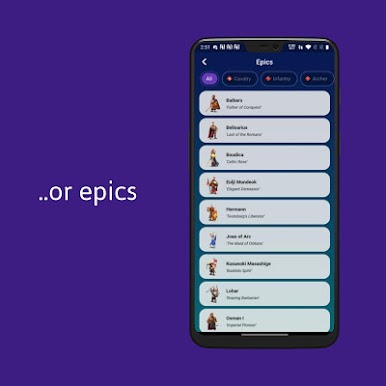
Missing your commander while away?
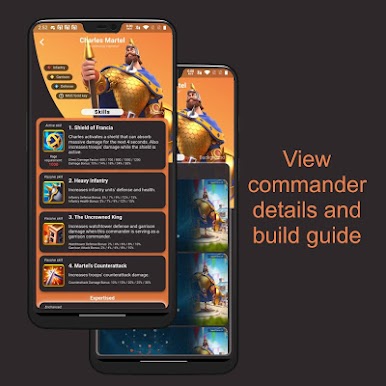
- View details for all available commanders with responsive and beautifully designed UI
- Build guide for your commanders
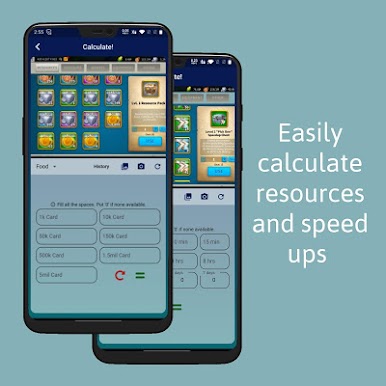
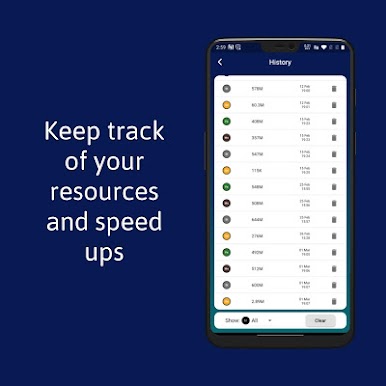
Ever wonder how rich you are?
- I do. Calculate them for me! With easy to use resources calculator
Time is money?
- See how much you have with our included speedups calculator and plan yourself a win
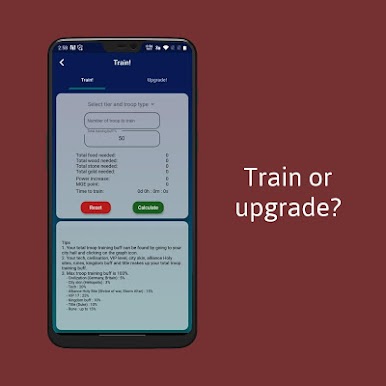
Training troop?
- Use your at home calculator,
- or just use ours. Whatevs..
Any feedback is much appreciated. Do contact me if anything is on your mind.
**App was built using flutter as I was too excited to learn how to flutter**



Spiele Rise of Kingdoms - The Companion (Donate) auf dem PC. Der Einstieg ist einfach.
-
Lade BlueStacks herunter und installiere es auf deinem PC
-
Schließe die Google-Anmeldung ab, um auf den Play Store zuzugreifen, oder mache es später
-
Suche in der Suchleiste oben rechts nach Rise of Kingdoms - The Companion (Donate)
-
Klicke hier, um Rise of Kingdoms - The Companion (Donate) aus den Suchergebnissen zu installieren
-
Schließe die Google-Anmeldung ab (wenn du Schritt 2 übersprungen hast), um Rise of Kingdoms - The Companion (Donate) zu installieren.
-
Klicke auf dem Startbildschirm auf das Rise of Kingdoms - The Companion (Donate) Symbol, um mit dem Spielen zu beginnen

