


nRF Blinky
500M + oyuncunun güvendiği Android Oyun Platformu, BlueStacks ile PC'de oynayın.

Sayfa Değiştirilme tarihi: Jan 9, 2025
Run nRF Blinky on PC or Mac
Get freedom from your phone’s obvious limitations. Use nRF Blinky, made by Nordic Semiconductor ASA, a Tools app on your PC or Mac with BlueStacks, and level up your experience.
About the App
Just getting started with Bluetooth Low Energy? nRF Blinky makes it easy to take those first steps. Designed with beginners in mind, this handy little tool lets you connect to supported Nordic Semiconductor hardware and start experimenting, without all the complicated setup. Whether you’re curious about how Bluetooth LE works, or you want a simple way to see your commands at work, nRF Blinky is straightforward and friendly. You can even use it on your PC with BlueStacks if you want a bigger view.
App Features
-
Quick Bluetooth LE Device Scanning
Jump right in—search for nearby Bluetooth Low Energy devices, like compatible nRF5 DK boards. See what’s around and connect in a snap. -
Easy Connect & Control
Once you’ve found your board, pair up instantly. From there, you can toggle LED 1 on your developer kit right from your screen, making it simple to see your commands in action. -
Real-Time Button Event Updates
Ever wondered what happens when you press a button on your board? Watch Button 1 events pop up in the app, so you get instant feedback with every click. -
Minimal Permissions, No Privacy Surprises
All you need is location access so the app can find devices—don’t worry, your location info isn’t stored or shared. It’s just a part of how Android handles Bluetooth LE scanning. -
Great for Learning and Testing
Perfect if you’re just getting into Bluetooth LE, or you want a no-fuss way to try out the Nordic Semiconductor’s LED Button Service. -
Runs Smoothly with BlueStacks
Want to control things from your computer for easier testing or a bigger view? You can use nRF Blinky with BlueStacks for that desktop-friendly setup.
Eager to take your app experience to the next level? Start right away by downloading BlueStacks on your PC or Mac.
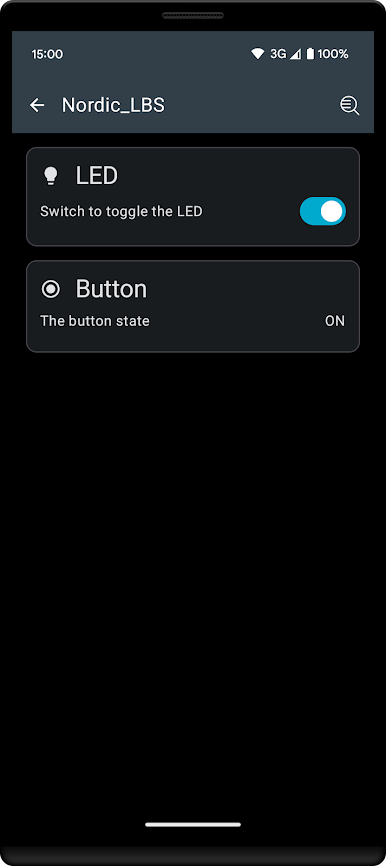
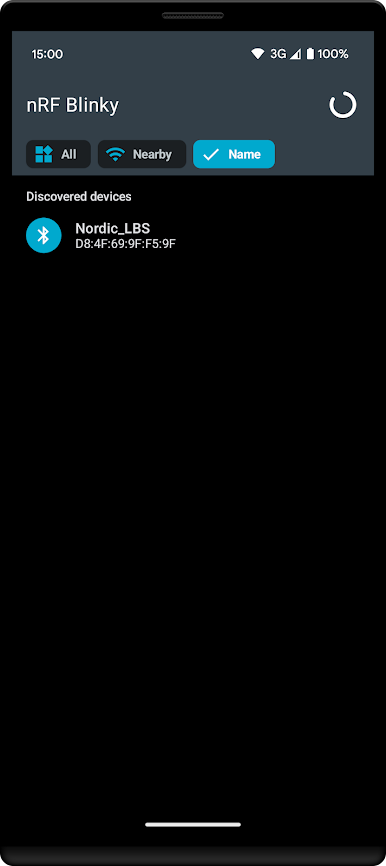
nRF Blinky oyununu PC'de oyna. Başlamak çok kolay.
-
BlueStacks'i PC'nize İndirin ve Yükleyin
-
Play Store'a erişmek için Google girişi yapın ya da daha sonraya bırakın.
-
Sağ üst köşeye nRF Blinky yazarak arayın.
-
nRF Blinky uygulamasını arama sonuçlarından indirmek için tıklayın.
-
(iEğer Adım 2'yi atladıysanız) nRF Blinky uygulamasını yüklemek için Google'a giriş yapın.
-
Oynatmaya başlatmak için ekrandaki nRF Blinky ikonuna tıklayın.

