


Mega Plugin for Solid Explorer
Spiele auf dem PC mit BlueStacks - der Android-Gaming-Plattform, der über 500 Millionen Spieler vertrauen.

Seite geändert am: Jun 5, 2025
Run Mega Plugin for Solid Explorer on PC or Mac
Upgrade your experience. Try Mega Plugin for Solid Explorer, the fantastic Productivity app from NeatBytes, from the comfort of your laptop, PC, or Mac, only on BlueStacks.
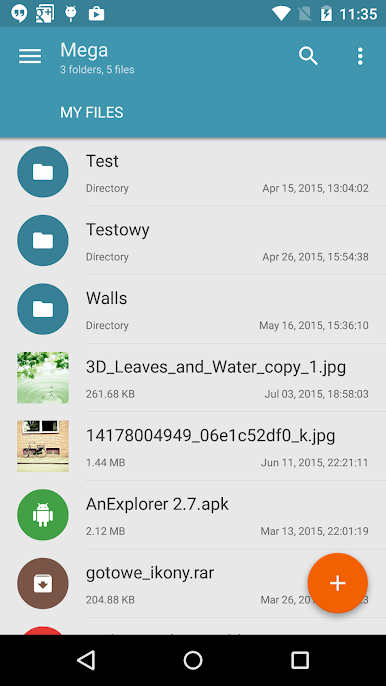
Mega Plugin for Solid Explorer is one of those tools that makes handling cloud files way less of a headache, especially if you’re bouncing between different devices. It’s not an app on its own, but more like an add-on for Solid Explorer that lets someone hook up their Mega cloud storage and work directly with those files right inside the explorer. The basics are covered—copying, moving, renaming, or just checking out files, and there’s no need to jump between apps. Uploads and downloads are straightforward, and it’s pretty handy that streaming music and video from Mega is supported too, so there’s no waiting around for things to finish downloading.
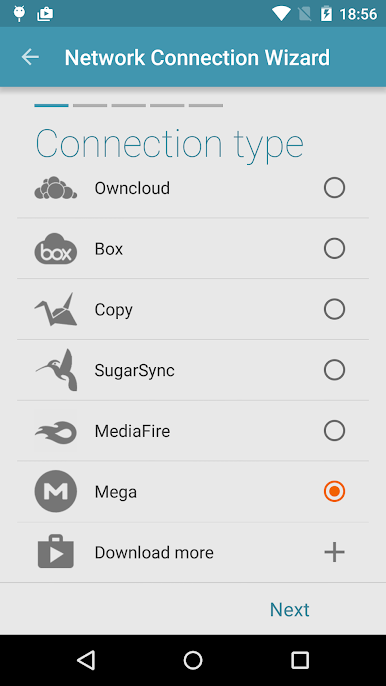
Setting it up is easy enough. Just add a new cloud connection in Solid Explorer, choose Mega, log in, and that’s about it. Once it’s set, all the usual file managing stuff works with Mega like it does with local folders. Running it on PC through BlueStacks is actually really smooth, and the bigger screen makes sorting through files or managing large uploads a lot easier. Someone using multiple cloud services or with a ton of files stashed online would probably find this plugin takes a lot of the fuss out of moving things around. It feels like Solid Explorer just ‘gets’ Mega after this plugin is installed, so there’s less messing around and more just getting things done.
Ready to experience Mega Plugin for Solid Explorer on a bigger screen, in all its glory? Download BlueStacks now.
Spiele Mega Plugin for Solid Explorer auf dem PC. Der Einstieg ist einfach.
-
Lade BlueStacks herunter und installiere es auf deinem PC
-
Schließe die Google-Anmeldung ab, um auf den Play Store zuzugreifen, oder mache es später
-
Suche in der Suchleiste oben rechts nach Mega Plugin for Solid Explorer
-
Klicke hier, um Mega Plugin for Solid Explorer aus den Suchergebnissen zu installieren
-
Schließe die Google-Anmeldung ab (wenn du Schritt 2 übersprungen hast), um Mega Plugin for Solid Explorer zu installieren.
-
Klicke auf dem Startbildschirm auf das Mega Plugin for Solid Explorer Symbol, um mit dem Spielen zu beginnen

