


Solitaire Tripeaks : Blooming
Spiele auf dem PC mit BlueStacks - der Android-Gaming-Plattform, der über 500 Millionen Spieler vertrauen.

Seite geändert am: Feb 2, 2026
Spiele Solitaire Tripeaks : Blooming für PC
Begeben Sie sich auf eine fesselnde Reise, bei der klassisches Solitaire auf den Charme des Farmlebens trifft. In Solitaire TriPeaks Blooming Scapes meistern Sie herausfordernde Kartenlayouts, um Sterne zu verdienen und einen lebendigen Garten voller vielfältiger Feldfrüchte und einer atemberaubenden Vielfalt an Blumen anzulegen. Schalten Sie neue Grundstücke frei, pflanzen Sie einzigartige Blumenarten und sehen Sie zu, wie Ihre Farm im Laufe des Spiels gedeiht.
Mehr als klassisches Solitaire:
Erleben Sie eine einzigartige Variante des traditionellen Kartenspiels mit skurrilen Elementen rund um den Bauernhof. Entdecken Sie spezielle Karten mit Pilzen, Marienkäfern, Pandas und Bambussprossen, die Ihrem Solitaire-Abenteuer einen Hauch von Charme verleihen. Fordern Sie sich selbst mit gesperrten Levels heraus, die strategisches Denken und clevere Züge erfordern, um sie freizuschalten. Mit einer Vielzahl von Leveldesigns und spannenden Funktionen garantiert Solitaire TriPeaks Blooming Scapes stundenlange Unterhaltung.
Mehr als nur Karten:
Machen Sie eine Pause von Solitaire und erkunden Sie eine Vielzahl spannender Minispiele. Wirf die Würfel und trete in den klassischen Würfelturnieren gegen andere Spieler an. Versuche, an die Spitze der Bestenliste zu kommen und tolle Belohnungen zu gewinnen. Entdecke weitere unterhaltsame Aktivitäten wie das Gießen deiner Pflanzen und das Spielen am Spielautomaten, um ein abwechslungsreiches und unterhaltsames Spielerlebnis zu gewährleisten.
Wachse und ernte Belohnungen:
Während du die Level von Solitaire TriPeaks durchläufst, verdienst du Sterne, mit denen du deine Farm erweitern und eine atemberaubende Blumensammlung züchten kannst. Entdecke eine große Vielfalt an Blumenarten, jede mit ihrem eigenen Charme und ihrer eigenen Schönheit. Freue dich über eine Fülle kostenloser Boni, darunter tägliche Login-Belohnungen, Glücksraddrehungen und stündliche Belohnungen für die Pflege deiner Pflanzen. Mit so vielen Verdienstmöglichkeiten werden deine Farm und dein Garten im Handumdrehen gedeihen!
Hauptfunktionen:
Über 6.000 Level: Genieße endlosen Solitaire-Spaß mit einer riesigen Sammlung herausfordernder Level.
Kreative Booster und Karten: Nutze spezielle Karten und Power-Ups, um jedes Hindernis zu überwinden.
Spannende Minispiele: Entdecken Sie eine Vielzahl von Minispielen wie Würfelturniere für noch mehr Spaß.
Freischalten und wachsen: Entdecken Sie abwechslungsreiche Landschaften und züchten Sie eine atemberaubende Blumensammlung.
Lohnendes Gameplay: Verdienen Sie tägliche Boni, drehen Sie um Preise und erhalten Sie stündliche Belohnungen.
Bezaubernde Grafik: Tauchen Sie ein in die wunderschönen Grafiken und Animationen des Spiels.
Spielen Sie überall und jederzeit: Genießen Sie das Spiel jederzeit und überall, auch ohne Internetverbindung.
Nahtlose Cloud-Speicherung: Halten Sie Ihren Fortschritt über mehrere Geräte hinweg synchronisiert.
Solitaire- und Landwirtschaftsliebhaber, verpassen Sie dieses blühende Abenteuer nicht! Laden Sie Solitaire TriPeaks Blooming Scapes jetzt herunter und entdecken Sie eine Welt, in der Karten und Pflanzen zusammen ein unvergessliches Spielerlebnis schaffen.
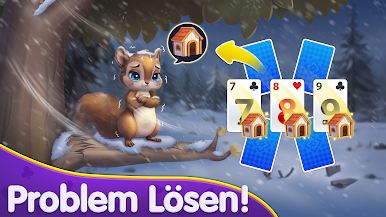





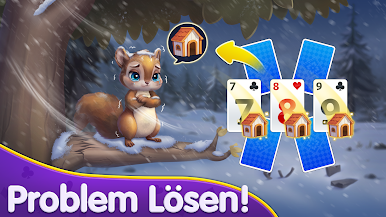





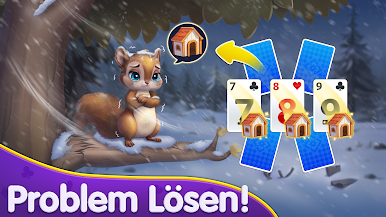


Spiele Solitaire Tripeaks : Blooming auf dem PC. Der Einstieg ist einfach.
-
Lade BlueStacks herunter und installiere es auf deinem PC
-
Schließe die Google-Anmeldung ab, um auf den Play Store zuzugreifen, oder mache es später
-
Suche in der Suchleiste oben rechts nach Solitaire Tripeaks : Blooming
-
Klicke hier, um Solitaire Tripeaks : Blooming aus den Suchergebnissen zu installieren
-
Schließe die Google-Anmeldung ab (wenn du Schritt 2 übersprungen hast), um Solitaire Tripeaks : Blooming zu installieren.
-
Klicke auf dem Startbildschirm auf das Solitaire Tripeaks : Blooming Symbol, um mit dem Spielen zu beginnen

