


Background Eraser & Editor
Chơi trên PC với BlueStacks - Nền tảng chơi game Android, được hơn 500 triệu game thủ tin tưởng.

Trang đã được sửa đổi vào: Nov 19, 2025
Play Automatic Background Eraser - Background Editor on PC
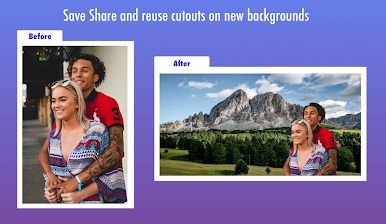
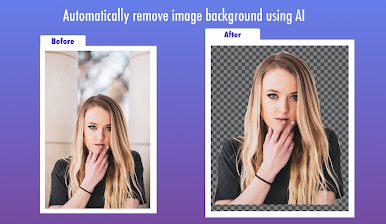
Using Automatic Background Changer - Background Editor does not requires any design experience. Select your image and the technology automatically removes the background. No need for tweaking , very fast & effective.
HOW TO USE -
Select photo from your gallery - > Crop - > AI will auto detect people and do the magic -> save as transparent or apply new backgrounds
FEATURES -
** Automatic removal using artificial intelligence. One Touch Background Removal
** Manual removal using brush tool.
** Crop Tool - Crop your photo to best match your needs before processing
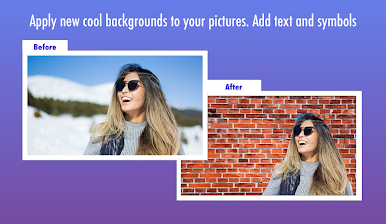
** Add Background - Add new Backgrounds from our templates, Fonts, Symbols and Emojis
** Text Editor - Add text and apply fonts from our library. You can even apply gradients to text
** Emoji - add emojis and symbols from our library of more than 200 symbols.
We value your feedback and suggestions, please do not hesitate to send us your thoughts on how we can improve on future versions. Contact us at - contact@xcstech.com for feedback and issues.
Chơi Background Eraser & Editor trên PC. Rất dễ để bắt đầu
-
Tải và cài đặt BlueStacks trên máy của bạn
-
Hoàn tất đăng nhập vào Google để đến PlayStore, hoặc thực hiện sau
-
Tìm Background Eraser & Editor trên thanh tìm kiếm ở góc phải màn hình
-
Nhấn vào để cài đặt Background Eraser & Editor trong danh sách kết quả tìm kiếm
-
Hoàn tất đăng nhập Google (nếu bạn chưa làm bước 2) để cài đặt Background Eraser & Editor
-
Nhấn vào icon Background Eraser & Editor tại màn hình chính để bắt đầu chơi

