


LibriVox Audio Books Supporter
Chơi trên PC với BlueStacks - Nền tảng chơi game Android, được hơn 500 triệu game thủ tin tưởng.

Trang đã được sửa đổi vào: Sep 2, 2025
Run LibriVox Audio Books Supporter on PC or Mac
What’s better than using LibriVox Audio Books Supporter by BookDesign? Well, try it on a big screen, on your PC or Mac, with BlueStacks to see the difference.
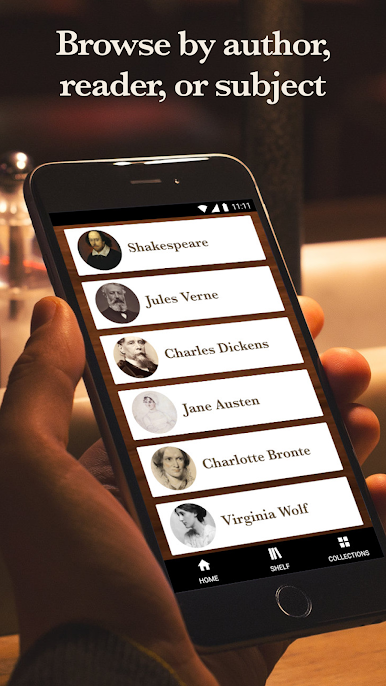
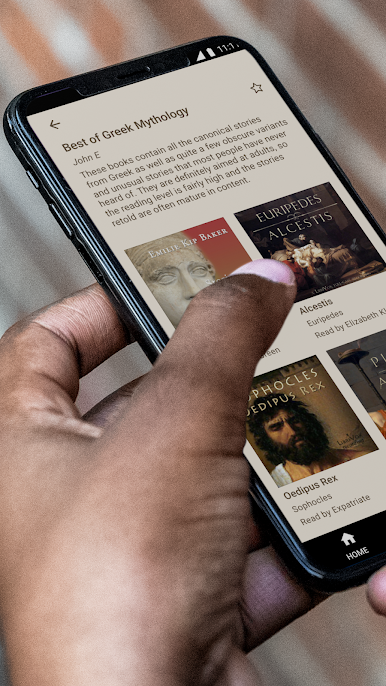
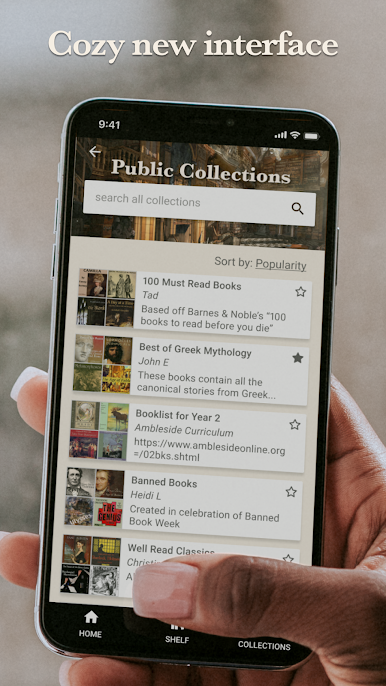
LibriVox Audio Books Supporter feels like stumbling into a massive public library that actually lets a person keep everything. There are over twenty four thousand free audio books and no ads, so listening stays calm and focused. Everything can stream or be downloaded for later, and the app keeps the catalog simple to explore. Browse by title, author, or genre, check the newest recordings, or type a quick keyword. There is even a way to find books by narrator, which matters because the readers are volunteers with different styles, and picking a favorite voice makes a big difference.
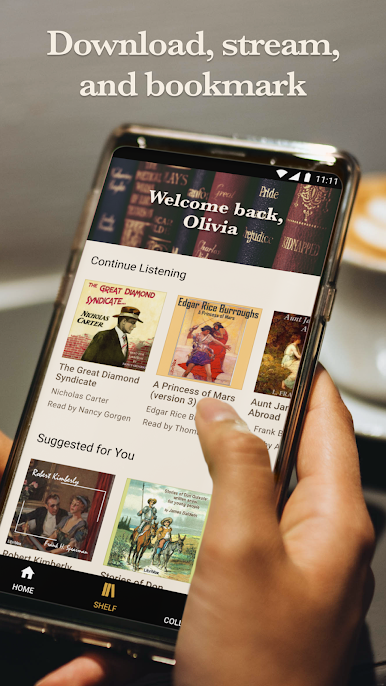
Playback is handled well. There is a sleep timer, unlimited bookmarks, and tidy lists for favorites, recent listens, and downloaded books, so getting back to a chapter happens in seconds. The app also includes thousands of old time radio dramas and some other collections, which is a cool rabbit hole when regular books feel too long. On a PC with BlueStacks, the bigger layout makes hunting through the giant catalog easier, and typing searches with a keyboard is faster. It runs quietly in the background while doing other stuff.
Bluetooth controls work, and it supports Android Auto and Google Cast, so listening moves from desk to car to living room without fiddling. The catalog keeps growing since volunteers upload new releases daily, covering classics, poetry, history, biography, short stories, fiction and non fiction. In the United States there is an optional add on with a large set of professional audiobooks, including current best sellers, for anyone who wants studio polish alongside the free volunteer reads.
Ready to experience LibriVox Audio Books Supporter on a bigger screen, in all its glory? Download BlueStacks now.




Chơi LibriVox Audio Books Supporter trên PC. Rất dễ để bắt đầu
-
Tải và cài đặt BlueStacks trên máy của bạn
-
Hoàn tất đăng nhập vào Google để đến PlayStore, hoặc thực hiện sau
-
Tìm LibriVox Audio Books Supporter trên thanh tìm kiếm ở góc phải màn hình
-
Nhấn vào để cài đặt LibriVox Audio Books Supporter trong danh sách kết quả tìm kiếm
-
Hoàn tất đăng nhập Google (nếu bạn chưa làm bước 2) để cài đặt LibriVox Audio Books Supporter
-
Nhấn vào icon LibriVox Audio Books Supporter tại màn hình chính để bắt đầu chơi

