


AppMgr III (App 2 SD)
Chơi trên PC với BlueStacks - Nền tảng chơi game Android, được hơn 500 triệu game thủ tin tưởng.

Trang đã được sửa đổi vào: Nov 12, 2025
Run AppMgr III (App 2 SD) on PC or Mac
What’s better than using AppMgr III (App 2 SD) by AZSoft Technology Inc.? Well, try it on a big screen, on your PC or Mac, with BlueStacks to see the difference.
About the App
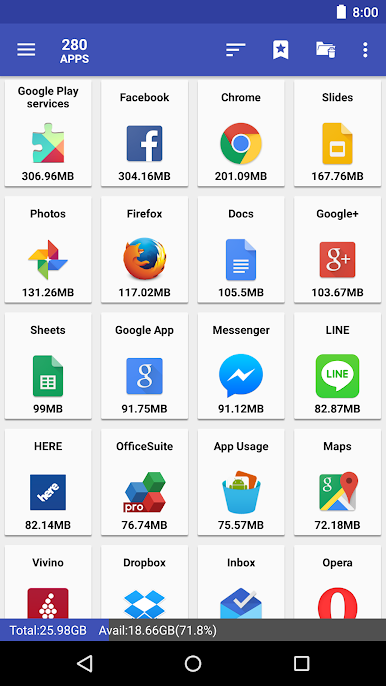
Ever feel like your phone’s storage is running out way too fast? With AppMgr III (App 2 SD) from AZSoft Technology Inc., you get the toolbox you wish your phone came with—perfect for sorting out what’s taking up space, moving apps around, hiding clutter, or even just clearing up some of that annoying cache. The app’s designed to make managing your collection of apps pretty straightforward, whether you’re rocking the latest Android or using something a little older. If you like having more control over your device or just hate seeing pre-installed apps crowding your screen, this app’s worth checking out (especially if you’re running it via BlueStacks).
App Features
-
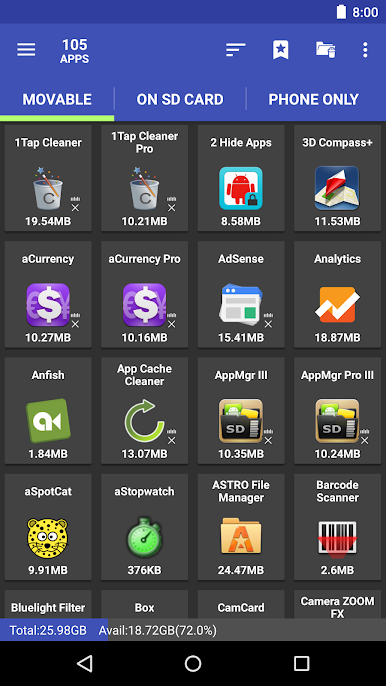
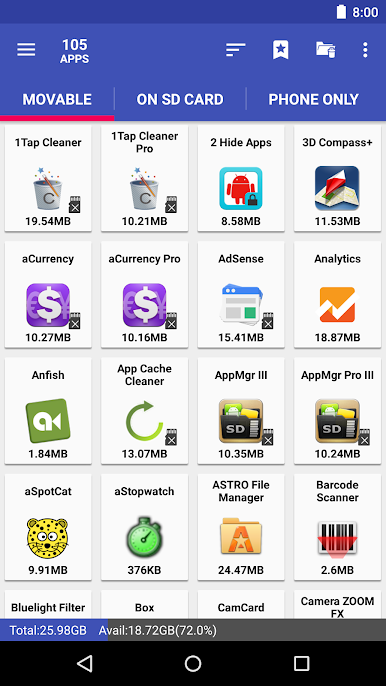
Move Apps Easily
Instantly move apps to either internal or external storage without diving into complicated menus. The app even lets you know when an app can be moved, so you’re not constantly guessing or checking one by one. -
App Archiving (Android 15+)
Running low on space? Archive barely-used apps instead of deleting them; free up storage and bring them back only if you need them again. No need to worry about losing your setup. -
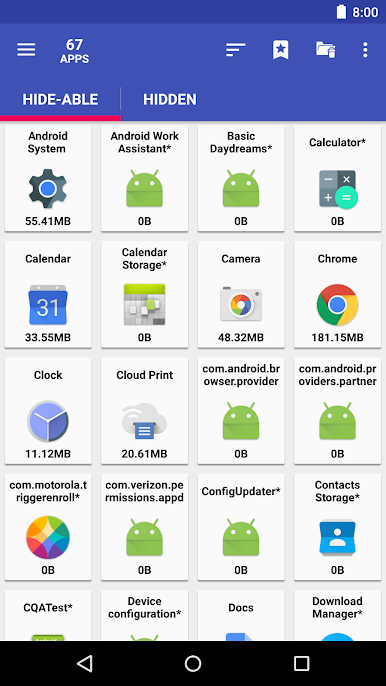
Hide Unwanted Apps
Tired of seeing apps you never use? Hide built-in system apps from your app drawer for a cleaner look without uninstalling anything. -
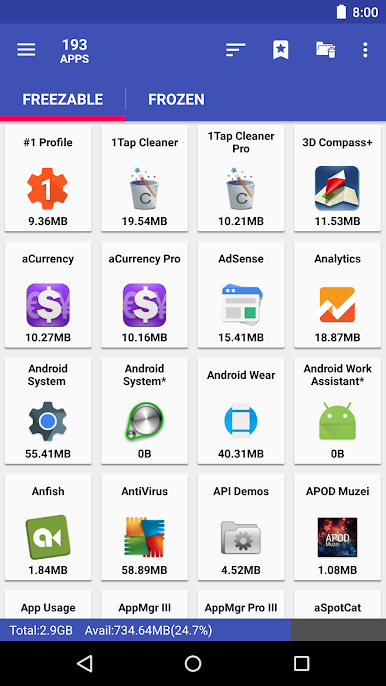
Freeze Resource Hogs
Got apps that love to run in the background, hog battery, or slow things down? Freeze them! This stops them from using your phone’s CPU or memory until you actually need them again. -
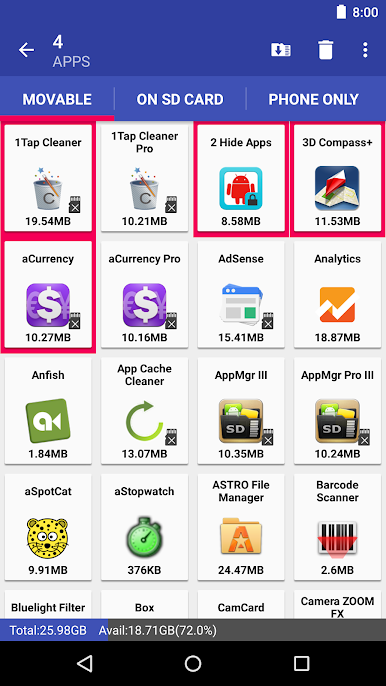
Batch App Management
Save time by uninstalling, moving, or even sharing apps with friends in batches, not one at a time. One-tap cache clearing is a lifesaver if you hate digging through menus. -
Custom List Tools
Export lists of your installed apps for backup or so you can quickly reinstall them after a reset. Handy for sharing your app essentials with friends, too. -
Flexible Sorting & Fast Drag-and-Drop
Sort your apps by name, size, or installation date, and quickly move or uninstall them by dragging and dropping. -
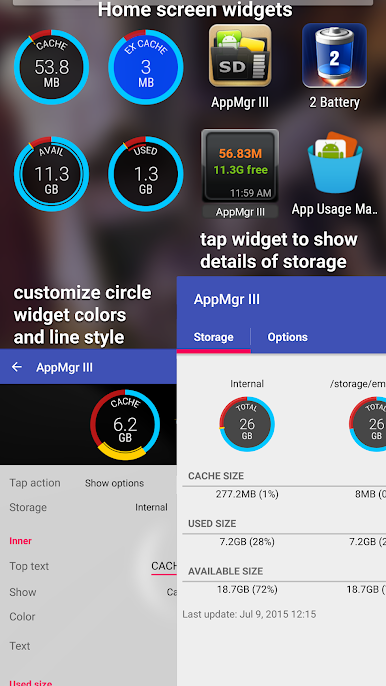
Widget Support
Pop handy app management functions right onto your home screen for quick access. -
Extra Features for Rooted Devices
If your device’s rooted, get bonus powers like root-level uninstall and freezing, plus advanced app moving.
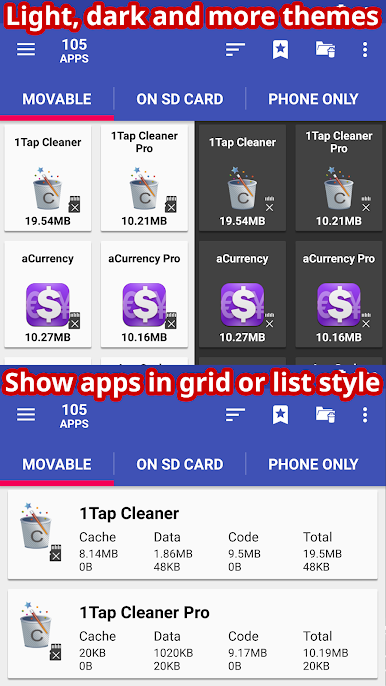
No ads in the PRO version keeps things smooth, and the interface feels modern with up-to-date themes and design touches. Try it out on BlueStacks if you want to see what proper app management looks like on a bigger screen.
Switch to BlueStacks and make the most of your apps on your PC or Mac.
Chơi AppMgr III (App 2 SD) trên PC. Rất dễ để bắt đầu
-
Tải và cài đặt BlueStacks trên máy của bạn
-
Hoàn tất đăng nhập vào Google để đến PlayStore, hoặc thực hiện sau
-
Tìm AppMgr III (App 2 SD) trên thanh tìm kiếm ở góc phải màn hình
-
Nhấn vào để cài đặt AppMgr III (App 2 SD) trong danh sách kết quả tìm kiếm
-
Hoàn tất đăng nhập Google (nếu bạn chưa làm bước 2) để cài đặt AppMgr III (App 2 SD)
-
Nhấn vào icon AppMgr III (App 2 SD) tại màn hình chính để bắt đầu chơi

