


Molecular Constructor
Chơi trên PC với BlueStacks - Nền tảng chơi game Android, được hơn 500 triệu game thủ tin tưởng.

Trang đã được sửa đổi vào: Dec 4, 2023
Play Molecular Constructor on PC or Mac
Bring your A-game to Molecular Constructor, the Educational game sensation from Alexander Teplukhin. Give your gameplay the much-needed boost with precise game controls, high FPS graphics, and top-tier features on your PC or Mac with BlueStacks.
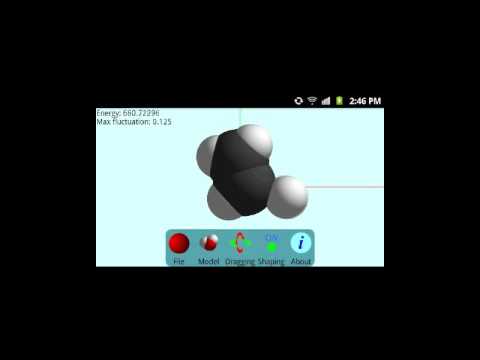
Molecular Constructor is one of those apps that goes straight to the point: it lets players actually build 3D molecules, moving atoms around and seeing the structures come to life in real time. It’s not weighed down by a bunch of unnecessary menus or pop-ups. The controls are simple enough to get a handle on, so instead of getting lost in settings, players spend time experimenting—making new molecules and trying out different shapes. There’s something pretty satisfying about having the freedom to drag, drop, and tweak the geometry of each molecule until it makes sense. On PC, especially using BlueStacks, everything’s a bit sharper and moving pieces is even more precise with a mouse.
No ads popping up or anything like that, so the experience stays focused. The only thing it asks is permission to save screenshots, which is kind of handy after building something detailed. This one stands out for being stripped down and practical, without the clutter you might expect from some modeling apps. It’s straightforward but flexible, great for anyone curious about chemistry or wanting to play around with molecule design without the need for any complicated tutorials.
Make your gaming sessions memorable with precise controls that give you an edge in close combats and visuals that pop up, bringing every character to life.


Chơi Molecular Constructor trên PC. Rất dễ để bắt đầu
-
Tải và cài đặt BlueStacks trên máy của bạn
-
Hoàn tất đăng nhập vào Google để đến PlayStore, hoặc thực hiện sau
-
Tìm Molecular Constructor trên thanh tìm kiếm ở góc phải màn hình
-
Nhấn vào để cài đặt Molecular Constructor trong danh sách kết quả tìm kiếm
-
Hoàn tất đăng nhập Google (nếu bạn chưa làm bước 2) để cài đặt Molecular Constructor
-
Nhấn vào icon Molecular Constructor tại màn hình chính để bắt đầu chơi

