


APPICS
Chơi trên PC với BlueStacks - Nền tảng chơi game Android, được hơn 500 triệu game thủ tin tưởng.

Trang đã được sửa đổi vào: Nov 15, 2025
Play APPICS on PC
APPICS is a home for creators that earn for sharing, commenting, and voting on content.
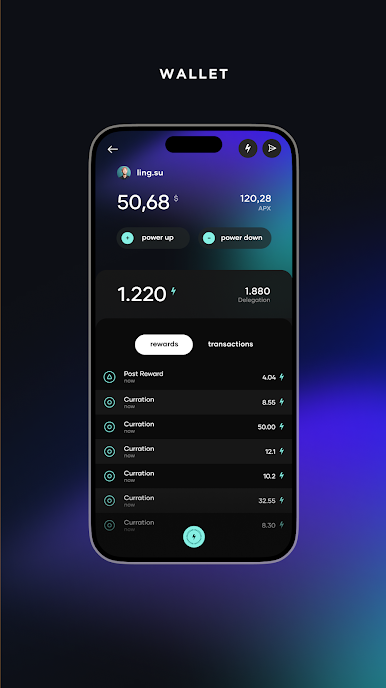
Social media has never been more rewarding! We believe in our mission to return merits back to the user for the time they spend on social media. Based on a decentralized contribution-reward-system, the APPICS token (APX) is a reward-token that returns the value created via contribution back to the source, namely the creators and curators of the network. Rewards are attached to upvotes and by creating or recognizing the value of content, all participants get a fair share of the reward-pool. APPICS aims at bringing a system to life where the power doesn’t just come from, but stays within the network.
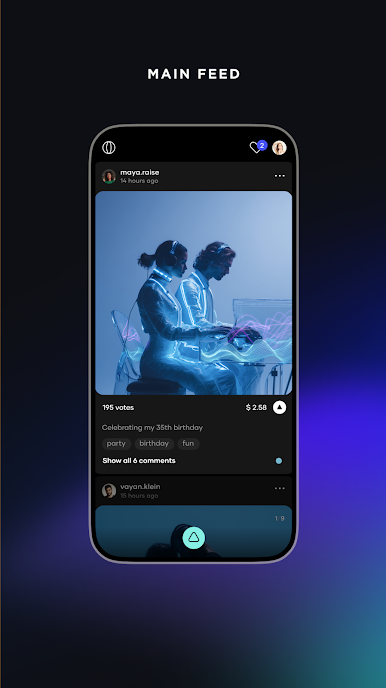
On APPICS users are able to share content in the form of photos and short videos which are divided
in 19 categories that provide structure and visibility for the user experience.
Comments are also regarded as a form of content and users can upvote comments as well, incentivizing people to add positive, helpful or encouraging comments.
But not every upvote is equal - a user can decide how much of their limited voting power they want to use for each upvote. When more upvotes are distributed, the voting power decreases.
Rewards on content are automatically distributed to the user’s in-app wallet after 30 days.
APX tokens can be obtained through content creation and participation in the reward-system, by voting on content within the app. APX tokens can be transferred or staked in order to increase voting weight, which enables users to earn even more rewards.
The more active you are, the higher your influence over the allocation of rewards!
Join APPICS, share your passion, and discover a new way of social media!





Chơi APPICS trên PC. Rất dễ để bắt đầu
-
Tải và cài đặt BlueStacks trên máy của bạn
-
Hoàn tất đăng nhập vào Google để đến PlayStore, hoặc thực hiện sau
-
Tìm APPICS trên thanh tìm kiếm ở góc phải màn hình
-
Nhấn vào để cài đặt APPICS trong danh sách kết quả tìm kiếm
-
Hoàn tất đăng nhập Google (nếu bạn chưa làm bước 2) để cài đặt APPICS
-
Nhấn vào icon APPICS tại màn hình chính để bắt đầu chơi

