


Zapomniane Księgi 2
Graj na PC z BlueStacks – Platforma gamingowa Android, która uzyskała zaufanie ponad 500 milionów graczy!

Strona zmodyfikowana w dniu: Feb 23, 2017
Podgląd
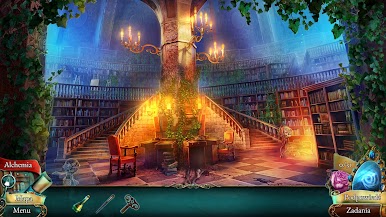
Kiedy jedyny dziedzic tronu znika tuż przed swoją koronacją, tylko jedna osoba na dworze królewskim będzie w stanie go odnaleźć. Wciel się w rolę mentorki, szpiega i doradczyni domu Gryfa i wyrusz w niebezpieczną przygodę by odnaleźć księcia Ferna i wyrwać go ze szponów mrocznej magii, nim będzie za późno!
WYPRÓBUJ ZA DARMO I ODBLOKUJ PEŁNĄ WERSJĘ BEZ WYCHODZENIA Z GRY!
NOWA MAGICZNA PRZYGODA!
Na kilka dni przed koronacją, młody książę znika w towarzystwie tajemniczej dziewczyny. Zadaniem królewskiej protektorki i nauczycielki będzie sprowadzić go z powrotem całego i zdrowego.
PODRÓŻ PRZEZ FANTASTYCZNE LOKACJE!
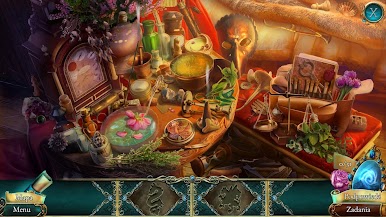
Wyprawa w poszukiwaniu dziedzica powiedzie mentorkę przez niezwykłe, ręcznie malowane miejsca.
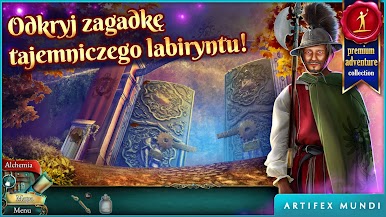
SKOMPLIKOWANE LABIRYNTY I ZAGADKI!
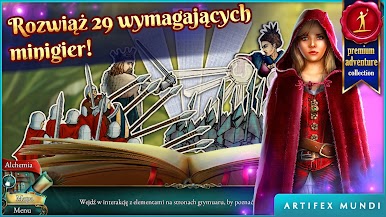
Bohaterka będzie musiała stawić czoła licznym zagadkom, scenom z ukrytymi przedmiotami i wymyślnym labiryntom by osiągnąć swój cel.
NIEZWYKŁA INTRYGA I POSTACIE!
Protektorka napotka na swojej drodze niezwykłe postacie i stanie oko w oko ze złowrogą Droserą.
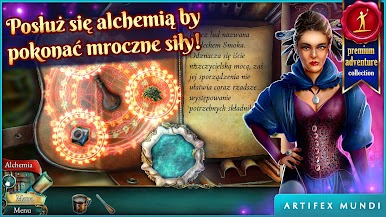
ALCHEMIA PRZECIWKO CZARNEJ MAGII!
Bohaterka uczyni wszystko by ocalić księcia Ferna przed grożącym mu śmiertelnym zagrożeniem, używając alchemii. Czy misja się powiedzie? Przyszłość królestwa jest w Twoich rękach!
• Rozpocznij przygodę pełną magii i alchemii!
• Podróżuj przez 31 tajemniczych lokacji!
• Rozwiązuj zawiłe zagadki i pokonuj labirynty!
• Spotykaj fascynujących bohaterów!
• Użyj alchemii, by ocalić księcia!
+ + + JESTEŚMY TUTAJ + + +
WWW: http://artifexmundi.com
FACEBOOK: http://facebook.com/artifexmundi
TWITTER: http://twitter.com/ArtifexMundi
FORUM: http://forum.artifexmundi.com
YOUTUBE: http://youtube.com/user/ArtifexMundi
PINTEREST: http://pinterest.com/artifexmundi
INSTAGRAM: http://instagram.com/artifexmundi


Zagraj w Zapomniane Księgi 2 na PC. To takie proste.
-
Pobierz i zainstaluj BlueStacks na PC
-
Zakończ pomyślnie ustawienie Google, aby otrzymać dostęp do sklepu Play, albo zrób to później.
-
Wyszukaj Zapomniane Księgi 2 w pasku wyszukiwania w prawym górnym rogu.
-
Kliknij, aby zainstalować Zapomniane Księgi 2 z wyników wyszukiwania
-
Ukończ pomyślnie rejestrację Google (jeśli krok 2 został pominięty) aby zainstalować Zapomniane Księgi 2
-
Klinij w ikonę Zapomniane Księgi 2 na ekranie startowym, aby zacząć grę

