Remini - Làm Nét Ảnh

Remini - Làm Nét Ảnh

Nhiếp ảnh | Bending Spoons

Chơi trên PC với BlueStacks - Nền tảng chơi game Android, được hơn 500 triệu game thủ tin tưởng.

Trang đã được sửa đổi vào: Oct 10, 2025

Run Remini - Photo Enhancer on PC or Mac

Multitask effortlessly on your PC or Mac as you try out Remini – AI Photo Enhancer, a Photography app by Bending Spoons on BlueStacks.

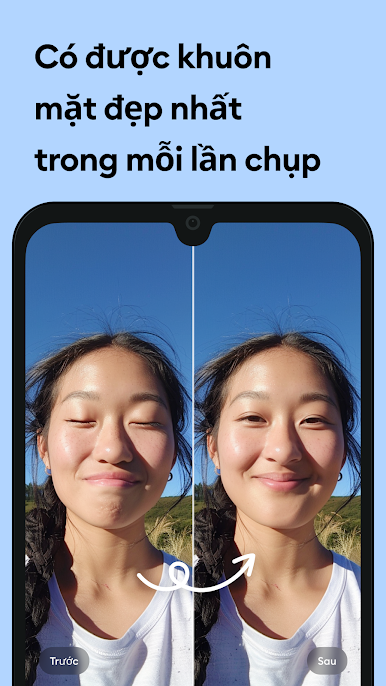
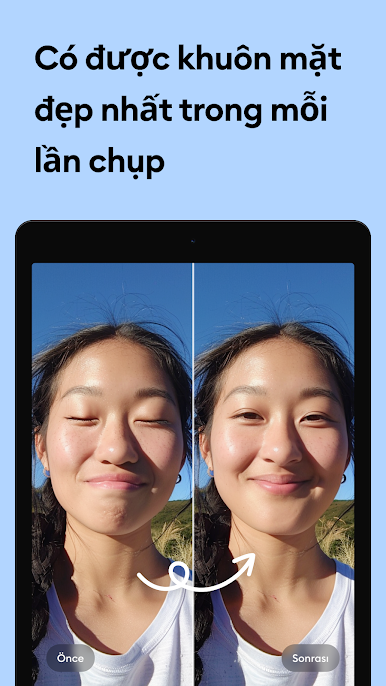
Remini feels like a little time machine for photos. Someone drops in an old, blurry selfie or a faded group picture, taps enhance, and suddenly faces look clear again. Scratches soften, grain and haze calm down, and everything pops into HD without a lot of tinkering. It is not a full photo editor, more like a specialist that fixes detail, sharpens, and upscales. It really shines on portraits and scanned family photos. On a PC with BlueStacks, it is nicer to use because the before and after is big on screen and sorting files with a mouse is just easier.

Results are usually impressive, though if the source is very rough, the AI can push skin a bit too smooth or invent details that feel off. Running a lighter pass or trying a different mode can help. The team keeps updating the AI, so results do improve over time. There is a subscription for the premium stuff and unlimited runs, with weekly or yearly options and auto renewal that can be managed in settings. Casual users can still get a feel for what it does before deciding. For anyone sitting on old vacation shots, scanned prints, or low resolution snaps that should have been great, this gets them from fuzzy to shareable fast, and without needing to learn a whole editor just to fix one photo.

Big screen. Bigger performance. Use BlueStacks on your PC or Mac to run your favorite apps.

Chơi Remini - Làm Nét Ảnh trên PC. Rất dễ để bắt đầu

  • Tải và cài đặt BlueStacks trên máy của bạn

  • Hoàn tất đăng nhập vào Google để đến PlayStore, hoặc thực hiện sau

  • Tìm Remini - Làm Nét Ảnh trên thanh tìm kiếm ở góc phải màn hình

  • Nhấn vào để cài đặt Remini - Làm Nét Ảnh trong danh sách kết quả tìm kiếm

  • Hoàn tất đăng nhập Google (nếu bạn chưa làm bước 2) để cài đặt Remini - Làm Nét Ảnh

  • Nhấn vào icon Remini - Làm Nét Ảnh tại màn hình chính để bắt đầu chơi

Xem video