


SkyWiki - Guide to Universe
Graj na PC z BlueStacks – Platforma gamingowa Android, która uzyskała zaufanie ponad 500 milionów graczy!

Strona zmodyfikowana w dniu: Dec 1, 2025
Graj SkyWiki - Guide to Universe na PC
SkyWiki zamienia całe niebo w piękne, proste, interaktywne doświadczenie, zaprojektowane zarówno dla ciekawskich nowicjuszy, jak i zagorzałych miłośników nieba.
Wszystko, czego potrzebujesz do eksploracji wszechświata, prosto z telefonu.
✨ Najważniejsze funkcje
🪐 Widok AR w czasie rzeczywistym
Skieruj aparat na niebo i zobacz, co tam naprawdę jest.
• Nakładaj gwiazdy, planety i konstelacje w rozszerzonej rzeczywistości
• Działa na żywo z czujnikami Twojego urządzenia
• Idealne do identyfikacji nieba i nauki w podróży
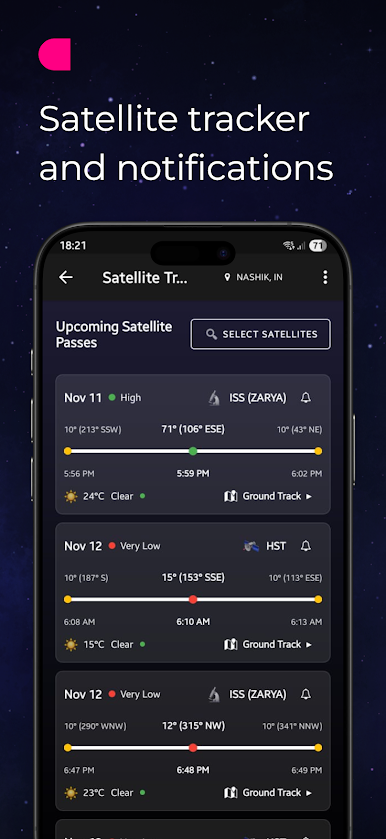
🛰 Śledzenie satelitów (NOWOŚĆ)
Śledź satelity podczas ich ruchu po niebie.
• Pozycje satelitów w czasie rzeczywistym
• Widoczne przejścia i trajektorie
• Idealne do obserwacji ISS i głównych satelitów
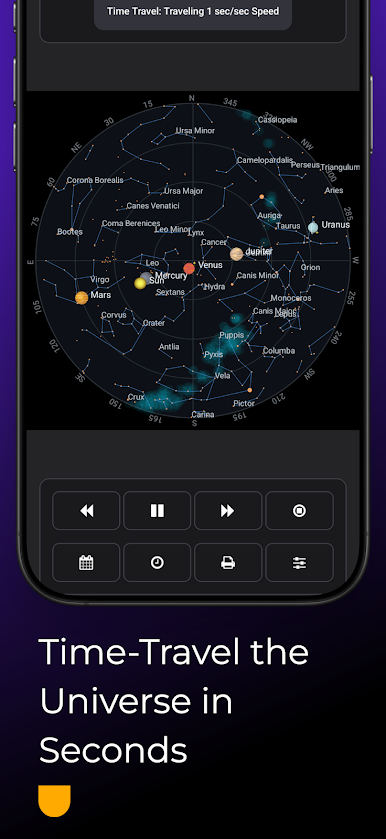
🔭 Mapa nieba
Obraz jest wart milion słów. Zobacz, jak niebo ożywa, zmieniając się w czasie.
- Podróżuj w czasie do przodu lub do tyłu, aby zobaczyć niebo w dowolnym momencie. - Wizualizuj planety, konstelacje, jasne gwiazdy i obiekty Messiera w ruchu.
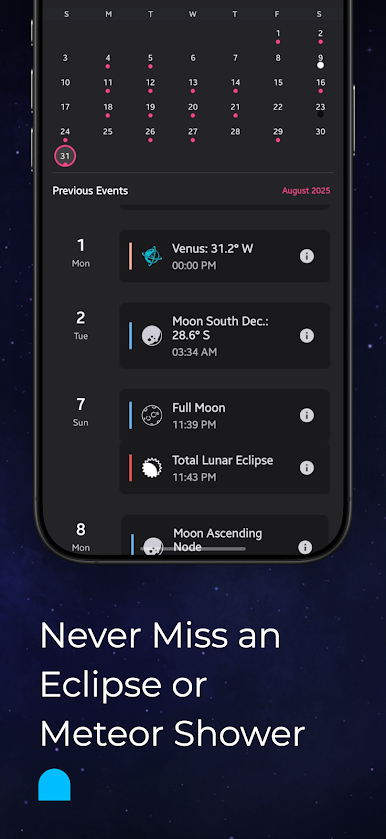
📅 Kalendarz
Nigdy więcej nie przegap żadnego wydarzenia astronomicznego.
- Poznaj fazy Księżyca, zaćmienia, równonoce, przesilenia i zjawiska planetarne.
- Śledź apogeum/perygeum Księżyca, koniunkcje i roje meteorów z łatwością.
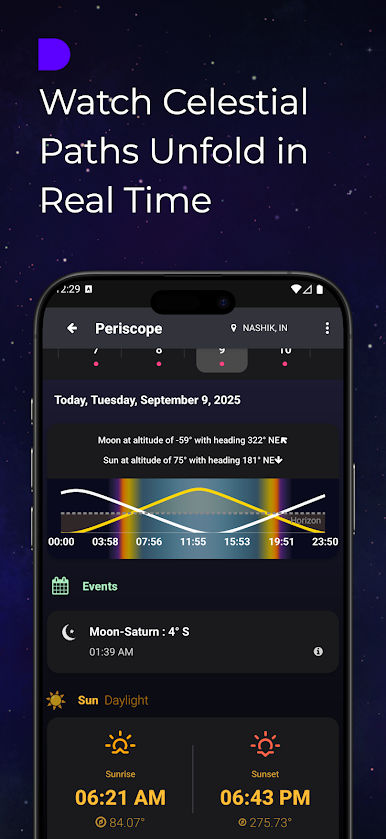
🌞🌙 Peryskop
Zobacz ścieżki Słońca, Księżyca i planet ze swojej lokalizacji.
- Wizualizuj ich wschody i zachody w ciągu dnia.
- Idealny do planowania obserwacji i fotografii.
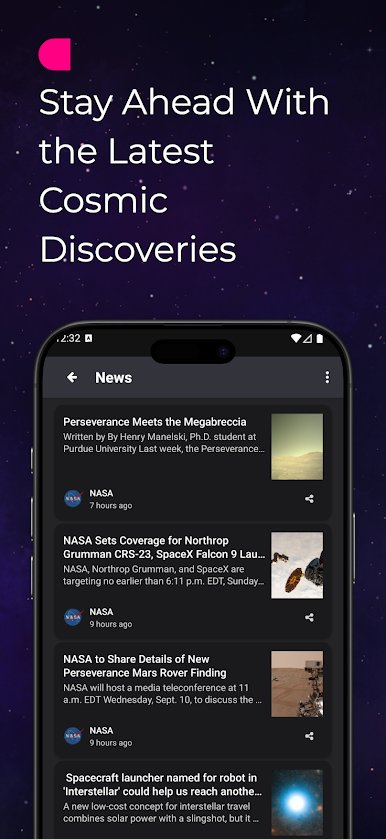
📰 Wiadomości astronomiczne
Bądź na bieżąco z najnowszymi odkryciami kosmicznymi.
- Zbiorcze wiadomości z zaufanych źródeł astronomicznych.
- Jedno centrum wszystkich najważniejszych aktualizacji i wydarzeń.
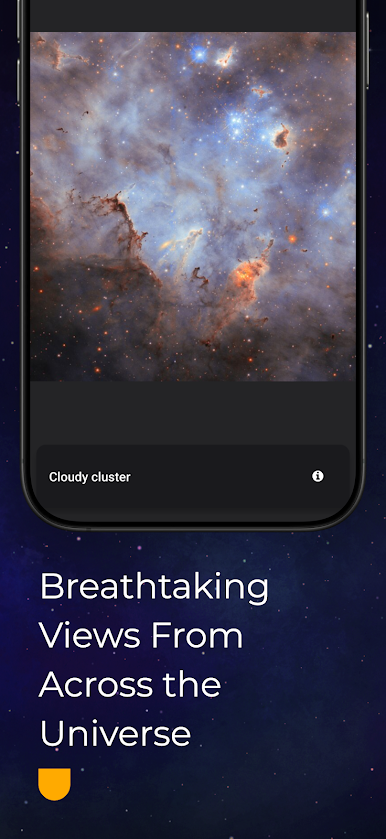
📸 Zdjęcia astronomiczne
Odkryj zapierające dech w piersiach obrazy wszechświata.
- Przeglądaj zachwycające zdjęcia astronomiczne.
- Odkryj widoki, których nie widać gołym okiem.
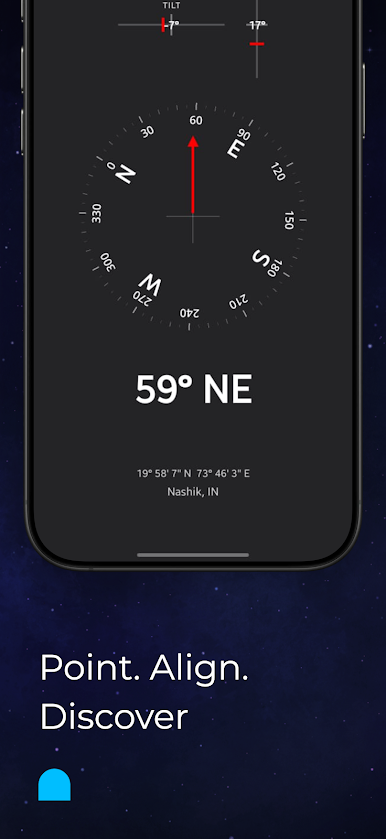
🧭 Kompas
Znajdź drogę na nocnym niebie.
- Natychmiastowa orientacja.
- Skieruj urządzenie i eksploruj z pewnością siebie.
📲 Widżet na ekran główny
Uzyskaj dostęp do astronomii na pierwszy rzut oka — bez otwierania aplikacji.
- Zobacz nadchodzące wydarzenia, fazy księżyca i szybkie skróty.
- Kosmos zawsze na ekranie głównym.

Zagraj w SkyWiki - Guide to Universe na PC. To takie proste.
-
Pobierz i zainstaluj BlueStacks na PC
-
Zakończ pomyślnie ustawienie Google, aby otrzymać dostęp do sklepu Play, albo zrób to później.
-
Wyszukaj SkyWiki - Guide to Universe w pasku wyszukiwania w prawym górnym rogu.
-
Kliknij, aby zainstalować SkyWiki - Guide to Universe z wyników wyszukiwania
-
Ukończ pomyślnie rejestrację Google (jeśli krok 2 został pominięty) aby zainstalować SkyWiki - Guide to Universe
-
Klinij w ikonę SkyWiki - Guide to Universe na ekranie startowym, aby zacząć grę

