


CalcNotePlugin for Drive
Chơi trên PC với BlueStacks - Nền tảng chơi game Android, được hơn 500 triệu game thủ tin tưởng.

Trang đã được sửa đổi vào: Aug 28, 2025
Play CalcNotePlugin for Drive on PC
CalcNote
https://play.google.com/store/apps/details?id=com.burton999.notecal
CalcNote Pro
https://play.google.com/store/apps/details?id=com.burton999.notecal.pro
How to use
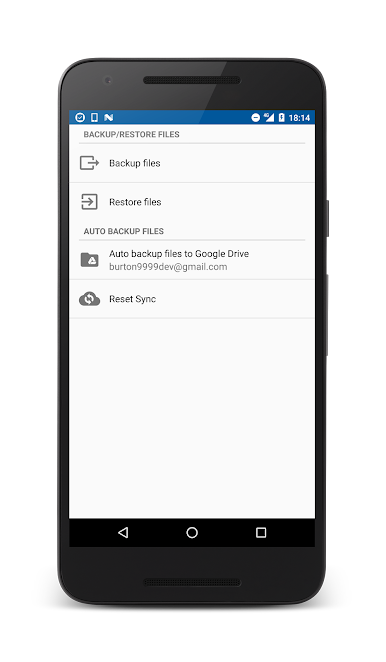
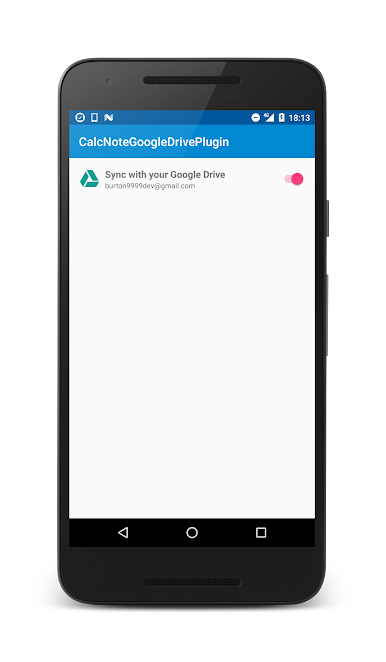
1. Launch the CalcNote for Drive.
2. Enable [Sync with your Drive]
3. Select your account.
4. Sign in to your account.
Specification
This plugin creates "__calcnote__" folder to your drive root folder.
All of your files and drafts are saved in this folder.
Also plugin creates "trash" folder in the "__calcnote__" folder.
All for your deleted files and drafts are saved in the "trash" folder.
Note
1. When used on multiple devices, A file created by device A are automatically synchronized to device B. File updates and deletes are also synchronized.
2. This plugin is intended to provide automatic backup. It does not provide accurate synchronization function.
3. Plugin resolves an update conflict based on device time. So if the time of the device is not accurate, it will result in unintended consequences.
4. A file created by another application is not synchronized. If you create text file using Drive app and save file to "__calcnote__" folder, file is ignored by this plugin.
5. Plugin does not delete deleted files in the trash folder. So you need to delete deleted files manually if need.
Chơi CalcNotePlugin for Drive trên PC. Rất dễ để bắt đầu
-
Tải và cài đặt BlueStacks trên máy của bạn
-
Hoàn tất đăng nhập vào Google để đến PlayStore, hoặc thực hiện sau
-
Tìm CalcNotePlugin for Drive trên thanh tìm kiếm ở góc phải màn hình
-
Nhấn vào để cài đặt CalcNotePlugin for Drive trong danh sách kết quả tìm kiếm
-
Hoàn tất đăng nhập Google (nếu bạn chưa làm bước 2) để cài đặt CalcNotePlugin for Drive
-
Nhấn vào icon CalcNotePlugin for Drive tại màn hình chính để bắt đầu chơi

